“This background removal tool is incredible! I can create professional-looking videos in minutes. The AI technology is so accurate, and it saves me hours of editing time.”
SJ
Sarah Johnson
Content Creator · YouTube
Machen Sie den Hintergrund eines beliebigen Videos mit einem Klick transparent
or drop a file anywhere on this page
MP4, MOV, JPG, PNG, WEBP · Up to 200MB · 5 min max
No file? Try one of these
By uploading, you agree to our Terms of Service and Privacy Policy
See how BGRemover adapts the background for each category.

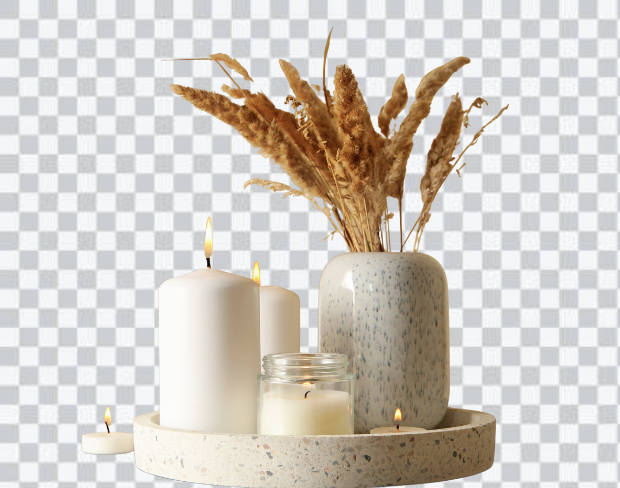
Preview 1 of 5
Laden Sie Ihr Video hoch
Supports MP4 & MOV up to 200MB. Drag & drop or click to browse from your device.
Unsere KI entfernt den Hintergrund
Our AI model precisely detects every edge — no green screen or manual masking needed.
Laden Sie Ihr neues Video herunter
Export as transparent WebM or MP4 with a custom background. No watermark, ever.
Auf der Suche nach schneller Entfernung des Video-Hintergrunds? Unser kostenloser Video-Hintergrund-Entferner macht es einfach, Ihre ursprüngliche Szene zu schneiden und durch ein beliebiges Bild, Video oder Volltonfarbe zu ersetzen, keine grüne Leinwand erforderlich. Möchten Sie stattdessen einen transparenten Hintergrund? Nur ein Klick. Dieses smarte KI-Tool ist einfach, leistungsstark und perfekt für die Erstellung atemberaubender, professioneller Inhalte in Minuten.
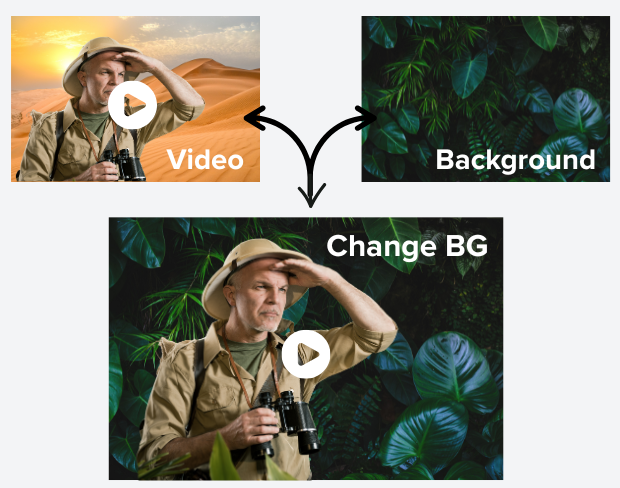
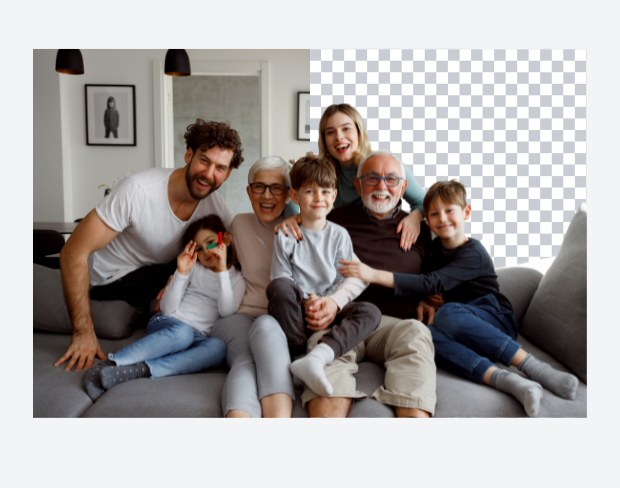
Unser KI-Hintergrund-Entferner erkennt und entfernt den Hintergrund aus Ihrem Video sofort mit pixelgenauer Präzision. Keine Notwendigkeit für komplexe Software oder grüne Leinwände, laden Sie einfach hoch und lassen Sie unseren Video-Hintergrund-Entferner die Arbeit erledigen. Es ist ideal für Content-Ersteller, Marken und Marketer, die hochwertige transparente Hintergründe ohne Aufwand wünschen.
Geben Sie Ihren Videos Leben, indem Sie den Hintergrund sofort durch alles ersetzen, was Sie sich vorstellen können — von atemberaubenden Sonnenuntergängen und schicken Büros bis hin zu sauberen weißen Hintergründen. Unser KI-gestützter Hintergrund-Editor macht es mühelos. Laden Sie einfach Ihr Video hoch, wählen Sie aus unserer kuratierten Sammlung von Hintergrundvorlagen oder fügen Sie Ihr eigenes Bild oder Ihren Clip hinzu. Die KI wird es intelligent in Ihren Inhalt einblenden, keine grüne Leinwand, keine komplexen Tools. Es ist der schnellste Weg, professionelle, auffällige Videos in wenigen Klicks zu erstellen.
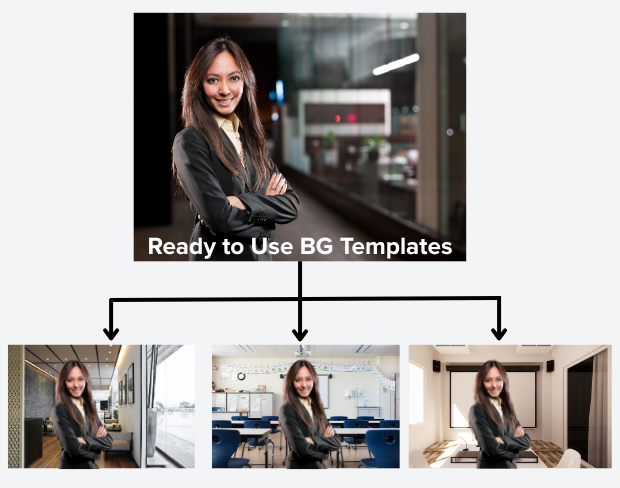
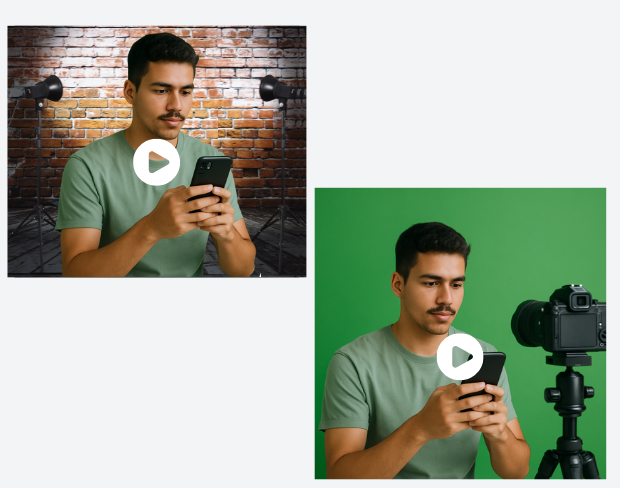
Keine grüne Leinwand? Kein Problem! Unser fortschrittlicher KI-Hintergrund-Entferner entfernt mühelos jeden Hintergrund, sodass Sie professionelle Videos ohne teure Ausrüstung erstellen können. Ob für Fernarbeit, Online-Präsentationen, soziale Medien oder Videoanrufe, Sie können Studio-Qualität-Inhalte mit nur Ihrem Smartphone oder Ihrer Kamera produzieren, anytime, anywhere.
Müssen Sie Hintergründe aus mehreren Videos schnell entfernen? Unser Batch-Video-Hintergrund-Entferner ermöglicht es Ihnen, mehrere Clips auf einmal hochzuladen und ihre Hintergründe automatisch zu entfernen. Perfekt für beschäftigte Ersteller und Unternehmen mit viel Footage, die Zeit sparen und professionelle Ergebnisse ohne Aufwand liefern!
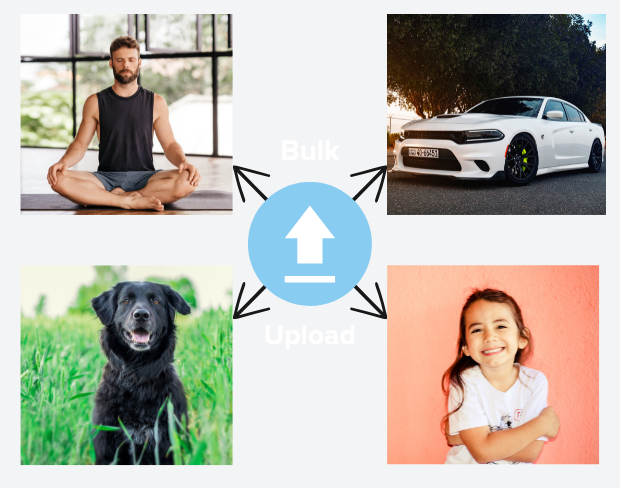
Entfernen und ersetzen Sie den Hintergrund Ihres Videos mit einem Klick. Video-Hintergrund online ändern.
Try NowBuilt for creators who need clean exports, simple editing, and reusable background workflows without opening a heavy desktop editor.
01
Transparent output
02
Reusable backgrounds
03
No heavy editor
01
Platform fit
Prepare your videos for YouTube, TikTok, Instagram, and more using our free video background remover. Easily create videos with a transparent background that fits perfectly on any social media or presentation platform that no complex edits needed.
02
Simple editor
Our free online video editor is designed for creators of all skill levels. Remove bg from video with ease using AI-powered tools that simplify background removal and editing, letting you focus on creating stunning content without hassle.
03
Fast delivery
Our free online video editor is designed for creators of all skill levels. Remove bg from video with ease using AI-powered tools that simplify background removal and editing, letting you focus on creating stunning content without hassle.
04
Motion-ready
Beyond videos, our gif bg remover lets you make GIFs with transparent backgrounds. Perfect for social media, ads, and messages add eye-catching animation that stands out with our transparent background maker.
“This background removal tool is incredible! I can create professional-looking videos in minutes. The AI technology is so accurate, and it saves me hours of editing time.”
Sarah Johnson
Content Creator · YouTube
“As an online instructor, this tool has revolutionized how I create educational content. Clean, professional backgrounds help my students focus on the lesson content.”
David Park
Educator · Online Learning Platform
“We use it across every client shoot now. Consistent quality, fast exports, and it handles fine details like hair and motion blur really well.”
Priya Nair
Video Producer · Studio Nine
“This background removal tool is incredible! I can create professional-looking videos in minutes. The AI technology is so accurate, and it saves me hours of editing time.”
Sarah Johnson
Content Creator · YouTube
“As an online instructor, this tool has revolutionized how I create educational content. Clean, professional backgrounds help my students focus on the lesson content.”
David Park
Educator · Online Learning Platform
“We use it across every client shoot now. Consistent quality, fast exports, and it handles fine details like hair and motion blur really well.”
Priya Nair
Video Producer · Studio Nine
“Our team uses this for all our product videos. The quality is amazing and the ease of use is unmatched. We've increased our video production by 300% since using this tool.”
Michael Chen
Marketing Director · TechStart Inc.
“I've tried many background removal tools, but this one is by far the best. The precision is incredible, and it works perfectly even with complex hair and clothing details.”
Lisa Thompson
Freelance Video Editor · Independent
“Green screen without a green screen. I film anywhere and drop in a studio background afterward it looks completely natural.”
Alex Turner
YouTuber · Independent
“Our team uses this for all our product videos. The quality is amazing and the ease of use is unmatched. We've increased our video production by 300% since using this tool.”
Michael Chen
Marketing Director · TechStart Inc.
“I've tried many background removal tools, but this one is by far the best. The precision is incredible, and it works perfectly even with complex hair and clothing details.”
Lisa Thompson
Freelance Video Editor · Independent
“Green screen without a green screen. I film anywhere and drop in a studio background afterward it looks completely natural.”
Alex Turner
YouTuber · Independent
“Perfect for creating engaging social media content. The background removal is seamless, and I love how I can add custom backgrounds to match our brand aesthetic.”
Emma Rodriguez
Social Media Manager · Digital Agency
“Swapping backgrounds used to take me an hour in a desktop editor. Now I upload, pick a scene, and it's done in minutes with better edges.”
James Wilson
UGC Creator · Freelance
“Our product videos finally look consistent across every platform. Clean backgrounds, zero manual masking, huge time saver for the team.”
Olivia Brooks
Brand Manager · RetailCo
“Perfect for creating engaging social media content. The background removal is seamless, and I love how I can add custom backgrounds to match our brand aesthetic.”
Emma Rodriguez
Social Media Manager · Digital Agency
“Swapping backgrounds used to take me an hour in a desktop editor. Now I upload, pick a scene, and it's done in minutes with better edges.”
James Wilson
UGC Creator · Freelance
“Our product videos finally look consistent across every platform. Clean backgrounds, zero manual masking, huge time saver for the team.”
Olivia Brooks
Brand Manager · RetailCo
Unsere KI analysiert Ihr Video und entfernt den Hintergrund automatisch.
Wir unterstützen MP4, MOV und M4V Formate.
Ja, Videos müssen unter 200MB und 2 minuten lang sein.
Page 1 of 1
Be the first to share your experience.
Keep moving through focused tools for cleaner clips, sharper assets, and faster production workflows.