Jewellery Video Background Removal: Detail Guide 2026
Yash Thakker
Author
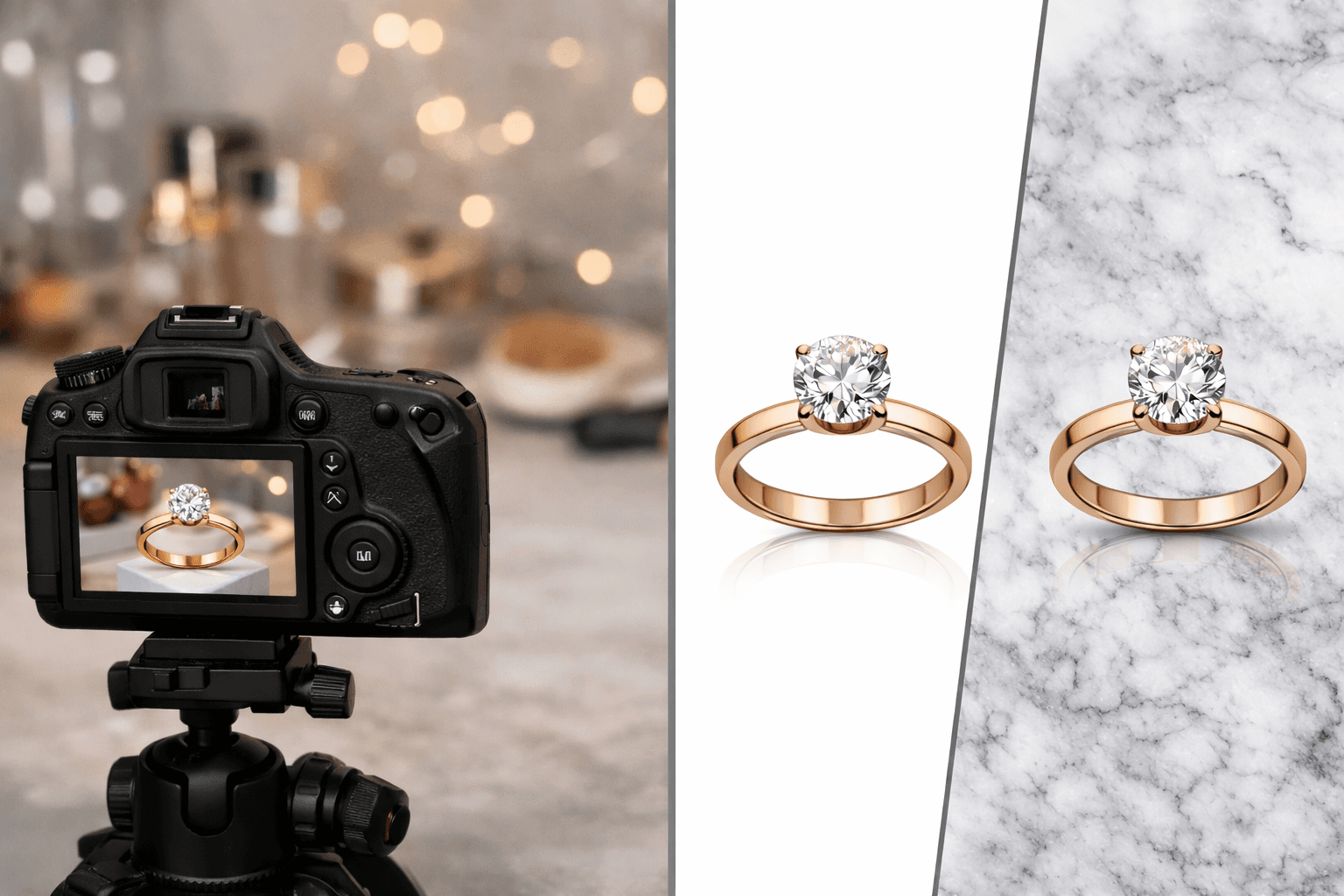
To improve a jewellery video with background removal, start with controlled footage, separate the piece from its setting, and check the fine details through the entire movement. The goal is an accurate view of the ring, chain, bracelet, or earrings. A clean background is helpful only if the editing preserves the object viewers are trying to inspect.
Jewellery combines several difficult visual conditions. A polished band reflects the room. A clear stone transmits and refracts light. A fine chain may occupy only a few pixels, and the openings between links are part of its shape. When the piece moves, those conditions change from frame to frame. A successful still preview does not establish that the moving asset is ready.
This guide explains how to prepare the recording, identify the problems that belong to lighting rather than masking, and review the downloaded result before publication. The hero is a conceptual composition illustration, not a measured processing example or evidence that every reflective piece will behave the same way.
Why are jewellery edges harder than a solid product outline?
Jewellery edges are difficult because thin structures, small openings, reflections, and partial transparency can blend with the scene in different ways. The visible boundary is often more complicated than a simple solid shape against a wall.
A thick opaque box has a clear outer silhouette. A necklace has an outer silhouette, spaces between links, and tiny highlights that may look like separate objects. A stone can contain visible background information while still being part of the product. An automatic separator must make decisions about all of those regions, and the result may need correction or a different source.
Motion adds another challenge. A chain moving toward the camera changes apparent thickness, while a turning ring changes which surfaces reflect the light. A small mask error that remains still may be unobtrusive; an error that appears and disappears can look like a broken chain or a flashing edge.
Do not judge the workflow by whether it creates a perfectly hard outline. Real focus transitions and motion blur can produce soft edges. The question is whether the processed image preserves the visible material and movement in a believable way. Our guide to difficult hair boundaries explains a related distinction between a rigid mask and partially transparent detail.
What should you fix during the shoot rather than afterward?
Fix distracting reflections, unstable focus, excessive movement, and unclear lighting during the shoot whenever you can. Removing the outside background cannot reliably reconstruct product detail that was never recorded clearly.
Clean the piece according to the care appropriate for its materials and handle it in a way that avoids introducing new marks. Check the camera view closely for dust or fingerprints that will become prominent in a close-up. Avoid assuming that every mark should be digitally erased; if an item is being sold in its actual used condition, the presentation should remain accurate.
Stabilize the camera and choose a framing that includes the whole intended movement. A piece rotating out of the frame is a capture problem, not a background problem. Check that the important surfaces remain in focus and that a focus adjustment does not repeatedly move attention away from the detail you are demonstrating.
Shopify’s reflective-product photography guide discusses controlling the lighting environment for shiny objects. Its central relevance here is that reflections are part of the capture setup. Treat that setup as a deliberate production task rather than assuming a background remover will clean every bright or dark patch afterward.
Record a short trial and review it before filming all the pieces. If the trial shows a camera reflection crossing the band or a clipped highlight hiding the setting, adjust the scene and test again.
How should you choose the original backdrop and lighting?
Choose a simple recording environment that separates the jewellery from surrounding clutter while preserving its real shape, surface, and color. The most useful setup is the one that produces clear source footage for the particular piece.
Avoid a background that closely matches a thin chain if it makes the chain difficult to distinguish. At the same time, do not introduce a strongly colored surface that creates distracting reflections in polished metal. Test the relationship between object, light, and backdrop together; changing one can affect the others.
A diffused light source can make reflections more controlled, but the exact arrangement depends on the piece and the view you want. Move the light or surrounding surfaces while watching the camera image. Look for a readable contour and visible material rather than a uniformly bright object with no texture or form.
Keep the intended movement in the test. A ring may look clear from the front and merge into the backdrop during the side view. A dangling earring may briefly cross another earring or its support. These are the moments that determine whether the footage will be practical to separate.
For a broader approach to recording space, our video backdrop guide covers the relationship between the physical setting and later replacement. For jewellery, the reflective surface makes that relationship especially visible.
How do you film a turntable or hand-held demonstration?
Use a slow, intentional movement that reveals the detail you want viewers to inspect, and review a full movement cycle before approving the take. The recording should answer a product question rather than simply make the object move.
For a turntable-style shot, confirm that the piece and its support remain stable through the turn. Watch for wobble, shifting focus, or a support that becomes visible from the side. Decide whether the support is part of the intended final composition before processing. Removing it may require work beyond ordinary subject separation.
For a hand-held demonstration, show the piece in a way that preserves useful scale and handling information. A hand can explain how a clasp opens or how a bracelet sits, but it also creates overlaps the mask must preserve. Inspect the contact between fingers and the item; a missing fingertip or chain segment can make the action hard to understand.
Capture complementary views rather than one overloaded shot
A single dramatic rotation may not show the clasp, underside, setting, and overall shape clearly. Record a small set of purposeful views instead. One can establish the whole piece, another can show the fastening, and another can reveal a detail the buyer is likely to ask about.
Keep the original takes. If a processed close-up fails at one angle, you may be able to use another view without repeating the full shoot. Label each take by piece and purpose so a later editor can identify it without guessing from a thumbnail.
What should you inspect immediately after background removal?
Compare the processed subject with the original and check every feature that defines the piece. Start with the complete object, then inspect thin structures and openings at a closer view.
For chains, follow the path through the whole frame. Look for missing links, merged loops, or small pieces of the old background trapped between them. For rings, check the inside opening, prongs, setting, and the transition between stone and metal. For earrings, inspect hooks, posts, and any fine connecting element.
Watch the entire clip at normal speed. A structure that changes thickness or disappears briefly may be more distracting than a small stationary edge imperfection. Pause at those moments to determine whether the problem comes from the mask, the original focus, or motion blur already present in the recording.
Use the planned replacement background during the review. Also try a contrasting background if the product will be reused in several designs. A pale edge hidden by white can become obvious on a dark surface. Our automatic removal workflow explains this separation between the preview, the reviewed composition, and the final export.
If the extraction changes the apparent construction of the jewellery, do not approve it because the rest of the frame looks attractive. Correct the affected section, use another take, or retain the original setting when that produces a more faithful result.
Why do reflections remain after the background disappears?
Reflections remain because they are recorded inside the visible surface of the jewellery, not merely outside its outline. An extraction mask can separate the object from the room without changing the room reflected in the object.
A dark band on polished metal may be a reflection that defines the curve. Removing it indiscriminately can make the object look flat or change its finish. A bright patch may be a useful highlight or an overexposed area with missing detail. Identify what the patch represents before trying to eliminate it.
Clear or translucent stones are similarly complex. The visible image can include transmitted background color and internal reflections. Placing the cutout on an unrelated scene does not automatically recalculate that optical appearance. A restrained replacement may work better than a highly detailed setting that makes the mismatch obvious.
This is why a controlled capture often matters more than an elaborate background. If the original environment is already neutral and coherent, the extracted piece has fewer conflicting cues to carry into the new composition. When the source contains a strong unwanted reflection, a reshoot may be the most accurate correction.
For a related product category with glass, polished metal, and contact shadows, the furniture catalog guide explains how to separate extraction quality from the accuracy of the finished product image.
Which replacement backgrounds make jewellery easier to inspect?
Choose a background that keeps the material and outline readable without competing with the piece. The best choice depends on the metal, stones, framing, and purpose of the video.
White or a pale neutral can work for a clear catalog-style view, but very light metal and transparent stones may need careful lighting to remain distinct. A dark neutral can emphasize bright edges, while also exposing pale halos from an imperfect extraction. Test the actual processed piece before committing to either direction.
A subtle textured surface can add context, but avoid a pattern that resembles the chain or overwhelms small details. A highly reflective marble or mirror-style composition introduces another set of reflections and contact cues. Use it only when those relationships remain believable.
For a promotional design, leave room for necessary labels or a brief title without placing text over the piece. Keep the product’s actual details visible. If the same source is used for a marketplace listing, prepare a separate version that follows the listing’s requirements rather than reusing a decorative advertisement automatically.
Our white-background video guide offers a simpler starting point. The aim is not to make every item look the same, but to give viewers a stable setting in which they can see the differences that matter.
How should you export a jewellery clip for further editing?
Choose a reusable transparent output only when the next application supports the handoff you need; otherwise, complete the background composition before exporting the delivery file. Verify the downloaded result rather than relying on the preview.
The current BGRemover.video export interface distinguishes a transparent Pro Bundle from MP4 with a custom background, and checks credits for export. Inspect the available options for your job and the contents of any bundle. Do not assume that a general background-removal feature includes every transparent codec or direct animation format.
Import a short test into the receiving editor. Place it over the intended background and check the fine chains, prongs, and reflective edges again. Confirm the duration, movement, crop, and any accompanying audio. If a file opens but transparency is missing, the import has not met the handoff requirement.
MDN’s media container guide explains why the file container and encoded media are separate considerations. A familiar extension alone does not establish every property you need. Preserve the original source and the approved reusable master so later versions do not begin from a compressed promotional upload.
How do you review the final product page or social version?
Review the finished clip where the viewer will encounter it, including the surrounding page or platform interface. The final crop, captions, and display size can hide details that were clear in the editing window.
For a product page, check that the video matches the exact item and variant shown in the listing. Confirm that the included parts, color, and finish remain accurate. A background change should not imply that extra props or packaging are included unless they actually are. If the video demonstrates a clasp or mechanism, make sure the relevant action is large enough to understand.
For still images extracted or prepared alongside the clip, consult the destination’s image rules separately. Google Merchant Center’s image guidance addresses exact product variants and restrictions on promotional overlays for its main product images. Those image requirements should not be confused with a universal specification for every social video.
Read any text and listen to the final sound. Avoid covering the piece with a caption at the moment its most important detail appears. Keep approved versions labeled by placement and revision so the correct asset is published.
To test the background stage, bring a representative turn or close-up to BGRemover.video. Review the piece as a moving physical object, not just an attractive silhouette. A successful result preserves the jewellery’s real details and gives viewers a clearer way to inspect them.
Frequently asked questions
Why is jewellery difficult for automatic background removal?
Fine chains, openings, reflective metal, translucent stones, and motion blur can resemble or contain parts of the background. A mask must preserve those details across movement, not just produce a clean first frame.
Will background removal eliminate reflections from metal?
Not automatically. Reflections visible inside a polished surface remain part of the recorded product image. Control distracting reflections during filming and inspect whether the replacement scene still looks coherent.
Is a white background always best for jewellery?
No. White can provide a clean view, but pale metal and clear stones may lose definition against it. Test the actual piece and choose a background that preserves readable edges while meeting the destination’s requirements.
How should I film a rotating ring?
Keep the camera stable, control the light, use a slow repeatable movement, and record a short test through the complete turn. Check focus, supports, reflections, and fine details before recording the full sequence.
Should I export a transparent jewellery video or a finished MP4?
Choose transparency for a supported editing handoff that needs a reusable product asset. Choose a finished MP4 when the background and layout are approved. Test the downloaded file in the next application before delivery.