“This background removal tool is incredible! I can create professional-looking videos in minutes. The AI technology is so accurate, and it saves me hours of editing time.”
SJ
Sarah Johnson
Content Creator · YouTube
Rendez l'arrière-plan de toute vidéo transparent en un clic
or drop a file anywhere on this page
MP4, MOV, JPG, PNG, WEBP · Up to 200MB · 5 min max
No file? Try one of these
By uploading, you agree to our Terms of Service and Privacy Policy
See how BGRemover adapts the background for each category.

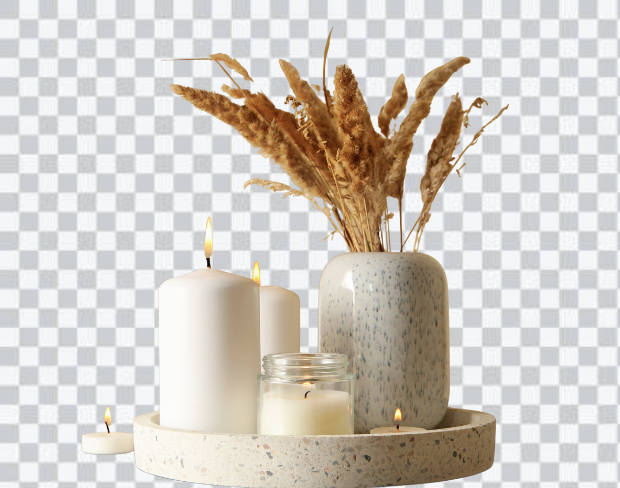
Preview 1 of 5
Téléchargez votre vidéo
Supports MP4 & MOV up to 200MB. Drag & drop or click to browse from your device.
Notre IA supprimera l'arrière-plan
Our AI model precisely detects every edge — no green screen or manual masking needed.
Téléchargez votre nouvelle vidéo
Export as transparent WebM or MP4 with a custom background. No watermark, ever.
À la recherche de suppression rapide d'arrière-plan vidéo? Notre suppresseur d'arrière-plan vidéo gratuit facilite la coupe de votre scène originale et son remplacement par n'importe quelle image, vidéo ou couleur unie, aucune écran vert requis. Vous voulez un arrière-plan transparent à la place? Un seul clic. Cet outil IA intelligent est simple, puissant et parfait pour créer un contenu époustouflant de niveau professionnel en minutes.
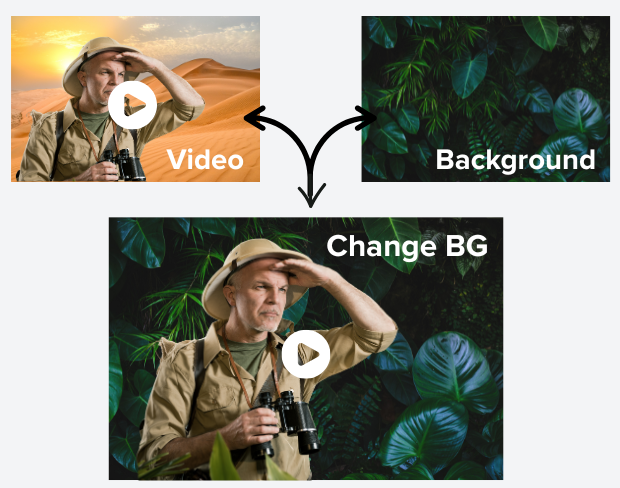
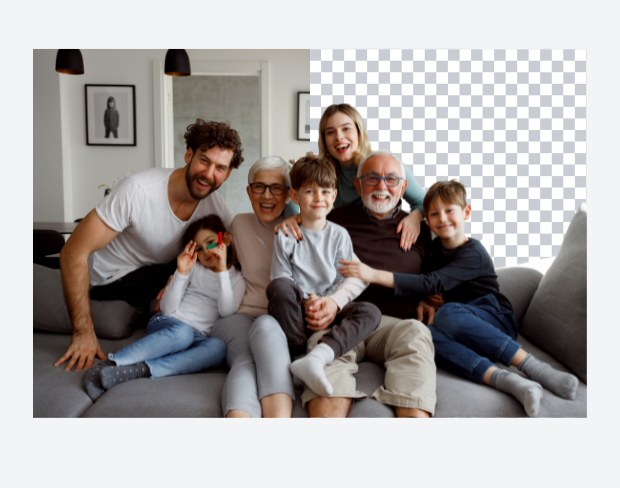
Notre suppresseur d'arrière-plan IA détecte et efface l'arrière-plan de votre vidéo instantanément avec une précision parfaite au pixel. Pas besoin de logiciel complexe ou d'écrans verts, téléchargez simplement et laissez notre suppresseur d'arrière-plan vidéo faire le travail. Il est idéal pour les créateurs de contenu, les marques et les marketeurs qui veulent des arrière-plans transparents de haute qualité sans tracas.
Donnez vie à vos vidéos en remplaçant instantanément l'arrière-plan par tout ce que vous pouvez imaginer — des couchers de soleil époustouflants et des bureaux élégants aux arrière-plans blancs propres. Notre éditeur d'arrière-plan alimenté par IA le rend effortless. Téléchargez simplement votre vidéo, choisissez dans notre collection organisée de modèles d'arrière-plan, ou ajoutez votre propre image ou clip. L'IA le mélangera intelligemment dans votre contenu sans écran vert, sans outils complexes. C'est le moyen le plus rapide de créer des vidéos professionnelles et accrocheuses en quelques clics.
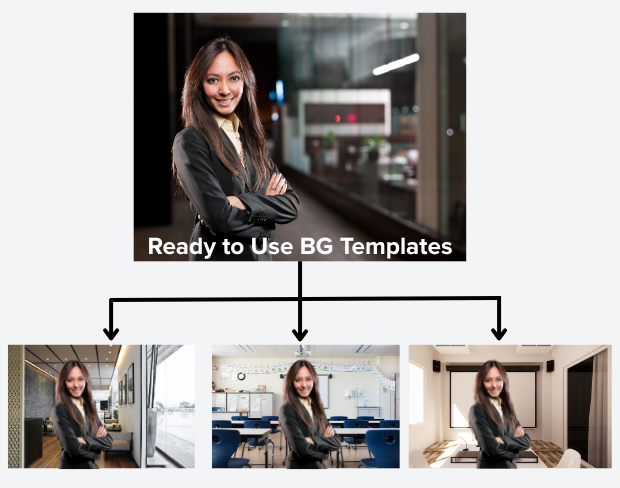
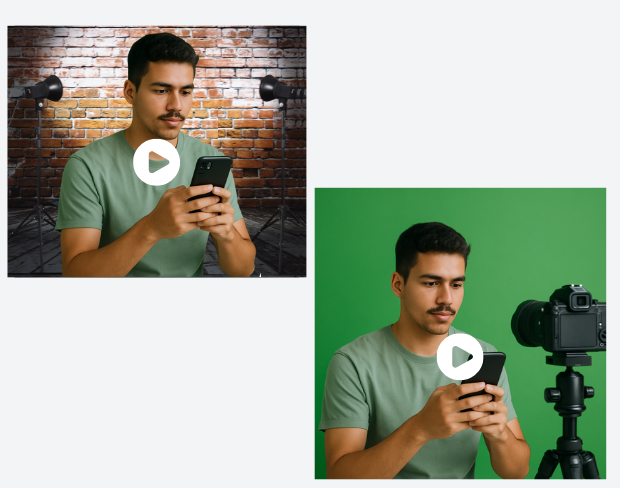
Pas d'écran vert? Pas de problème! Notre suppresseur d'arrière-plan IA avancé efface facilement tout arrière-plan, vous permettant de créer des vidéos de qualité professionnelle sans équipement coûteux. Que ce soit pour le travail à distance, les présentations en ligne, les réseaux sociaux ou les appels vidéo, vous pouvez produire du contenu de niveau studio en utilisant seulement votre smartphone ou votre caméra n'importe quand et n'importe où.
Besoin de supprimer les arrière-plans de plusieurs vidéos rapidement? Notre suppresseur d'arrière-plan vidéo par lot vous permet de télécharger plusieurs clips à la fois et de supprimer automatiquement leurs arrière-plans. Parfait pour les créateurs et entreprises occupés avec beaucoup de footage qui économisent du temps et donnent des résultats professionnels sans tracas!
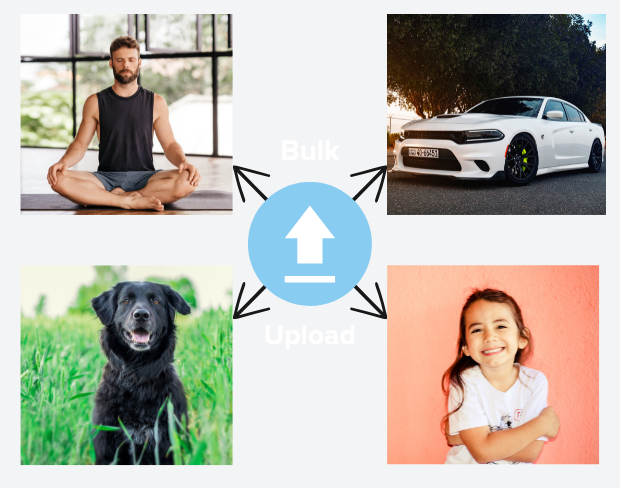
Supprimez et remplacez l'arrière-plan de votre vidéo en un clic. Changez l'arrière-plan vidéo en ligne.
Try NowBuilt for creators who need clean exports, simple editing, and reusable background workflows without opening a heavy desktop editor.
01
Transparent output
02
Reusable backgrounds
03
No heavy editor
01
Platform fit
Prepare your videos for YouTube, TikTok, Instagram, and more using our free video background remover. Easily create videos with a transparent background that fits perfectly on any social media or presentation platform that no complex edits needed.
02
Simple editor
Our free online video editor is designed for creators of all skill levels. Remove bg from video with ease using AI-powered tools that simplify background removal and editing, letting you focus on creating stunning content without hassle.
03
Fast delivery
Our free online video editor is designed for creators of all skill levels. Remove bg from video with ease using AI-powered tools that simplify background removal and editing, letting you focus on creating stunning content without hassle.
04
Motion-ready
Beyond videos, our gif bg remover lets you make GIFs with transparent backgrounds. Perfect for social media, ads, and messages add eye-catching animation that stands out with our transparent background maker.
“This background removal tool is incredible! I can create professional-looking videos in minutes. The AI technology is so accurate, and it saves me hours of editing time.”
Sarah Johnson
Content Creator · YouTube
“As an online instructor, this tool has revolutionized how I create educational content. Clean, professional backgrounds help my students focus on the lesson content.”
David Park
Educator · Online Learning Platform
“We use it across every client shoot now. Consistent quality, fast exports, and it handles fine details like hair and motion blur really well.”
Priya Nair
Video Producer · Studio Nine
“This background removal tool is incredible! I can create professional-looking videos in minutes. The AI technology is so accurate, and it saves me hours of editing time.”
Sarah Johnson
Content Creator · YouTube
“As an online instructor, this tool has revolutionized how I create educational content. Clean, professional backgrounds help my students focus on the lesson content.”
David Park
Educator · Online Learning Platform
“We use it across every client shoot now. Consistent quality, fast exports, and it handles fine details like hair and motion blur really well.”
Priya Nair
Video Producer · Studio Nine
“Our team uses this for all our product videos. The quality is amazing and the ease of use is unmatched. We've increased our video production by 300% since using this tool.”
Michael Chen
Marketing Director · TechStart Inc.
“I've tried many background removal tools, but this one is by far the best. The precision is incredible, and it works perfectly even with complex hair and clothing details.”
Lisa Thompson
Freelance Video Editor · Independent
“Green screen without a green screen. I film anywhere and drop in a studio background afterward it looks completely natural.”
Alex Turner
YouTuber · Independent
“Our team uses this for all our product videos. The quality is amazing and the ease of use is unmatched. We've increased our video production by 300% since using this tool.”
Michael Chen
Marketing Director · TechStart Inc.
“I've tried many background removal tools, but this one is by far the best. The precision is incredible, and it works perfectly even with complex hair and clothing details.”
Lisa Thompson
Freelance Video Editor · Independent
“Green screen without a green screen. I film anywhere and drop in a studio background afterward it looks completely natural.”
Alex Turner
YouTuber · Independent
“Perfect for creating engaging social media content. The background removal is seamless, and I love how I can add custom backgrounds to match our brand aesthetic.”
Emma Rodriguez
Social Media Manager · Digital Agency
“Swapping backgrounds used to take me an hour in a desktop editor. Now I upload, pick a scene, and it's done in minutes with better edges.”
James Wilson
UGC Creator · Freelance
“Our product videos finally look consistent across every platform. Clean backgrounds, zero manual masking, huge time saver for the team.”
Olivia Brooks
Brand Manager · RetailCo
“Perfect for creating engaging social media content. The background removal is seamless, and I love how I can add custom backgrounds to match our brand aesthetic.”
Emma Rodriguez
Social Media Manager · Digital Agency
“Swapping backgrounds used to take me an hour in a desktop editor. Now I upload, pick a scene, and it's done in minutes with better edges.”
James Wilson
UGC Creator · Freelance
“Our product videos finally look consistent across every platform. Clean backgrounds, zero manual masking, huge time saver for the team.”
Olivia Brooks
Brand Manager · RetailCo
Notre IA analyse votre vidéo et supprime automatiquement l'arrière-plan.
Nous prenons en charge les formats MP4, MOV et M4V.
Oui, les vidéos doivent faire moins de 200 Mo et moins de 2 minutes.
Page 1 of 1
Be the first to share your experience.
Keep moving through focused tools for cleaner clips, sharper assets, and faster production workflows.