動画ノイズ除去がワークフローに合う理由
動画ノイズ除去でできること
動画ノイズ除去は、画像、動画、キャンペーン素材をブラウザで直接整えるワークフローを提供します。
メディアをアップロード動画ノイズ除去がワークフローに合う理由
動画ノイズ除去がワークフローに合う理由
動画ノイズ除去は、画像、動画、キャンペーン素材をブラウザで直接整えるワークフローを提供します。
メディアをアップロード
動画ノイズ除去の機能
少ない手作業できれいなメディアを準備します。
すべてのツール高速ブラウザワークフロー
ダウンロード前に結果を確認できます。
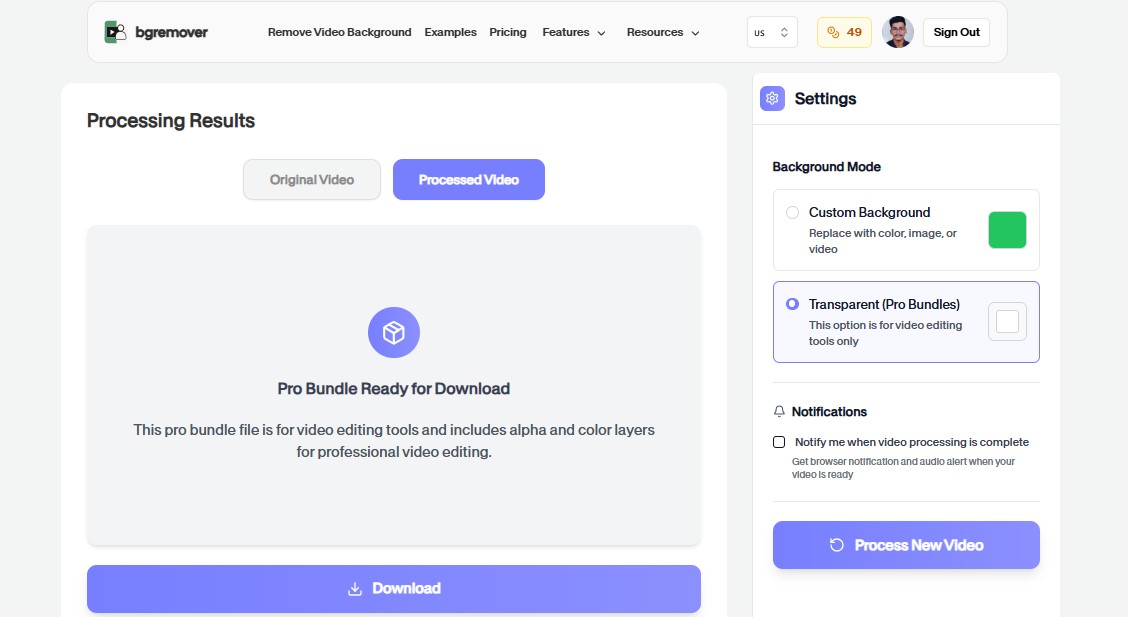
メディアをアップロード
Choose the clip with noisy speech, outdoor sound, room echo, or other background audio you want to clean.
The workflow focuses on the audio track while keeping the video export path simple and understandable.
Check that the voice remains clear enough for publishing, review, or handoff before downloading.
Download the cleaned video and use it in tutorials, interviews, social posts, product clips, or campaign edits.
ユースケース
プロらしい仕上がりが必要なあらゆる制作作業に背景チェンジャーを活用しましょう。
ストアやマーケットプレイス向けの商品素材を整えます。
投稿、広告、ショート動画、リール向けのビジュアルを作成します。
一貫した背景処理でキャンペーン素材を作ります。
レビューや引き継ぎ前の簡単な編集を標準化します。
FAQ
アップロード、背景オプション、画質、ブラウザ互換性に関する明確な回答。
いいえ。アップロード、プレビュー、調整、書き出しをブラウザで行えます。
はい。書き出したファイルは商品ページ、SNS、広告、チーム作業に使えます。
多くのツールは、選択したツールに応じて画像または動画の実用的なワークフローに対応します。
It works best for videos where speech or primary audio needs a cleaner presentation, such as interviews, tutorials, talking-head clips, and outdoor recordings.
The workflow is focused on cleaner audio output. The video remains part of the final export so you can keep the clip ready for publishing.
Yes. You can start directly from the browser, upload your media, review the output, and export the finished file without installing a desktop editor.
For most background workflows, use common image files such as JPG, PNG, and WebP or common video files such as MP4 and MOV.
Yes. The workflow is built so you can check the result before using the exported file in publishing, review, or handoff.
動画ノイズ除去の機能
重い編集ソフトを開かずに背景を変更するために必要なすべて。
動画ノイズ除去 keeps the job focused: upload, choose the output, review the result, and move on without building a full editing timeline.
Work directly in the browser for quick product, creator, and marketing edits without installing a heavy desktop editor.
Use the same simple flow again and again for campaign variants, client review files, marketplace assets, and social exports.