“This background removal tool is incredible! I can create professional-looking videos in minutes. The AI technology is so accurate, and it saves me hours of editing time.”
SJ
Sarah Johnson
Content Creator · YouTube
Voeg Burgundy Achtergrond toe aan je Video Direct met AI
or drop a file anywhere on this page
MP4, MOV, JPG, PNG, WEBP · Up to 200MB · 5 min max
No file? Try one of these
By uploading, you agree to our Terms of Service and Privacy Policy
See how BGRemover adapts the background for each category.

Preview 1 of 5
Upload je video
Supports MP4 & MOV up to 200MB. Drag & drop or click to browse from your device.
Onze AI verwijdert de achtergrond
Our AI model precisely detects every edge — no green screen or manual masking needed.
Download je nieuwe video
Export as transparent WebM or MP4 with a custom background. No watermark, ever.
Voeg een burgundy achtergrond toe aan je video met pixel-perfecte nauwkeurigheid met onze geavanceerde AI algoritmes. Onze video achtergrond editor verwerkt elk frame individueel voor consistente, hoge kwaliteit burgundy achtergronden.


Ervaar directe burgundy achtergrond toevoeging met onze geoptimaliseerde verwerkingsengine. Bekijk hoe onze AI burgundy achtergronden toevoegt aan je video in real-time met live voorbeeld.
Transformeer je videos door een burgundy achtergrond toe te voegen of te vervangen met prachtige visuals. Kies uit onze bibliotheek van burgundy achtergronden, upload je eigen afbeeldingen/videos.


Voeg burgundy achtergrond toe aan elk video formaat inclusief MP4, MOV, AVI, WebM en meer. Onze video achtergrond editor behoudt originele video kwaliteit terwijl het scherpe, professionele burgundy achtergronden levert.
Verwerk meerdere videos tegelijkertijd met onze batch verwerkingsfunctie. Voeg burgundy achtergrond toe aan bestanden in bulk, bespaar uren handmatige bewerkingstijd.
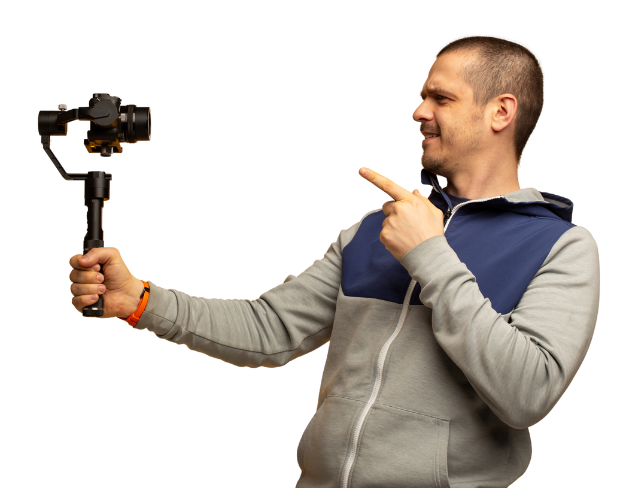
Verwijder en vervang de achtergrond van je video met één klik. Wijzig de videoachtergrond online.
Try NowBuilt for creators who need clean exports, simple editing, and reusable background workflows without opening a heavy desktop editor.
01
Transparent output
02
Reusable backgrounds
03
No heavy editor
01
Platform fit
Prepare your videos for YouTube, TikTok, Instagram, and more using our free video background remover. Easily create videos with a transparent background that fits perfectly on any social media or presentation platform that no complex edits needed.
02
Simple editor
Our free online video editor is designed for creators of all skill levels. Remove bg from video with ease using AI-powered tools that simplify background removal and editing, letting you focus on creating stunning content without hassle.
03
Fast delivery
Our free online video editor is designed for creators of all skill levels. Remove bg from video with ease using AI-powered tools that simplify background removal and editing, letting you focus on creating stunning content without hassle.
04
Motion-ready
Beyond videos, our gif bg remover lets you make GIFs with transparent backgrounds. Perfect for social media, ads, and messages add eye-catching animation that stands out with our transparent background maker.
“This background removal tool is incredible! I can create professional-looking videos in minutes. The AI technology is so accurate, and it saves me hours of editing time.”
Sarah Johnson
Content Creator · YouTube
“As an online instructor, this tool has revolutionized how I create educational content. Clean, professional backgrounds help my students focus on the lesson content.”
David Park
Educator · Online Learning Platform
“We use it across every client shoot now. Consistent quality, fast exports, and it handles fine details like hair and motion blur really well.”
Priya Nair
Video Producer · Studio Nine
“This background removal tool is incredible! I can create professional-looking videos in minutes. The AI technology is so accurate, and it saves me hours of editing time.”
Sarah Johnson
Content Creator · YouTube
“As an online instructor, this tool has revolutionized how I create educational content. Clean, professional backgrounds help my students focus on the lesson content.”
David Park
Educator · Online Learning Platform
“We use it across every client shoot now. Consistent quality, fast exports, and it handles fine details like hair and motion blur really well.”
Priya Nair
Video Producer · Studio Nine
“Our team uses this for all our product videos. The quality is amazing and the ease of use is unmatched. We've increased our video production by 300% since using this tool.”
Michael Chen
Marketing Director · TechStart Inc.
“I've tried many background removal tools, but this one is by far the best. The precision is incredible, and it works perfectly even with complex hair and clothing details.”
Lisa Thompson
Freelance Video Editor · Independent
“Green screen without a green screen. I film anywhere and drop in a studio background afterward it looks completely natural.”
Alex Turner
YouTuber · Independent
“Our team uses this for all our product videos. The quality is amazing and the ease of use is unmatched. We've increased our video production by 300% since using this tool.”
Michael Chen
Marketing Director · TechStart Inc.
“I've tried many background removal tools, but this one is by far the best. The precision is incredible, and it works perfectly even with complex hair and clothing details.”
Lisa Thompson
Freelance Video Editor · Independent
“Green screen without a green screen. I film anywhere and drop in a studio background afterward it looks completely natural.”
Alex Turner
YouTuber · Independent
“Perfect for creating engaging social media content. The background removal is seamless, and I love how I can add custom backgrounds to match our brand aesthetic.”
Emma Rodriguez
Social Media Manager · Digital Agency
“Swapping backgrounds used to take me an hour in a desktop editor. Now I upload, pick a scene, and it's done in minutes with better edges.”
James Wilson
UGC Creator · Freelance
“Our product videos finally look consistent across every platform. Clean backgrounds, zero manual masking, huge time saver for the team.”
Olivia Brooks
Brand Manager · RetailCo
“Perfect for creating engaging social media content. The background removal is seamless, and I love how I can add custom backgrounds to match our brand aesthetic.”
Emma Rodriguez
Social Media Manager · Digital Agency
“Swapping backgrounds used to take me an hour in a desktop editor. Now I upload, pick a scene, and it's done in minutes with better edges.”
James Wilson
UGC Creator · Freelance
“Our product videos finally look consistent across every platform. Clean backgrounds, zero manual masking, huge time saver for the team.”
Olivia Brooks
Brand Manager · RetailCo
Onze AI analyseert je video en verwijdert automatisch de achtergrond.
We ondersteunen MP4, MOV en M4V formaten.
Ja, video's moeten kleiner zijn dan 200MB en 2 minuten.
Page 1 of 4
I easily convert my video in burgundy! The AI is scary accurate. It handles hair details, transparent objects, everything perfectly. Essential for my product demos and people specifically comment on the quality. Game changer for content creators!
Music producer here! The edge detection is on par with tools that cost hundreds of dollars. My channel grew from 5k to 50k subscribers in 4 months. Worth every penny... wait, it's FREE?!
Music producer here! The burgundy tone is vibrant and consistent across all my videos. My channel grew from 5k to 50k subscribers in 4 months. 5 stars isn't enough!
Corporate trainer here - It saved me thousands on equipment! The results are indistinguishable from physical burgundy screens. Batch processed 100+ short videos in one sitting! Absolute lifesaver!
Fitness instructor creating workout videos - The edge detection is on par with tools that cost hundreds of dollars. Created over 200 modules with consistent burgundy backgrounds. Highly recommend!
Just tried the burgundy background feature and The edge detection is on par with tools that cost hundreds of dollars. Using it for marketing content and I can't imagine going back to my old process. Stop scrolling and just use this one.
Keep moving through focused tools for cleaner clips, sharper assets, and faster production workflows.