वीडियो बैकग्राउंड रिमूव करें - 100% ऑटोमैटिक AI बैकग्राउंड रिमूवल

AI द्वारा संचालित प्रोफेशनल वीडियो बैकग्राउंड रिमूवर। ग्रीन स्क्रीन की जरूरत नहीं। सेकंडों में वीडियो बैकग्राउंड हटाएं, बदलें, या ट्रांसपैरेंट बनाएं—कंटेंट क्रिएटर्स के लिए परफेक्ट!
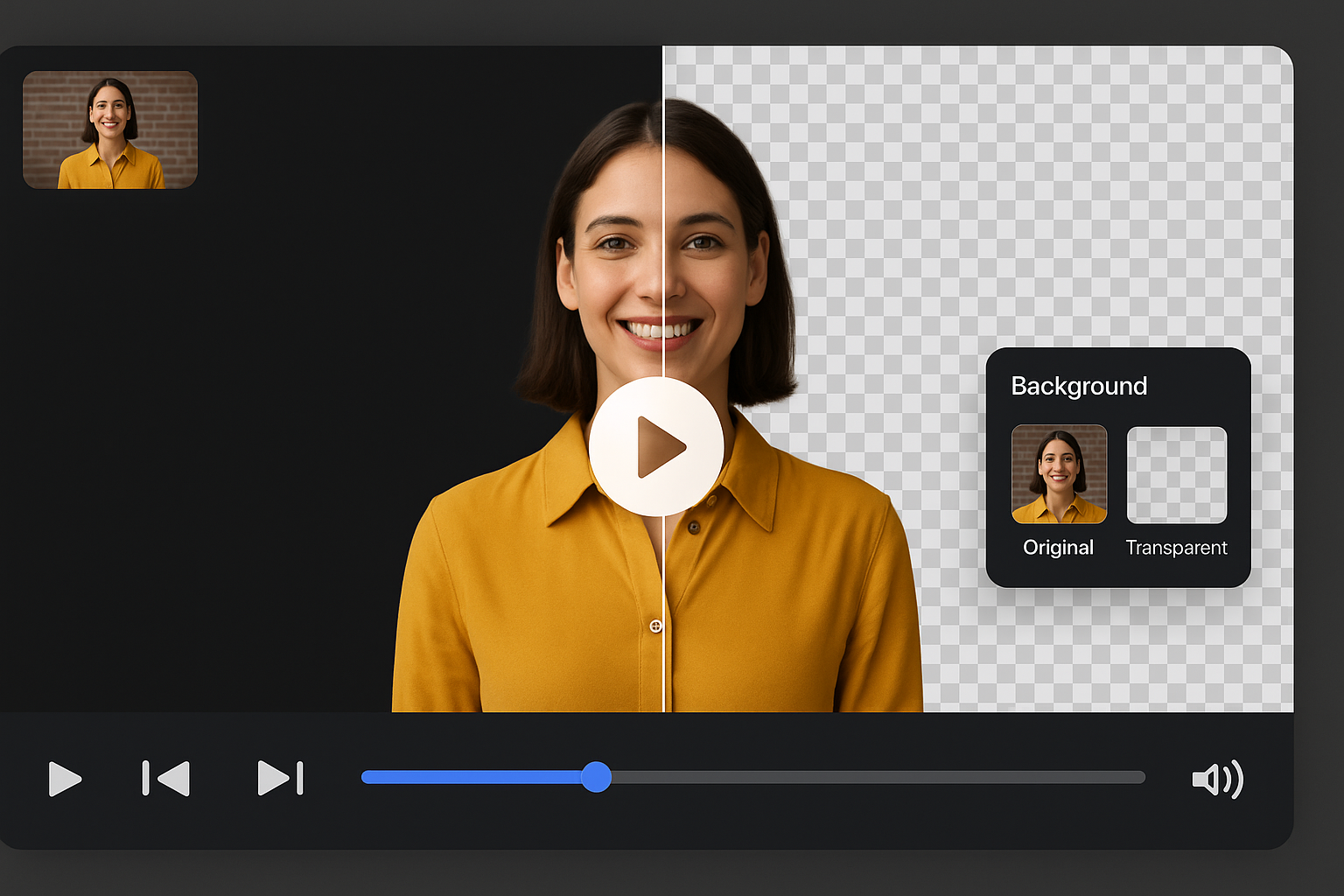
वीडियो बैकग्राउंड रिमूव करना शुरू करें
Feature

AI के साथ ऑटोमैटिकली वीडियो बैकग्राउंड रिमूव करें

ग्रीन स्क्रीन और जटिल एडिटिंग सॉफ्टवेयर को अलविदा कहें। हमारा AI-संचालित वीडियो बैकग्राउंड रिमूवर ऑटोमैटिकली किसी भी वीडियो से सेकंडों में बैकग्राउंड डिटेक्ट और रिमूव करता है। पिक्सेल क्लिक करने, कलर चुनने, मास्क पेंट करने, या पाथ मूव करने की जरूरत नहीं—बस अपना वीडियो अपलोड करें और हमारे एडवांस्ड AI को सारा काम करने दें।

AI के साथ ऑटोमैटिकली वीडियो बैकग्राउंड रिमूव करें
Feature

ग्रीन स्क्रीन की जरूरत नहीं - कोई भी बैकग्राउंड रिमूव करें

पारंपरिक वीडियो एडिटिंग के विपरीत जिसमें महंगे ग्रीन स्क्रीन सेटअप, स्टूडियो लाइटिंग, और प्रोफेशनल इक्विपमेंट की जरूरत होती है, हमारा टूल किसी भी एनवायरनमेंट में फिल्माए गए वीडियो के साथ काम करता है। घर पर, बाहर, ऑफिस में, या कहीं और शूट किए गए वीडियो से बैकग्राउंड रिमूव करें।

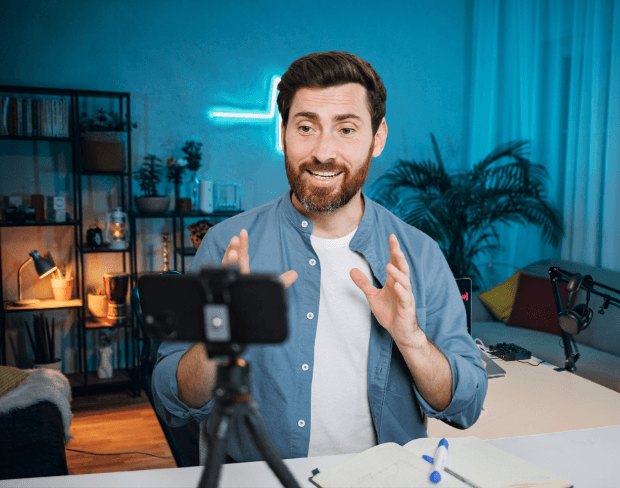
ग्रीन स्क्रीन की जरूरत नहीं - कोई भी बैकग्राउंड रिमूव करें
Feature

वीडियो बैकग्राउंड को कलर, इमेज, या वीडियो में बदलें

ऑरिजिनल बैकग्राउंड रिमूव करने के बाद, अनलिमिटेड क्रिएटिव संभावनाओं के साथ अपने वीडियो को ट्रांसफॉर्म करें। क्लीन, प्रोफेशनल लुक के लिए सॉलिड कलर जोड़ें। अपने सब्जेक्ट को किसी भी लोकेशन में रखने के लिए कस्टम इमेज अपलोड करें। या डायनामिक, engaging कंटेंट बनाने के लिए वीडियो बैकग्राउंड से रिप्लेस करें।

वीडियो बैकग्राउंड को कलर, इमेज, या वीडियो में बदलें
Feature

प्रोफेशनल एडिटिंग के लिए ट्रांसपैरेंट वीडियो बैकग्राउंड

MOV और WebM जैसे फॉर्मेट में पूरी तरह से ट्रांसपैरेंट बैकग्राउंड (अल्फा चैनल) के साथ अपना वीडियो एक्सपोर्ट करें। यह आपको Premiere Pro, Final Cut Pro, After Effects, DaVinci Resolve, या iMovie जैसे प्रोफेशनल वीडियो एडिटर में किसी भी बैकग्राउंड पर अपना वीडियो लेयर करने की अनुमति देता है।
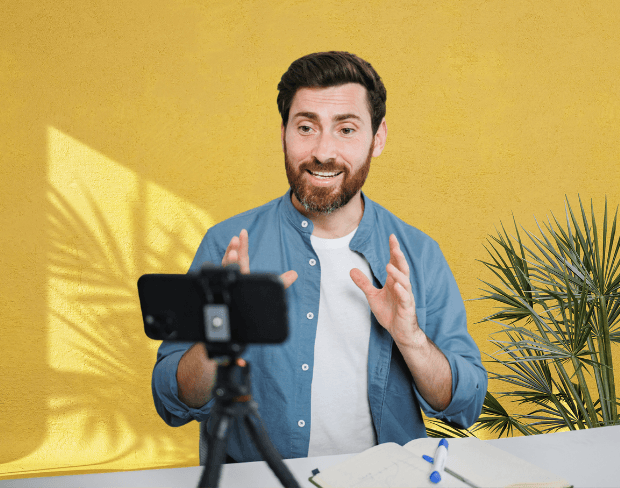
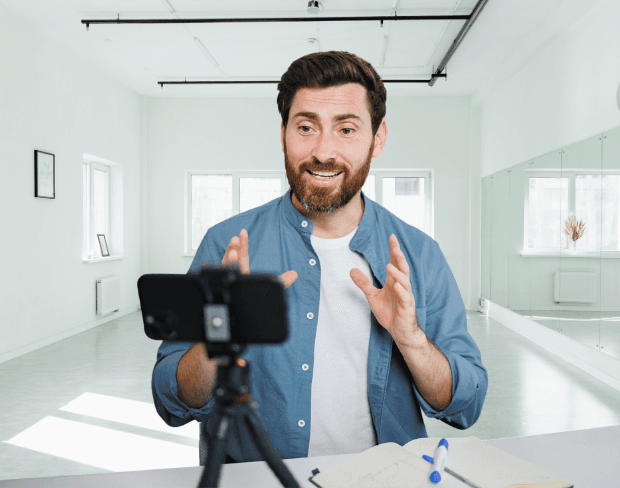
प्रोफेशनल एडिटिंग के लिए ट्रांसपैरेंट वीडियो बैकग्राउंड
Feature

बैच में कई वीडियो प्रोसेस करें - एडिटिंग टाइम के घंटे बचाएं

कई वीडियो से बैकग्राउंड रिमूव करने की जरूरत है? हमारी बैच प्रोसेसिंग फीचर आपको एक साथ दर्जनों वीडियो अपलोड और प्रोसेस करने देती है। agencies के लिए परफेक्ट जो क्लाइंट वर्क संभालती हैं, बड़े product catalogs वाले e-commerce businesses, वीडियो सीरीज वाले content creators, या course materials तैयार करने वाले educators के लिए।

बैच में कई वीडियो प्रोसेस करें - एडिटिंग टाइम के घंटे बचाएं
वीडियो बैकग्राउंड रिमूव करें - 100% ऑटोमैटिक AI बैकग्राउंड रिमूवल preview
Clean export
Outputs

Export for the places your media actually goes

Use वीडियो बैकग्राउंड रिमूव करें - 100% ऑटोमैटिक ai बैकग्राउंड रिमूवल for transparent assets, replaced backgrounds, and visual systems that stay consistent across campaigns.

Transparent video output

Prepare footage for overlays, shorts, ads, presentations, and composited scenes.

Replace the background

Use solid colors, branded looks, neutral backdrops, or campaign-specific visuals without a full editor.

Keep subject edges natural

AI handles hair, clothing, movement, and object contours so exports stay polished across common creator workflows.

100% ऑटोमैटिक - कोई मैनुअल एडिटिंग नहींग्रीन स्क्रीन या क्रोमा की की जरूरत नहींकिसी भी कलर, इमेज, या वीडियो में बैकग्राउंड बदलेंMP4, MOV, WebM, GIF को 4K तक सपोर्ट करता है
Use cases

Built for repeatable background removal work

BGRemover is useful anywhere you need a clean subject, a transparent asset, or a consistent background without opening a full editing suite.

Creator videos and shorts

Prepare clean visuals that can move into ads, listings, shorts, presentations, or client deliverables.

Marketing ads and launch assets

Prepare clean visuals that can move into ads, listings, shorts, presentations, or client deliverables.

Course and presentation clips

Prepare clean visuals that can move into ads, listings, shorts, presentations, or client deliverables.

Clean client-ready exports

Prepare clean visuals that can move into ads, listings, shorts, presentations, or client deliverables.

Workflow

From upload to finished background in three steps

AI द्वारा संचालित प्रोफेशनल वीडियो बैकग्राउंड रिमूवर। ग्रीन स्क्रीन की जरूरत नहीं। सेकंडों में वीडियो बैकग्राउंड हटाएं, बदलें, या ट्रांसपैरेंट बनाएं—कंटेंट क्रिएटर्स के लिए परफेक्ट! works as a focused background-removal workflow, so you can move from raw media to usable assets without a complex editing timeline.

Start with your file

Step 01

Upload your video

Add an MP4 or MOV clip from your device. No green screen or studio setup is required.

Step 02

AI removes the background

Frames are analyzed automatically so people, products, and foreground motion stay separated from the scene.

Step 03

Download or replace

Export with a transparent background or place the clip on a color, branded scene, or clean visual backdrop.

Why it is faster

Less setup than manual editing tools

BGRemover focuses on the background-removal job instead of asking you to build masks, timelines, layers, and export presets from scratch.

Try the workflow
Task
BGRemover
Manual path
Setup
Upload media in the browser
Shoot on green screen or build masks
Editing
AI separates the subject automatically
Manual masking, rotoscoping, or repeated cleanup
Output
Transparent or replaced-background export
Export settings depend on editor setup
Best fit
Fast creator, ecommerce, and marketing workflows
Specialist editing sessions with more setup time
FAQ

अक्सर पूछे जाने वाले प्रश्न

Clear answers about uploads, exports, video limits, and switching from older background removal tools.

Start removing background

हमारा एआई आपके वीडियो का विश्लेषण करता है और स्वचालित रूप से बैकग्राउंड हटाता है।

हम MP4, MOV और M4V फॉर्मेट का समर्थन करते हैं।

हाँ, वीडियो 200MB और 10 मिनट से कम होने चाहिए।

Yes! BGRemover.video is the best Unscreen alternative, especially since Unscreen is shutting down on December 1, 2025. We offer unlimited video length, HD quality, no watermarks, and completely free usage - all features that required paid plans on Unscreen.

Unscreen announced they're shutting down on December 1, 2025 at 9:00 AM CET. Canva decided to discontinue the service to focus on other products. This makes BGRemover.video the perfect replacement with superior features and no shutdown concerns. Try our video background remover for better results.

Absolutely! Unlike Unscreen's free version which limited videos to 5-10 seconds, BGRemover.video has no time restrictions. Process videos of any length completely free - a feature that would have cost money with Unscreen Pro.

Community reviews

Real feedback from creators

Share your experience with BGRemover and read how other users are removing backgrounds from videos faster.

5.0

Average rating

Verified

0

Total reviews

Write a review

Tell other creators what worked for you.

5 stars

All reviews

Showing page 1 of 1 · 0 reviews

No reviews yet

Be the first to share your experience.

Explore more

More BGRemover workflows

Open uploader

सेकंडों में इमेज से बैकग्राउंड फ्री में हटाएं

कंटेंट क्रिएटर्स के लिए प्रोफेशनल AI बैकग्राउंड रिमूवल। तुरंत बैकग्राउंड हटाएं, बदलें, या ट्रांसपैरेंट बनाएं—कोई डिज़ाइन स्किल नहीं चाहिए!

कई फ़ाइलों से तुरंत बैकग्राउंड हटाएं

बड़े प्रोजेक्ट्स के लिए प्रोफेशनल बल्क AI बैकग्राउंड रिमूवल। दर्जनों या सैकड़ों इमेज और वीडियो एक साथ प्रोसेस करें—एजेंसियों, टीमों और बड़े पैमाने के कंटेंट निर्माण के लिए बिल्कुल सही!

रियल एस्टेट के लिए एआई वीडियो टूल्स

बैकग्राउंड रिमूवल, ग्रीन स्क्रीन और स्मार्ट एडिटिंग के साथ शानदार रियल एस्टेट वीडियो बनाएं—कोई प्रो स्किल्स नहीं चाहिए!

कंटेंट क्रिएटर्स के लिए एआई वीडियो बैकग्राउंड रिमूवर

YouTube, स्ट्रीमिंग और सोशल मीडिया के लिए आकर्षक वीडियो बनाएं—AI की मदद से अपने वीडियो बैकग्राउंड को हटाएं या कस्टमाइज़ करें।

आज ही अपने वीडियो से बैकग्राउंड रिमूव करें

हमारे AI-संचालित टूल के साथ सेकंडों में वीडियो बैकग्राउंड रिमूव करना शुरू करें। फ्री ट्रायल उपलब्ध है—कोई क्रेडिट कार्ड आवश्यक नहीं।

वीडियो बैकग्राउंड रिमूव करें | BGRemover.video