Video Noise Remover for cleaner video audio

Remove unwanted background noise from your videos and create clearer, more professional audio in minutes. Enhance speech and reduce distractions directly from your browser.

or, All tools

How Video Noise Remover fits your workflow

Remove Background Noise in Three Simple Steps

How Video Noise Remover fits your workflow

Clean Up Video Audio with AI

Background noise can make even great videos difficult to watch. Whether you're recording interviews, tutorials, podcasts, meetings, or social media content, unwanted sounds like wind, traffic, fans, keyboard clicks, or room noise can distract from your message. Video Noise Remover automatically analyzes your video's audio and reduces unwanted noise while preserving clear speech. Simply upload your video, let the AI enhance the audio, and download a cleaner version that's ready to share.

Upload Video
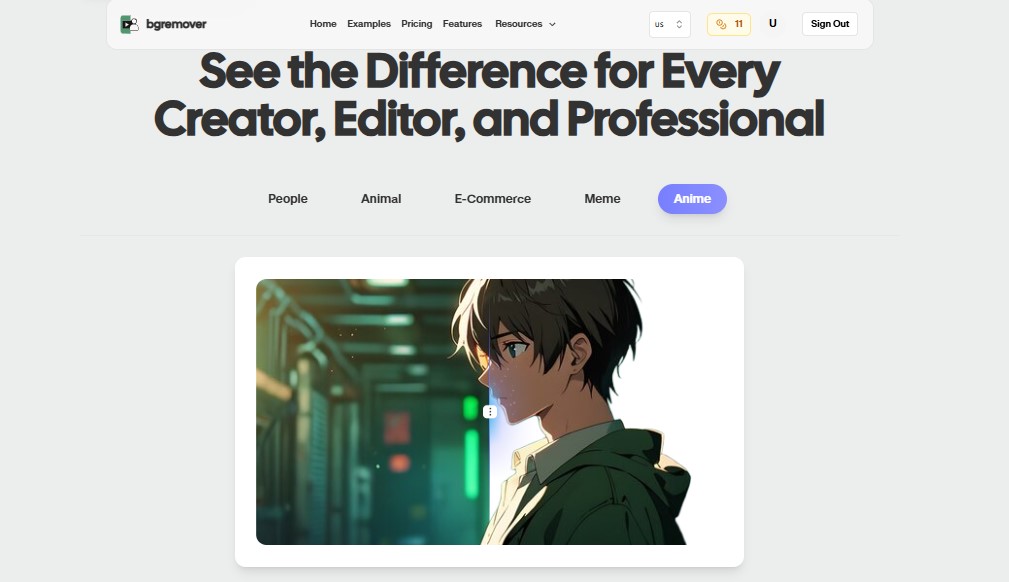

AI Video Noise Remover Primary tool preview
AI Video Noise Remover Edited output preview

Video Noise Remover features

Remove Distractions, Keep What Matters

Our AI intelligently identifies background noise and minimizes it without requiring complicated audio editing. The result is cleaner, more natural audio that helps your voice stand out.

All tools

Remove Background Noise in Three Simple Steps

Built for Everyday Video Creation

From quick social media clips to business presentations and professional content, Video Noise Remover helps improve audio quality without adding extra editing steps to your workflow. Everything happens online—no specialized software or technical expertise required.

Upload Video
AI Video Noise Remover Export preview

How It Works

A clean workflow, no software needed

Follow the steps, review the output, and export a file that is ready for use.

Upload Video
01

Step 1

Upload your video.

02

Step 2

Our AI analyzes the audio track and reduces unwanted background noise.

03

Step 3

Download your enhanced video with cleaner, more balanced audio.

Popular Use Cases

Change Your Background in Three Simple Steps

Use Background Changer for practical production jobs where the result needs to look professional.

AI Video Noise Remover Content Creators preview

Content Creators

Reduce background noise from YouTube videos, Instagram Reels, TikTok clips, and vlogs.

AI Video Noise Remover Podcasters preview

Podcasters

Improve spoken audio by removing ambient noise from video podcast recordings.

AI Video Noise Remover Online Educators preview

Online Educators

Create clearer lessons and recorded lectures that are easier for students to follow.

AI Video Noise Remover Business Professionals preview

Business Professionals

Enhance meeting recordings, presentations, webinars, and training videos with cleaner audio.

AI Video Noise Remover Journalists & Interviewers preview

Journalists & Interviewers

Reduce environmental noise in interviews while keeping conversations clear and natural.

AI Video Noise Remover Marketing Teams preview

Marketing Teams

Produce polished promotional videos, product demos, and advertisements with professional-quality sound.

AI Video Noise Remover Video Editors preview

Video Editors

Clean up raw footage before editing to save time during post-production.

FAQ

Frequently asked questions

Clear answers about uploading, background options, quality, and browser compatibility.

What types of noise can the AI remove?

The AI can reduce common background noises such as wind, fan noise, traffic, room ambience, keyboard sounds, and other environmental distractions.

Will it remove voices or dialogue?

No. The AI is designed to preserve speech while reducing unwanted background noise.

Do I need audio editing experience?

No. Everything is automated, making it easy for beginners and professionals alike.

Does it work on mobile devices?

Yes. You can use Video Noise Remover from any modern browser on desktop, tablet, or smartphone.

What video formats are supported?

You can upload common formats such as MP4, MOV, and WebM.

Does the tool change my video's quality?

No. The tool focuses on improving the audio while maintaining your video's original visual quality.

Do I need to install any software?

No. Video Noise Remover works entirely online, so there's nothing to download or install.

What kind of clips work best with AI Video Noise Remover?

It works best for videos where speech or primary audio needs a cleaner presentation, such as interviews, tutorials, talking-head clips, and outdoor recordings.

Video Noise Remover features

Fast Audio Enhancement Without the Complexity

Everything you need to replace backgrounds without opening a heavy editor.

Fast

AI Video Noise Remover keeps the job focused: upload, choose the output, review the result, and move on without building a full editing timeline.

Browser based

Work directly in the browser for quick product, creator, and marketing edits without installing a heavy desktop editor.

Repeatable

Use the same simple flow again and again for campaign variants, client review files, marketplace assets, and social exports.

Ready to use Video Noise Remover?

Upload a file and create a cleaner result with Video Noise Remover in a focused BGRemover.video workflow.