Navratri Video Backgrounds: A Practical HD Guide [2026]
Yash Thakker
Author
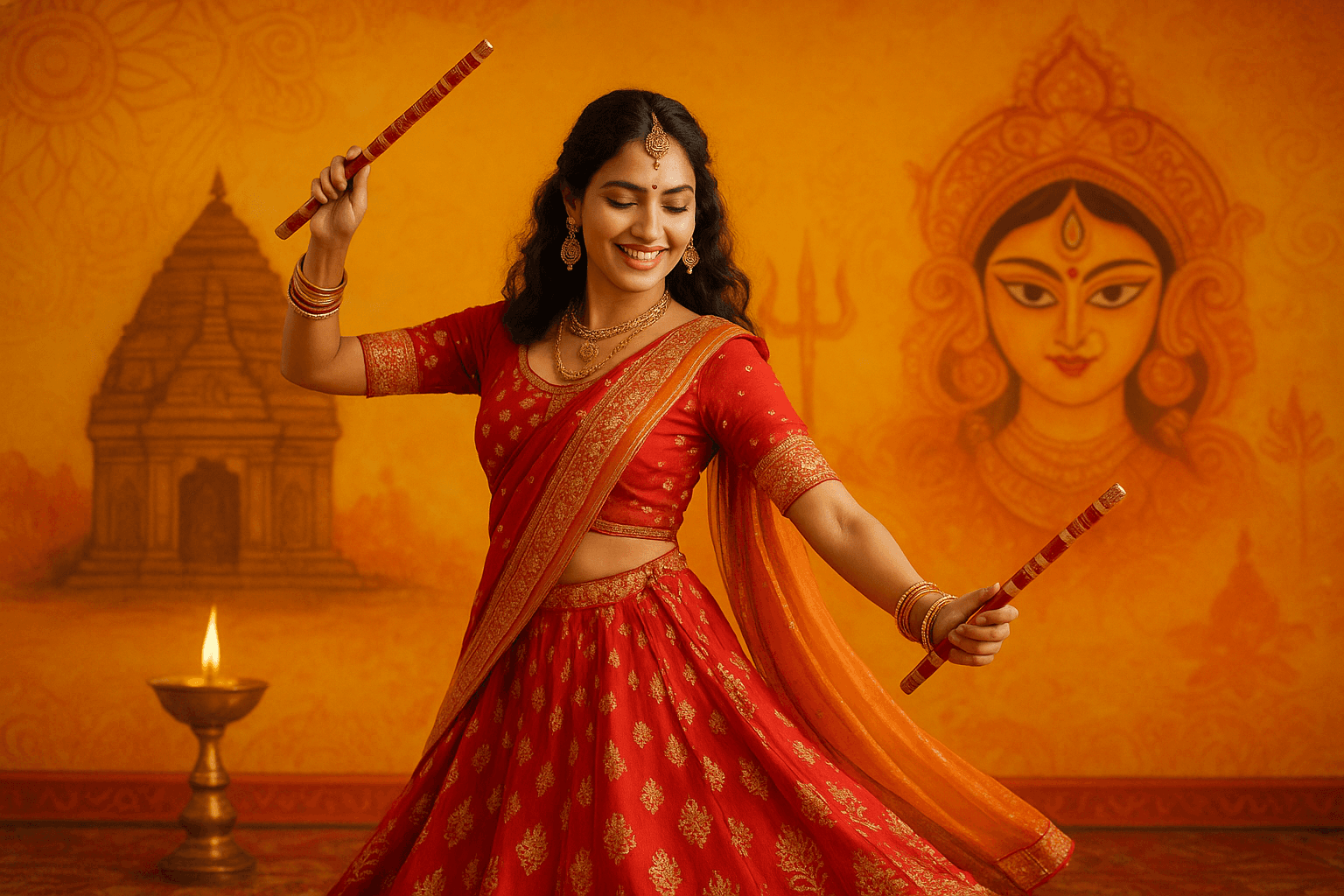
A Navratri video background should make the performance easier to enjoy. It should not swallow a dandiya stick, trim the edge of a flowing skirt, or turn a community celebration into a scene that never happened. That is the practical challenge behind replacing a busy room or distracting wall with a custom HD backdrop: the background can change, but the movement and meaning need to survive.
The strongest result usually starts before editing. A little separation between the performer and the wall, stable lighting, and room around the widest movement give the removal tool better material. After that, the important decisions are creative: whether the video needs a simple festive pattern, a believable stage, or its original setting with only a few cuts.
This guide walks through those decisions for solo practice clips, dance-school announcements, family greetings, and community highlights. It also explains how to use BGRemover.video for the background step, where a separate editor may help, and what to inspect before sharing the finished video.
Which Navratri background should you choose for your video?
Choose a background that supports the purpose of the video and leaves the dance visually clear. A greeting, a teaching demonstration, and a record of a live celebration need different treatments, even if all three use the same costume and music.
For a greeting, a relatively quiet festive composition can create space for a short message. Put the decorative detail near the edges and keep the area behind the face and hands simple. For a lesson, the viewer needs to see foot placement and arm positions, so avoid a busy floor pattern or graphics crossing the body. For an event recap, the actual venue may be part of the story and worth retaining.
Garba also has a cultural setting that should inform the design. UNESCO describes it as a ritualistic and devotional dance associated with Navaratri, and lists Garba of Gujarat on its Representative List of Intangible Cultural Heritage. That context is a reason to choose imagery thoughtfully rather than treating every festival symbol as interchangeable. See the UNESCO Garba description for the specific account.
A neutral decorated stage can be more appropriate than an invented temple interior. If your design includes sacred imagery, ask the performer or organizer whether its placement fits the intended message. Avoid placing feet, advertisements, or animated stickers across an image that participants regard as sacred.
Finally, match the backdrop to the framing. A landscape composition cropped into a vertical video may lose its central motif or leave a distracting edge behind the dancer. Plan the final canvas before downloading or creating the background.
How should you film Garba or dandiya for background removal?
Film with steady exposure, enough light to show moving edges, and clear space around the entire performance. The goal is to preserve the information the removal tool needs, especially at the hands, costume hem, jewelry, and sticks.
Start with a short rehearsal recording. Ask the dancer to make the widest arm movement and a full turn while you watch the frame. A hand that leaves the image cannot be reconstructed simply by changing the background. Leave more room than you expect to need, then crop the finished composition after checking the movement.
Place the performer away from the wall when the room allows it. This reduces the chance that a hard shadow reads as part of the person and gives you more control over the light. A plain wall is useful, but its color should not closely match the main costume. A dark outfit against a dark curtain or a pale dupatta against a bright wall can make boundaries difficult to judge.
Record a useful test before the full performance
Include a turn, raised arms, crossed sticks, and any step where the costume fans outward. These are better tests than a motionless pose. Watch the recording at normal speed first, then pause the most blurred moment to see whether the sticks and fingers are actually visible in the source.
Keep the camera position stable when the planned replacement is a still background. A moving camera combined with a motionless virtual room often looks detached from the performer. If camera movement is central to the choreography, keeping the original setting may be the cleaner decision.
For a broader explanation of capture choices, see our guide to background replacement without a green-screen setup. The most useful improvement is often a better source recording rather than a more elaborate background.
How do you replace the background in BGRemover.video?
Use a short representative clip first, choose the intended background treatment, and inspect the processed result before committing to the entire video. BGRemover.video includes video background options, but a successful test still depends on the footage and the destination.
Begin with the original recording rather than a copy downloaded from a messaging app. Repeated compression can soften the boundaries you are trying to preserve. Trim away setup time in your editor, while keeping enough context around the dance to judge timing and movement. Save an untouched original separately so you can return to it.
Open the video background removal workflow and select the clip. Review the currently displayed file requirements and processing options. For a finished festive composition, select an available replacement image or color treatment. For further editing, inspect the transparent export option and its requirements before processing.
- Choose a clip containing the hardest movement, not only the opening pose.
- Select a background with the same intended orientation as the final video.
- Review the available export format, quality, and credit requirement.
- Process the test and download the actual result.
- Play it through, checking costume edges and contact with the floor.
- Continue with the remaining footage only after the test meets your needs.
Do not assume that every background tool includes a brush for manually restoring missing sticks or fabric. If the automatic result needs detailed repair, move to an editor with suitable masking controls or keep that shot in its original setting. The useful result is a believable performance, even when that means combining edited and unedited shots.
Why do jewelry, dupattas, and dandiya sticks disappear?
These details can disappear because they are thin, partly transparent, blurred by movement, or visually similar to the background. An automatic cutout has to decide what belongs to the subject at each boundary, and a tiny object may offer very little usable evidence.
A dandiya stick crossing another dancer is a different problem from a stick against a plain wall. The first involves an overlap between subjects; the second may mainly require a clearer contrast. A sheer dupatta is different again, because it allows the old scene to show through. Replacing that scene while preserving convincing translucency is harder than cutting around an opaque sleeve.
Review each problem against the original footage. If the stick is already a faint smear in the recording, simply increasing the output resolution will not recover a crisp outline. If it is clear in the source but missing from the cutout, try a different shot or treatment before spending time on a full export.
Choose a backdrop that makes small imperfections less prominent without disguising damage to the dance. A moderate, even tone may be more forgiving than pure white behind a dark costume. Avoid using a flashing or highly textured background just to distract from unstable edges; that usually makes the whole performance harder to watch.
Our guide to hair and difficult edges explains the same boundary problem in another familiar context. For Navratri videos, include jewelry, tassels, and sticks in the acceptance check alongside hair. A cutout that preserves the face but removes the choreography is not ready to publish.
How do you make the replacement background look believable?
Match the background to the camera angle, lighting, and scale of the recorded performer. A sharp image alone is not enough: the dancer needs to appear grounded in the composition, and the backdrop should remain subordinate to the movement.
Start with the floor. If the original shot shows the dancer from head to toe, the replacement should provide a plausible surface under the feet. A horizon line placed too high can make the person appear to float; a strongly tilted floor can make a stable pose seem unbalanced. When a believable floor is difficult, a waist-up greeting may work better than pretending a full dance took place in a virtual venue.
Next, consider the light. A performer lit from the left can look disconnected from a background with a strong lamp on the right. You do not need a physically perfect simulation, but the main visual cues should agree. A soft, decorative backdrop is easier to match than a dramatic photograph with obvious sunbeams and deep shadows.
Keep the background detail away from the moving silhouette. Bright petals directly behind fingers or dense geometric patterns behind a dupatta compete with the very details viewers need to see. Test the busiest moment of the dance against the proposed image before deciding.
Use a still background when the performance already contains plenty of motion. If you add animated lights or particles in another editor, keep them gentle and away from faces. A useful check is to watch the video without sound: your eye should still follow the performer rather than the decorative effects.
Should you keep the original venue in community videos?
Keep the original venue when it provides important context about the celebration, participants, or event. Background replacement is a creative choice, not a requirement for every clip, and a community performance may lose meaning when everyone appears isolated on an invented stage.
For example, a dance teacher demonstrating one step can benefit from a clean background because the lesson is about movement. A community highlight may depend on the circle, the musicians, the decorations, and the other dancers. Removing those elements can erase the relationship that makes the footage interesting.
One practical approach is to separate the jobs within the edit. Use a processed solo shot for the opening greeting, then show the original event footage for the actual celebration. Keep dates, venue names, and organizer information on a simple title card rather than forcing them into a crowded moving scene. A consistent color palette can connect those sections without changing the documentary footage.
For dance schools, preserve a version that clearly shows the full movement for instruction. A more decorative cut can serve as a promotional excerpt, but it should not be the only record available to students. Similarly, families may want an original copy alongside a stylized greeting.
Tell collaborators when a background has been replaced if the new scene could imply a different venue or event. This is especially useful for posters, invitations, or sponsor material, where viewers might interpret the image as a factual representation of a location. Clear context lets the creative treatment remain playful without creating unnecessary confusion.
Which export should you use for social sharing or further editing?
Use a finished, composited video for normal social sharing and a compatible transparent asset only when another editor needs to place the performer over a new scene. These are different deliverables, so decide which one you need before choosing the export.
A file extension does not describe every capability of the file inside it. The codec, transparency support, and receiving application all matter. MDN explains the relationship between video codecs and their playback support in its web video codec guide. That distinction is why changing a filename is not a way to create transparency.
For a social post, finish the background, music, captions, and crop in the composition you intend to share. Export a normal playback file and test it in the destination preview. Check that the dancer fits inside the visible area and that interface controls do not cover the face, hands, or message.
For further editing, inspect the actual contents of the downloaded transparent bundle and follow the receiving editor's supported import workflow. Place the asset over a colored test layer to confirm that the background is really transparent. A player showing black behind the person is not, by itself, a reliable transparency test.
Review sound as well as image quality. Listen for an abrupt start, clipped ending, or accidental loss of the original performance audio. Keep the final exported file, its source recording, and the background artwork together with clear names. That makes later corrections much easier than trying to recover a version from a social platform.
What should you check before publishing a Navratri video?
Check the complete exported video for dance accuracy, visual consistency, readable framing, and appropriate cultural context. A polished opening frame is only one part of the result; the fast turn, overlapping arms, and final pose deserve equal attention.
Watch once at normal speed to judge whether the edit feels natural. Then inspect the moments most likely to fail: crossed sticks, moving hems, translucent fabric, jewelry, and dancers passing in front of each other. Compare any doubtful section with the source so you can tell whether the issue came from filming or processing.
Ask someone involved in the performance to review the background and any symbols or text. They may notice a misleading venue, an awkward crop, or a detail that has cultural significance even when it looks decorative to an editor. Check the intended viewing device too; a design that reads clearly on a large monitor can become crowded on a phone.
When those checks pass, start with a short finished piece rather than an entire untested series. Try BGRemover.video on one representative clip, keep the original safe, and let the performance determine how much background editing it actually needs.
Frequently asked questions
Can I change a Navratri video background without a green screen?
Yes, subject segmentation can separate a performer from an ordinary scene. Test the fastest spin and any overlapping dancers first, because those moments reveal problems that a still preview hides.
What background works best for a Garba video?
Choose a background that keeps the costume and dance readable. A restrained festive design often works better than a detailed virtual venue, especially when several people move across the frame.
Why do dandiya sticks disappear after background removal?
Thin, fast-moving sticks can blend into the surroundings or become motion-blurred. Use brighter, even lighting and contrast behind the sticks; if a processed shot loses them, retain the original scene or shorten the edited section.
Does HD background replacement improve blurry footage?
No. A sharp backdrop does not restore detail missing from the original performance. Use the best available source and judge the finished composite at its intended viewing size.
Can I publish the transparent export directly as a Reel?
For a normal social video, finish the background composition before uploading. A transparent editing asset and a finished video serve different purposes, and the destination may flatten or reject transparency.