Edit Cartoon Videos Free, No App Needed | BGRemover.video
Transform Your Animated Content in Seconds
Create professional cartoon videos with advanced editing tools that bring your animated content to life using AI-powered technology designed specifically for cartoon and animated video projects.
Start Editing Cartoon Videos Now
Editing cartoon videos online has become increasingly accessible thanks to modern AI-powered tools that simplify complex animation workflows. Whether you're a content creator, animator, social media manager, or educator, having the right cartoon video editor can transform your creative process and help you produce professional-quality animated content without expensive software subscriptions or technical expertise.
The evolution of cartoon video editing software has democratized animation production, enabling creators to manipulate animated characters, remove backgrounds, add effects, and compose scenes directly through web browsers. This accessibility eliminates traditional barriers like costly software licenses, powerful hardware requirements, and steep learning curves that once restricted professional animation editing to specialized studios.
Modern free animations for video editing platforms leverage artificial intelligence to automate time-consuming tasks such as background removal, character isolation, and scene composition. These tools understand the unique characteristics of 2D and 3D animated content, distinguishing between characters, backgrounds, and effects with precision that would require hours of manual masking in traditional editing workflows. By embracing these innovations, creators can focus on storytelling and creative vision rather than technical minutiae.
What is Cartoon Video Editing?
Cartoon video editing encompasses the process of manipulating, enhancing, and refining animated video content to create polished final productions. This specialized form addresses the unique characteristics of animated content—including distinct color palettes, stylized movements, and layered compositions that differ fundamentally from live-action footage.
Unlike traditional video editing, cartoon edit video workflows often involve character isolation, background replacement, effect compositing, and animation refinement. Modern cartoon video editing online free platforms have transformed this once-specialized discipline into an accessible skill. Today's tools automatically detect animated characters, separate foreground elements from backgrounds, and enable creators to recompose scenes without frame-by-frame manual work.
The applications span diverse creative projects—from social media content and educational animations to marketing videos and entertainment productions. Whether extracting characters for compilations, creating reaction videos, or building entirely new scenes, cartoon video editing skills have become essential for modern digital content creation.
Benefits of Professional Cartoon Video Editing
Professional cartoon video editing delivers transformative advantages for content creators seeking to maximize their production quality and audience engagement:
Enhanced Visual Quality and Professional Polish: Advanced editing tools eliminate imperfections and distracting elements from animated content. Clean character isolation and background removal create focused compositions that direct viewer attention to essential storytelling elements, significantly improving perceived production value.
Creative Flexibility and Scene Composition: The ability to separate animated characters from their original backgrounds unlocks unlimited creative possibilities. Creators can place characters in new environments, combine elements from different sources, and build unique content that stands out in crowded social media feeds.
Time and Cost Efficiency: Free cartoon video editing tools eliminate expensive software subscriptions while dramatically reducing production time. Automated AI-powered processes replace hours of manual editing, enabling creators to produce more content faster without sacrificing quality.
Platform Optimization and Engagement: Professional cartoon video editing software enables content optimization for specific platforms—adjusting aspect ratios, adding effects, and creating thumbnails that maximize click-through rates. Well-edited animated content consistently outperforms amateur productions in engagement metrics and audience retention.
Monetization and Brand Growth: High-quality edited cartoon content meets platform requirements for monetization, sponsorship opportunities, and commercial licensing. Professional editing demonstrates production value that attracts brand partnerships while ensuring consistent visual style that strengthens brand recognition across your entire content catalog.
How to Edit Cartoon Videos Online
Discover BGRemover.video, the leading browser-based solution for cartoon video editing and animated content manipulation. This powerful AI-driven platform specializes in automatically removing backgrounds from cartoon videos, isolating animated characters, and enabling professional scene composition without complex software or technical expertise.
Key Features:
- Advanced AI optimized for 2D and 3D animated content
- Automatic character detection and background removal
- High-quality output up to 4K resolution
- Support for MP4, MOV, M4V, and WebM formats
- Transparent background export for compositing
- Custom background replacement options
- Browser-based processing requiring no installation
- Batch processing for multiple cartoon video clips
- Frame-accurate precision for animated sequences
- Privacy-focused with automatic file deletion
How to Remove Backgrounds from Cartoon Videos with BGRemover.video:
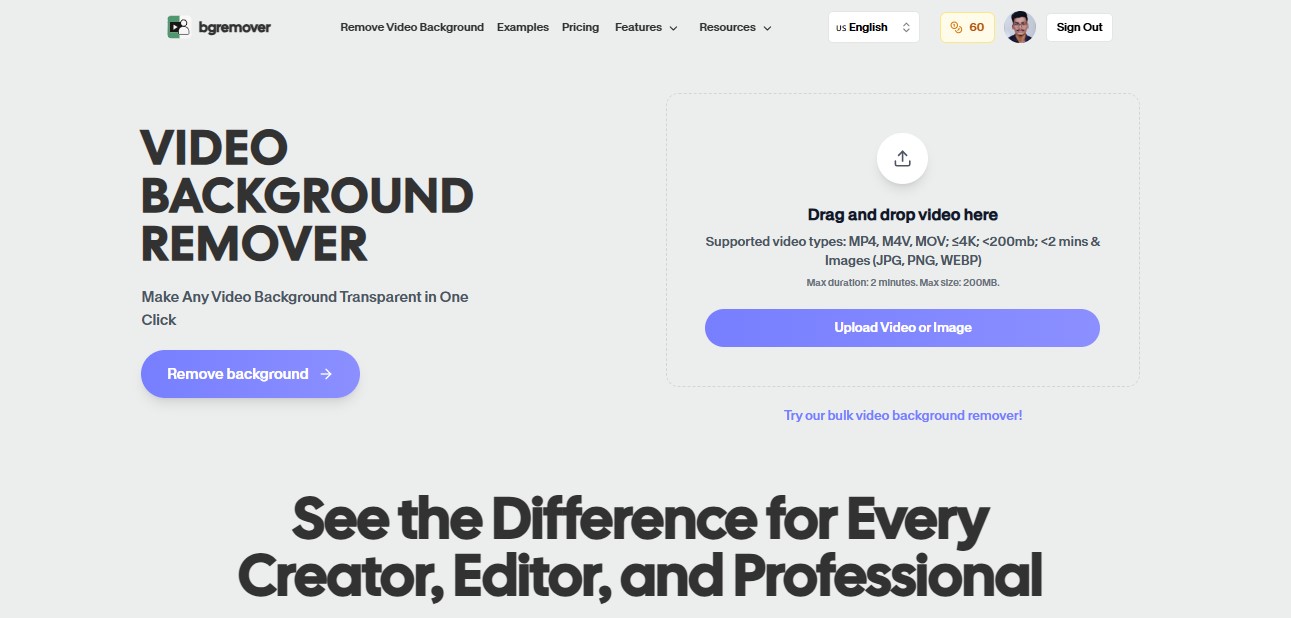
Step 1 - Navigate to BGRemover.video and access the video background removal tool. Upload your cartoon video by dragging your file or clicking to select from your device. The platform supports videos up to several minutes in length, perfect for social media content, educational animations, and creative projects.
Step 2 - Watch as the advanced AI engine analyzes your cartoon video frame by frame, intelligently detecting animated characters and automatically removing backgrounds with precision. The specialized algorithms recognize both 2D and 3D animation styles, maintaining crisp edges, preserving character details, and handling complex animation movements seamlessly.
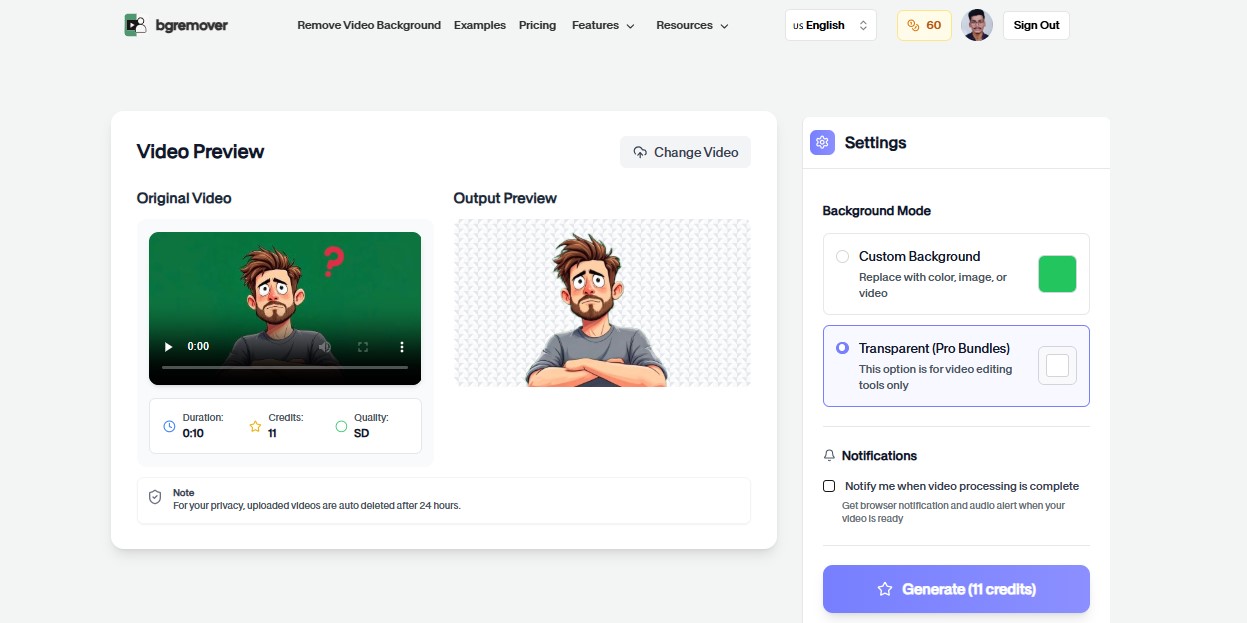
Step 3 - Preview your processed cartoon video with transparent background. The platform allows you to review results before downloading, ensuring perfect character isolation. Add custom backgrounds—solid colors, images, or video footage—to create entirely new scenes and compositions.
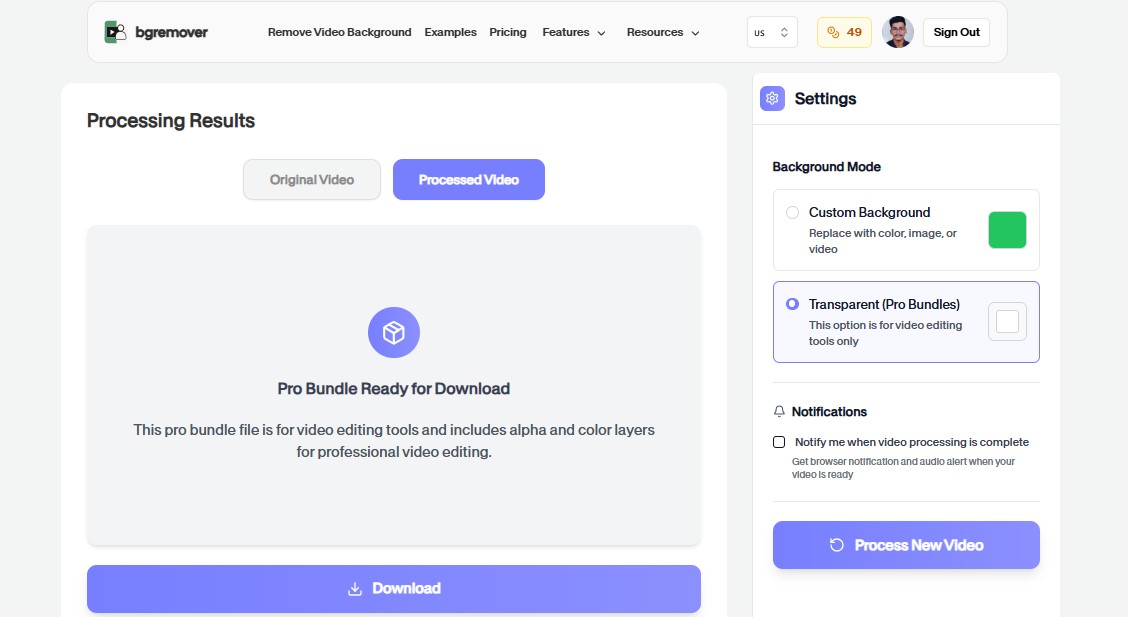
Step 4 - Download your professionally edited cartoon video in your preferred format. Export with transparent backgrounds for further compositing, or render with custom backgrounds for immediate publishing. The output maintains original video quality while providing clean character separation perfect for social media, educational content, or commercial projects.
Experience professional cartoon video editing online free technology that transforms animated content in minutes rather than hours, enabling creators to focus on storytelling rather than technical editing.
Specialized Cartoon Video Background Removal Tools
While general video editors offer basic capabilities, specialized tools focus exclusively on cartoon video background removal with AI-powered precision:
Unscreen
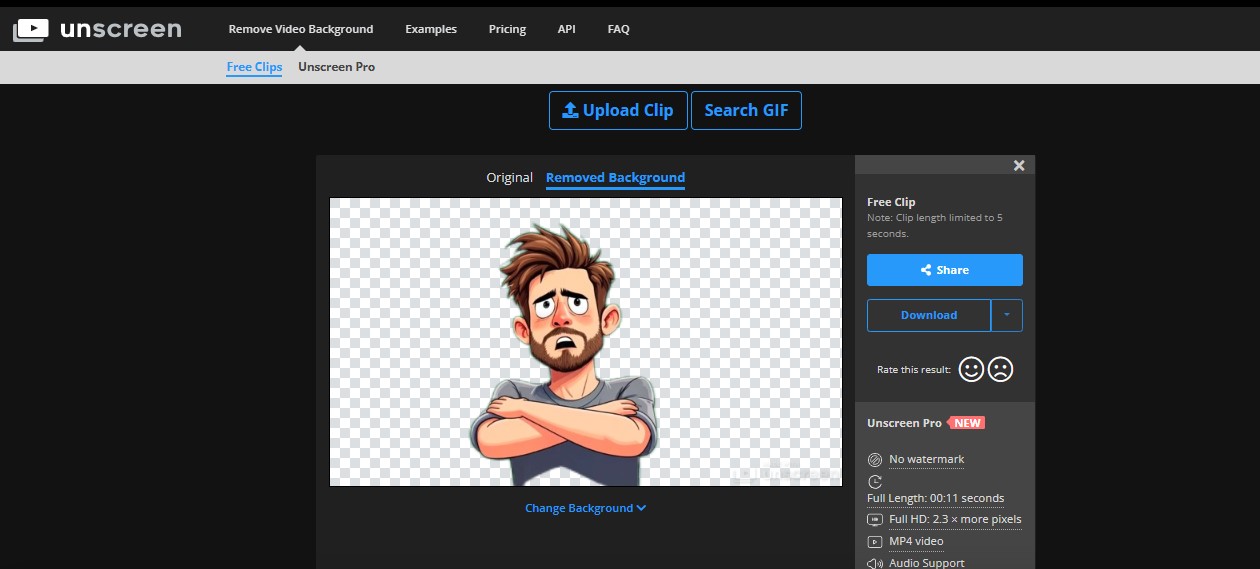
Unscreen pioneered automated video background removal with AI technology specifically optimized for cartoon and animated content. This dedicated platform processes animated videos entirely in the cloud, automatically detecting and isolating cartoon characters without requiring green screens or manual masking.
The service excels at handling 2D animations, recognizing bold outlines and flat color schemes typical of cartoon styles. The straightforward interface requires no technical expertise—upload your cartoon video and receive a transparent background version ready for compositing. Unscreen offers both free processing for shorter clips and paid plans for longer, high-resolution cartoon videos.
Kapwing Background Remover
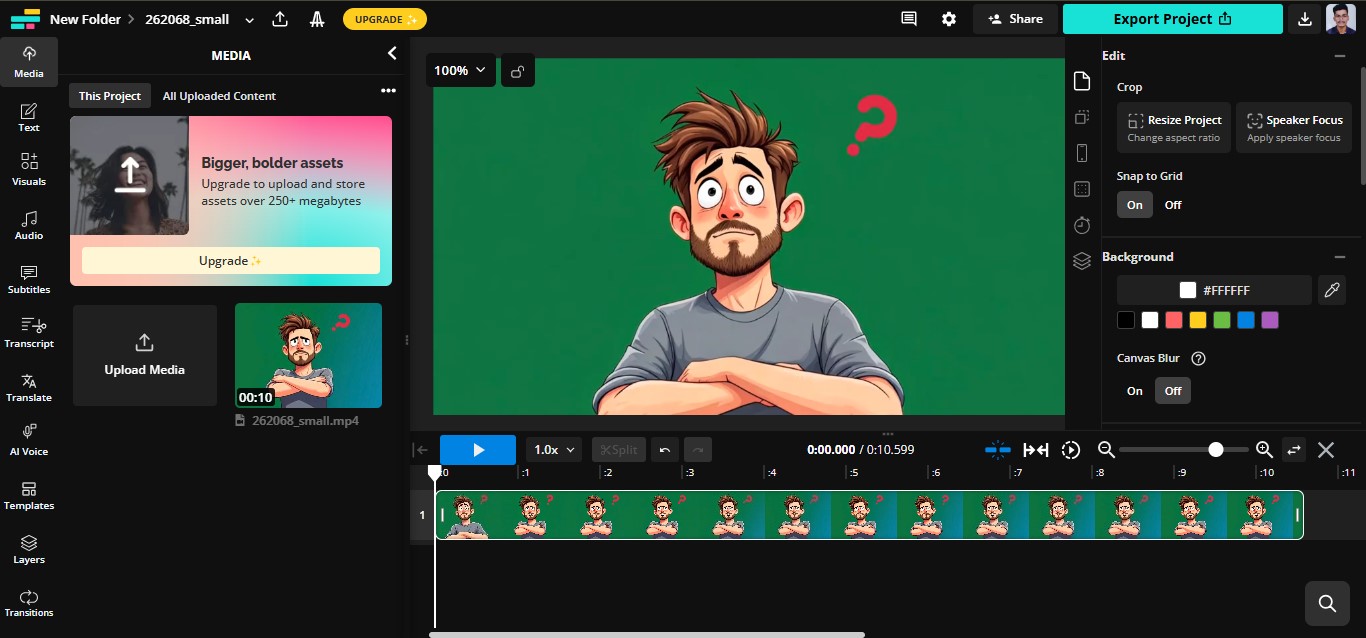
Kapwing's video background remover combines AI-powered automation with comprehensive editing capabilities in a browser-based platform. The tool specifically recognizes animated content characteristics, successfully isolating cartoon characters from diverse background types while maintaining edge quality.
Beyond background removal, Kapwing enables immediate scene composition—adding new backgrounds, text overlays, and effects within the same workflow. The collaborative features benefit animation teams, allowing multiple editors to work simultaneously on cartoon video projects with automatic cloud syncing.
Pixop Video Enhancement

Pixop offers AI-powered video processing including background removal optimized for animation and cartoon content. The platform provides advanced upscaling alongside background isolation, making it valuable for creators working with older or lower-resolution animated footage requiring both quality enhancement and background replacement.
The service processes videos through powerful cloud servers, handling high-resolution cartoon content that might overwhelm consumer hardware. Batch processing capabilities streamline workflows for creators managing extensive animation libraries requiring consistent background removal across multiple clips.
VideoProc Vlogger
VideoProc Vlogger provides free video editing with integrated chroma key and masking tools suitable for cartoon video background removal. While requiring more manual work than fully automated solutions, the software offers precise control for complex animated scenes requiring detailed edge refinement.
The hardware acceleration leverages GPU processing for faster rendering, particularly beneficial when working with high-resolution cartoon footage. The unlimited track support enables complex compositing projects combining multiple animated characters and background layers.
Cutout.Pro Video Background Remover
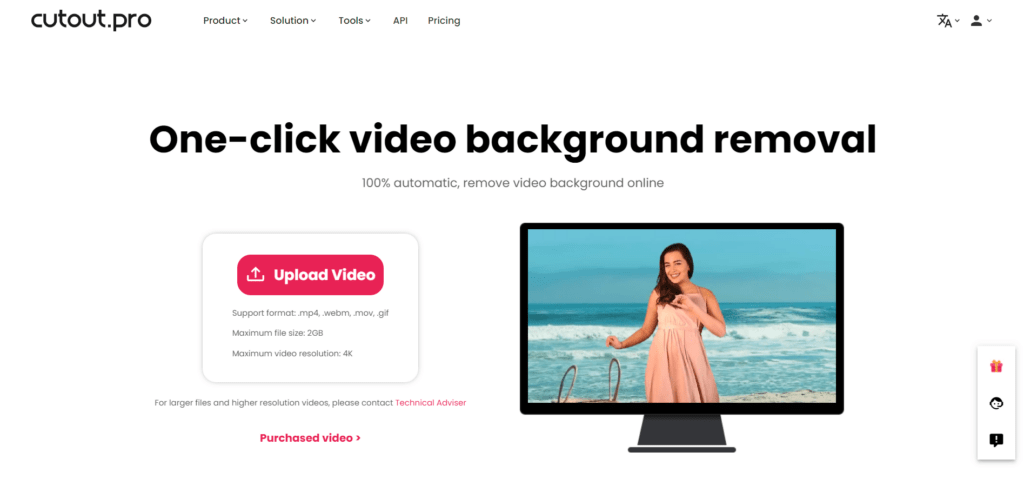
Cutout.Pro specializes in AI-powered background removal across both images and videos, with algorithms trained specifically on animated content. The platform automatically detects cartoon characters, distinguishing them from backgrounds regardless of complexity—handling both simple flat-color animations and detailed 3D renders.
The service provides instant previews before processing full videos, enabling creators to verify quality before committing to paid processing. Multiple output options include transparent backgrounds, custom color replacements, or new background images, streamlining the workflow from removal to final composition.
Runway ML Green Screen
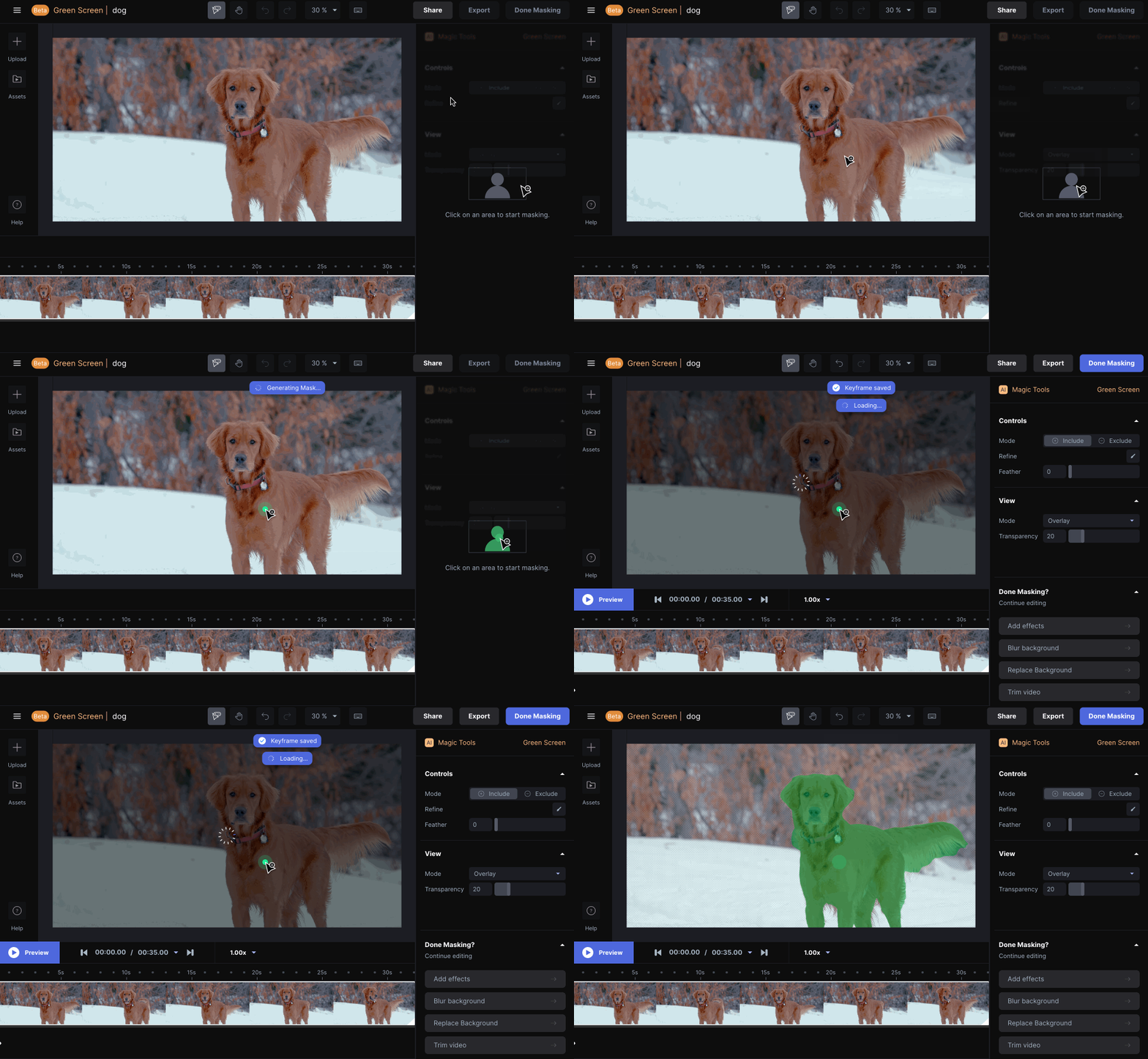
Runway ML's green screen tool leverages advanced machine learning to remove backgrounds from cartoon videos without physical green screens. The AI understands animated content structure, automatically distinguishing characters from backgrounds even in complex scenes with similar color palettes.
Beyond basic removal, Runway ML offers generative AI features enabling creators to generate custom backgrounds matching their cartoon's art style. The platform's collaborative features and cloud-based processing make it suitable for animation teams requiring shared workflows and consistent output quality across multiple editors.
Veed.io AI Background Remover
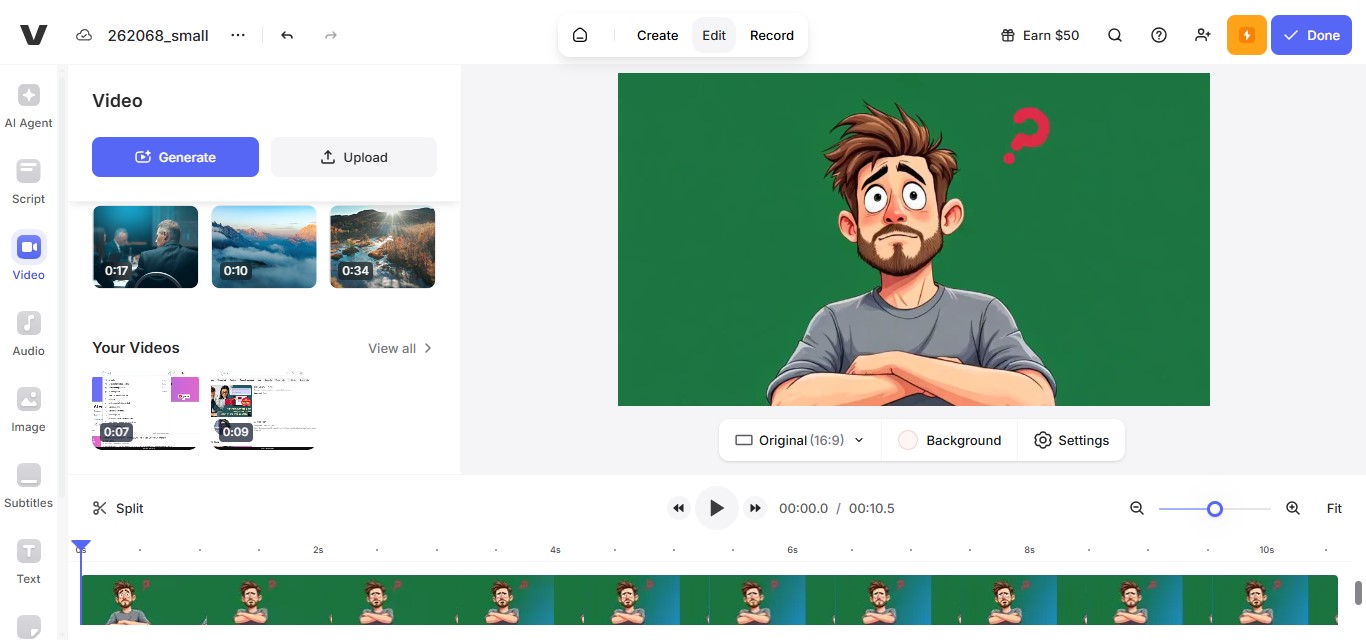
Veed.io's AI-powered background remover specifically targets social media creators working with cartoon and animated short-form content. The one-click removal processes TikTok, Instagram Reels, and YouTube Shorts efficiently, automatically detecting animated characters and removing backgrounds without manual intervention.
The integrated editor enables immediate scene composition after background removal—adding new backgrounds, text animations, and effects within a single workflow. The platform's mobile optimization allows creators to process and edit cartoon videos directly from smartphones, enabling on-the-go content creation.
Wisecut Background Removal

Wisecut combines AI-powered editing automation with background removal capabilities optimized for cartoon video content. The platform automatically detects scene changes, removes backgrounds, and suggests edits based on content analysis, streamlining workflows for creators producing regular animated content series.
The audio-based editing features synchronize background changes with soundtrack beats or dialogue, creating professional rhythm in edited cartoon videos. The automated subtitle generation with background removal makes content accessible while maintaining visual polish essential for platform algorithms.
Why Choose BGRemover.video for Cartoon Video Editing?
Several compelling factors establish BGRemover.video as the premier choice for creators requiring professional cartoon video editing capabilities:
Specialized Animation AI: BGRemover.video employs artificial intelligence specifically trained on cartoon and animated content, ensuring accurate character detection regardless of animation style—from simple 2D drawings to complex 3D renders. The technology recognizes animation-specific characteristics like bold outlines, flat colors, and stylized movements.
Frame-by-Frame Precision: Unlike basic green screen tools, BGRemover.video processes each frame individually, maintaining consistent character isolation throughout animated sequences. This precision prevents the flickering edges and quality degradation common in less sophisticated cartoon video editing software.
Zero Technical Barriers: The browser-based platform eliminates software installation and hardware limitations. Creators can edit cartoon videos from any device with internet connectivity—enabling flexible workflows and location-independent production.
Time and Cost Efficiency: What traditionally required hours of manual masking now completes in minutes. The transparent pricing structure eliminates expensive subscriptions—creators pay only for actual processing, making professional editing economically viable for channels of all sizes.
Consistent Professional Quality and Creative Freedom: Automated AI processing delivers uniform results across all videos, ensuring professional appearance throughout your content catalog. Clean character isolation with transparent backgrounds unlocks unlimited creative possibilities—combining characters from different animations, placing cartoon elements in live-action footage, and building original scenes.
Advanced Cartoon Video Editing Techniques
Mastering advanced techniques elevates cartoon video editing from basic manipulation to professional content creation:
Multi-Layer Compositing: Stack multiple transparent cartoon characters, background elements, and effects to create complex scenes. This enables reaction videos featuring multiple animated characters, compilation content, and original narratives built from existing animated elements.
Motion Tracking and Color Grading: Combine background-removed cartoon characters with motion tracking data to integrate animated elements into live-action footage. Apply consistent color correction across compiled clips from different sources to create visual cohesion in compilations and mashups.
Audio and Text Integration: Align edited cartoon visuals with new audio tracks, sound effects, or voiceovers for precise audio-visual synchronization. Layer text elements, subtitles, and graphics over edited videos to enhance accessibility and reinforce messaging essential for social media content.
Platform-Specific Cartoon Video Optimization
Different platforms require tailored approaches to maximize cartoon video performance:
YouTube Long-Form Content: Optimize edited cartoon videos for YouTube's algorithm preferences—maintaining viewer retention through varied pacing, incorporating pattern interrupts with background changes, and structuring content around key moments that encourage engagement.
TikTok and Instagram Reels: Edit cartoon videos for vertical format with attention-grabbing openings. The first 3 seconds determine success on these platforms, so place the most visually striking edited elements immediately while using trending audio tracks synchronized with character movements.
Professional and Educational Platforms: Adapt cartoon video editing for professional contexts on Facebook and LinkedIn by emphasizing clear messaging and comprehensive captions for sound-off viewing. For educational platforms, structure content around pedagogical principles—using character isolation to emphasize key concepts and removing distracting backgrounds.
Monetization Strategies for Edited Cartoon Content
Professional cartoon video editing opens diverse revenue opportunities:
Ad Revenue and Sponsorships: High-quality edited content meets platform requirements for monetization programs. Professional editing signals content quality that algorithms favor with increased reach, accelerating channels toward monetization thresholds. Brands seek creators producing professional content for product integration, creating valuable partnership opportunities.
Licensed Content and Premium Offerings: Edited cartoon compilations, educational animations, and transformative content can be licensed to media companies and educational platforms. Offer early access, extended versions, or exclusive edited content through Patreon, channel memberships, or subscription platforms—professional editing justifies premium pricing.
Merchandise and IP Development: Edited cartoon content creates intellectual property opportunities. Popular edited character combinations, original scenes, or signature styles can extend into merchandise, NFTs, or original IP that generates revenue beyond advertising.
Common Cartoon Video Editing Challenges and Solutions
Navigate frequent obstacles with proven strategies:
Maintaining Quality During Background Removal: Use specialized tools like BGRemover.video that preserve original video resolution and apply AI trained specifically on animated content. Avoid over-compressing exports and maintain source file quality throughout the editing pipeline.
Complex Character Edges and Rendering Time: Modern AI-powered cartoon video editing software handles intricate edges automatically. For challenging cases, process shorter clips individually and review frame accuracy before final rendering. For longer videos, divide projects into shorter segments and utilize cloud-based platforms that offload computational work to powerful servers.
Copyright and File Management: Understand transformative use principles, add substantial original commentary or educational value, and properly credit source material. Export in optimized formats—H.264 for broad compatibility with reasonable file sizes, or H.265 for superior compression maintaining quality.
The Future of Cartoon Video Editing
Emerging technologies promise to revolutionize animated content creation:
AI-Generated Backgrounds and Elements: Next-generation tools will not only remove backgrounds but generate custom environments based on text descriptions, automatically creating scenes that match your vision without sourcing additional media or manual composition.
Real-Time Collaboration Features: Cloud-based platforms will enable multiple creators to simultaneously edit the same cartoon video project, with changes syncing instantly. This collaborative functionality will streamline team workflows and enable distributed production teams.
Voice-Driven Editing Commands: Natural language interfaces will allow creators to describe desired edits verbally—"remove the background and place the character on a beach at sunset"—with AI interpreting and executing complex editing sequences automatically.
Automated Style Transfer: Emerging technology will enable applying the visual style of one animation to another, allowing creators to unify disparate cartoon sources or transform animation aesthetics while preserving character movements and narratives.
Predictive Editing Assistance: Machine learning will anticipate editing intentions based on project patterns, automatically suggesting cuts, transitions, and effects that align with creator style and platform best practices, accelerating workflows through intelligent automation.
Conclusion
Professional cartoon video editing has evolved from a specialized technical skill into an accessible capability available to any creator through modern AI-powered platforms. BGRemover.video exemplifies this democratization, providing sophisticated background removal and character isolation specifically optimized for animated content without technical barriers or prohibitive costs.
The strategic advantages extend beyond background manipulation—enabling creative scene composition, platform optimization, and production efficiency that directly impact content performance and channel growth. Creators who master these tools gain competitive advantages in crowded content landscapes where professional quality distinguishes successful channels from amateur productions.
The measurable benefits—increased watch time, higher engagement rates, improved monetization potential, and expanded creative possibilities—directly justify adopting professional editing workflows. As platforms increasingly prioritize quality content, professional editing capabilities become essential for sustained channel success.
Start transforming your animated content today with BGRemover.video's professional cartoon video editing technology. Experience how AI-powered automation elevates your content production and establishes your channel as a trusted source of high-quality cartoon videos.
Frequently Asked Questions (FAQs)
Q1: What video formats work best for cartoon video editing with background removal?
A: BGRemover.video supports all standard video formats including MP4, MOV, M4V, and WebM. MP4 using H.264 codec provides the best balance of quality and compatibility for most cartoon video projects. For highest quality, use your animation's original export format to preserve detail essential for clean background removal.
Q2: How long does it take to remove backgrounds from cartoon videos?
A: Processing time depends on video length and resolution. Short clips under 30 seconds typically process within 30-60 seconds. Longer videos (2-5 minutes) may require 2-5 minutes of processing. BGRemover.video's cloud-based infrastructure ensures consistent processing speeds regardless of your device capabilities.
Q3: Can I edit cartoon videos created with different animation software?
A: Absolutely! BGRemover.video works with animated content regardless of creation software—whether Adobe Animate, Toon Boom, Blender, Maya, or any animation program. The AI recognizes animation characteristics rather than specific software signatures, successfully processing everything from simple 2D cartoons to complex 3D rendered animations.
Q4: What resolution should I use for cartoon video editing projects?
A: Use the highest resolution available from your source material. For social media content, 1080p (1920x1080) provides excellent quality for YouTube, Instagram, and TikTok. For professional projects, 4K (3840x2160) ensures maximum flexibility. BGRemover.video maintains your original video resolution during processing, so starting with high-quality source material produces the best final results.
Q5: Can I edit copyrighted cartoon content for my videos?
A: Copyright law is complex and varies by jurisdiction. Generally, transformative uses including commentary, criticism, education, or parody may qualify as fair use. Add original commentary, analysis, or educational value, and properly credit source material. When uncertain, consult legal resources or seek permission from copyright holders.
Write a Review
All Reviews (0)
No reviews yet
Be the first to share your experience!