Adobe MAX 2026: Premiere Generative Remove Guide [2026]
Yash Thakker
Author

Update: which Firefly models are commercially safe?
Update — November 15, 2026: Creative Bloq and Adobe’s partner-model documentation clarify that Firefly’s commercially safe label applies to Adobe-native models, not every OpenAI or ByteDance entry in the Model dropdown. See our Firefly partner models cutout safety guide before you ship client backgrounds from Boards or Quick Actions.
On November 10, 2026, Adobe MAX in Miami brought a cluster of removal and cleanup features that matter to anyone who cuts subjects out of footage or cleans distracting objects inside a shot. The headline for video editors is Generative Remove in Premiere beta: mask an unwanted object, track it, and let Premiere fill only that region while leaving the rest of the clip alone. Photoshop received an upgraded Remove Tool that Adobe says now reconstructs related scene elements such as reflections and shadows, and Firefly continues to pitch distraction cleanup on stills.
Those updates are genuinely useful, but they answer a different question from full video background removal. Generative Remove is closer to fixing a boom mic in frame than exporting a presenter with a transparent alpha for a compositing pipeline. If you search for how to delete a logo from one interview take, MAX 2026 is hot news. If you need every pixel behind a dancer gone, you still need to test export paths, duration limits, and whether your editor preserves transparency through delivery.
This guide pulls facts from Adobe’s MAX 2026 blog post, Premiere help documentation, and same-day coverage from The Verge and TechCrunch. It explains what changed, what the beta limits imply for real projects, and where a browser-first video workflow such as BGRemover.video still fits without pretending Adobe and a cutout tool are interchangeable.
Update — November 19, 2026: Canva went the other way and added an off switch for generative AI that leaves its background remover on. See what Canva's AI toggle covers.
Update — November 23, 2026: Hands-on reviews now separate Photoshop Relight and Generative Restyle from real cutouts, with generative credit costs on each Done click. See the Photoshop Relight versus background removal guide.
What did Adobe announce at MAX 2026 for object and background cleanup?
Adobe’s November 10 MAX 2026 blog post groups the news into still-image precision edits, timeline-based video tools, Lightroom retouching, and broader Creative Agent plus Firefly workflow expansion. For background and cutout workflows, the durable pieces are Generative Remove in Premiere, the smarter Photoshop Remove Tool, and Firefly image edits that remove distractions without altering unrelated parts of a photo.
The Verge summarized the same Premiere feature as a way to erase boom mics, logos, and background clutter on the timeline, with generative AI filling the erased region while surrounding footage stays intact. That description matches Adobe’s own language about masking, tracking, and clicking Remove. TechCrunch placed the announcement inside a wider AI agent and Firefly story, noting that Firefly quick actions can accelerate tasks such as background removal for thumbnails alongside the deeper desktop edits.
Photoshop additions such as Relight and Generative Restyle are creatively significant, but they are not background cutouts. They change lighting and stylistic rendering inside a still image. The remove background without Photoshop guide remains the better map for still-photo transparency when you do not live inside Creative Cloud daily.
How does Premiere Generative Remove actually work?
Generative Remove works on a masked region you define and track, not on the entire frame automatically. Adobe’s Premiere Generative Remove help page describes opening a clip in Premiere beta, creating an Object Mask or shape mask around the distraction, tracking it through the shot, and choosing Remove from the Program Monitor controls.
Adobe states that processing runs in the cloud and requires an internet connection. The generated result lands on your timeline while preserving access to the original clip for another generation or a revert. That non-destructive pattern is important for professional revisions: you are not permanently baking a guess into the camera negative on the first try.
The community announcement on Adobe’s Generative Remove beta post adds operational detail developers and producers should budget for. It lists current beta support around 480p through 1080p SDR footage up to 30 fps and up to 10 seconds per removal, and it quotes 40 generative credits per second for the removal pass. It also warns that splitting one logical removal across separate generations can produce fills that do not match across segments, so a single tracked mask across the needed frames is preferable when the clip length allows.
What kinds of fixes fit Generative Remove best?
Generative Remove targets localized problems inside an otherwise usable take. Boom microphones dipping into frame, stray light stands, an unwanted poster on a wall behind a seated interview, or a logo on a prop are the archetypes Adobe names. You are asking the model to invent plausible pixels behind a small region, not to separate a foreground person from everything else.
That distinction matters when you compare tools in a video editing tools comparison. A timeline inpainting tool shines when the composition should stay the same and one distraction should disappear. A background replacement workflow shines when the environment itself is wrong for the brand, the marketplace rules, or the platform you are publishing to.
Is Generative Remove the same as video background removal?
No. Video background removal typically isolates a subject across time and exports or composites that subject over a new scene or transparent plate. Generative Remove keeps the original camera framing and replaces only the pixels under your mask.
Think about a fitness coach filming a form demo in a cluttered home gym. Generative Remove can paint over a visible laundry basket in one corner if you mask it carefully. It does not automatically deliver a clean alpha of the coach alone for a lower-third layout unless you additionally roto or mat the person, which is a different workload.
Our SAM 3 video background removal guide explains why a segmentation mask is only one stage in a full cutout pipeline. Premiere’s new tool skips the “select the whole backdrop” problem unless you manually mask the entire background, which is usually impractical on real footage.
For talking-head and product clips where the goal is a new color, stock scene, or transparent WebM handoff, a dedicated remover can be faster than stacking multiple object masks. The facecam and devlog background guide lists the export checks streamers care about, including whether the downstream app respects alpha.
What changed in Photoshop and Firefly for still-image cutouts?
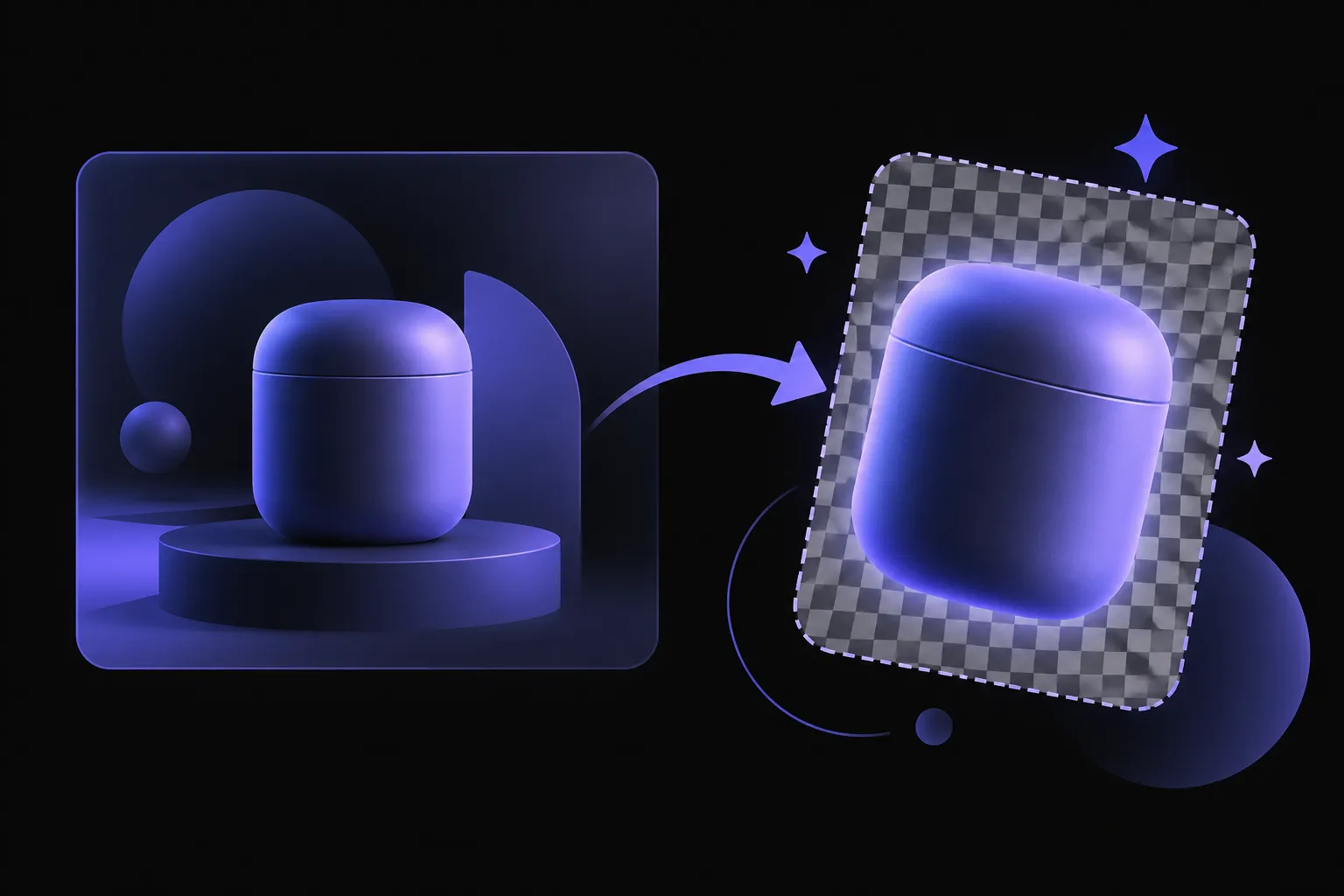
On the photo side, Adobe says the Photoshop Remove Tool now detects related surrounding elements when you delete an object, including footprints, reflections, shadows, and waves, so the rebuilt area blends more convincingly. That is a matting-adjacent improvement for product and location stills where a naive erase leaves a floating shadow or a reflection of the deleted item.
Firefly marketing at MAX also highlights removing distracting objects and adjusting lighting on photos without altering the rest of the image, plus Quick Actions for tasks like thumbnails and product ads. No Film School’s MAX recap repeats Firefly image cleanup as part of a broader Firefly video and design expansion, including agent-assisted planning before execution.
Those still-image flows compete with browser cutouts and design tools, not with a ten-second Premiere beta limit. If you only need one catalog PNG, test whether an updated Photoshop erase passes your edge inspection faster than an automatic transparent background workflow. If you need dozens of SKUs, pair removal quality with bulk background removal throughput.
Photoshop also gained Quick Compare, an on-canvas before-and-after slider Adobe pitches for reviewing edits without juggling layer visibility. For cutout QA, that is a legitimate production convenience: hair halos and reflection gaps are easier to catch when you can scrub between states instantly.
How do generative credits and beta limits affect a real edit?
Adobe’s generative credit model means Generative Remove is not a casual unlimited filter. At the cited beta rate of 40 credits per second, a five-second fix consumes two hundred credits before you account for regeneration if the first fill flickers. Plan a short test mask on the hardest frame before committing an entire deliverable.
The duration and resolution caps mean long-form interviews, 4K masters, and HDR grades fall outside the comfortable beta box today. Producers may need to work on proxies, finish removals in sections, or route full-subject work elsewhere. Adobe explicitly cautions against processing separate segments when one continuous removal is possible, because generative fills may not match across cuts.
Cloud processing also introduces scheduling reality. Adobe notes you can keep editing while a removal runs in the background, but air-gapped or restricted networks cannot use the feature at all. Teams with compliance rules about uploading client footage should treat that as a gating question separate from aesthetic quality.
| Task | Premiere Generative Remove (beta) | Full-subject video background removal |
|---|---|---|
| Primary goal | Delete a masked distraction inside a shot | Separate subject from entire backdrop |
| Typical input | 1080p SDR clip segment | Short social clip or product demo |
| User action | Draw and track masks | Select subject or upload for automatic matting |
| Output | In-painted region on timeline | New background, transparent export, or composite |
| Cost model | Generative credits per second (40/sec cited in beta) | Tool-specific; BGRemover uses pay-as-you-go credits beyond free tier |
| Best proof | Distraction gone, no temporal shimmer | Stable edges, audio intact, export opens downstream |
BGRemover.video lets you start with free credits for image and video background removal in the browser, with no watermark on exports per current homepage copy, and additional usage on a pay-as-you-go credit basis rather than a single bundled subscription price. Confirm free-credit allowances and upload limits on the live product and credits pages before quoting them in client proposals because hosted limits can change independently of Adobe’s roadmap.
What about Creative Agent, MCP, and automated removal tasks?
Adobe’s MAX post also expands Creative Agent and AI Assistant beta across Premiere, Illustrator, InDesign, After Effects, and Frame.io, with MCP integrations previewed for early 2027 so third-party agents can call into Creative Cloud apps locally. TechCrunch quoted Adobe vice president Deepa Subramaniam saying the company will expose endpoints across major apps and learn from usage rather than prematurely limiting what agents can request.
The Adobe blog’s MCP example explicitly mentions removing a logo from campaign assets and cascading the change across a campaign. That is workflow automation around edits you could already perform manually, not a new matting algorithm. Agent features may save clicks for agencies running repetitive cleanup, but they do not remove the need to inspect edges on hero product frames. For cutout-specific work, treat agents as orchestration: helpful when your bottleneck is organizing multi-app steps, less helpful when your bottleneck is a hair edge on a moving subject.
What should you do after today’s Adobe MAX removal news?
Use this sequence so you do not mix up inpainting wins with transparent delivery requirements.
- Label the job. Write whether you need a distraction erased inside a keeper shot, a new backdrop for the whole subject, or a transparent export for another app.
- Read Adobe’s current beta limits. Open the Generative Remove help page and your account’s generative credit balance before testing on client footage.
- Run a ten-second torture test. Pick a clip with motion, partial occlusion, and a reflective surface. Track the mask, generate once, and scrub for shimmer or identity drift in the filled region.
- Compare against a full cutout tool on the same clip if the brief requires isolating the presenter or product. Use identical acceptance checks from our background remover comparison notes.
- Document what you proved. Save which app handled which segment, credit spend, and whether the export survived reopening in the delivery destination.
If Generative Remove passes your inspection, fold it into Premiere for localized cleanup and keep a specialized remover for alpha-heavy publishing. If the beta limits block your master resolution or duration, finish cutouts outside the timeline and return to Premiere only for editorial assembly, color, and captions.
Where does BGRemover.video fit honestly?
BGRemover.video is built around image and video background removal in the browser, with video as a first-class path rather than an afterthought. It is a strong candidate when you want the entire scene behind a subject replaced or removed without masking each distraction by hand, especially for short clips that must ship quickly to social platforms or marketplaces.
It is not a replacement for Premiere’s full editing stack, Generative Media, Color Mode, or audio separation tools Adobe also announced at MAX. If your project is a ninety-minute documentary grade, Premiere remains the hub. If your project is a two-minute product demo that must sit on white for a listing video, a dedicated remover may finish the separation faster than chaining multiple generative masks.
When Unscreen and remove.bg shifts left you rethinking vendors, our remove.bg shutdown migration guide reminds you to test video and API needs separately. Adobe’s expansion does not unwind those marketplace changes; it adds more in-app AI for subscribers already paying Creative Cloud.
Paid usage on BGRemover.video is credit-based. Check the credits page at purchase time rather than assuming parity with Adobe generative credits. Competitor pages such as Kapwing or remove.bg remain useful baselines when your team compares still versus video support.
Conclusion
Adobe MAX 2026 gives creators more ways to remove unwanted objects without leaving the Creative Cloud apps they already pay for. Premiere Generative Remove beta brings tracked, generative inpainting to the timeline, Photoshop’s Remove Tool gets smarter about shadows and reflections, and Firefly keeps pushing distraction cleanup on stills alongside agent-assisted workflows.
Treat those wins as what they are: powerful cleanup inside a shot, not automatic proof that your entire background can disappear with one button. Beta resolution, duration, cloud processing, and per-second generative credits still define what you can promise on a deadline today. When the deliverable is a subject on transparency or a completely new scene, test a video-first remover on the same footage and let the downloaded file in its real destination decide.
If your next clip needs a full cutout rather than a localized fix, open BGRemover.video with a representative sample, verify edges and export, then return to Premiere for everything else MAX 2026 does well.
Frequently asked questions
What is Generative Remove in Premiere?
Generative Remove is a beta Premiere feature that masks and tracks an unwanted object, then fills only the masked region using Adobe Firefly video generation. Adobe says the rest of the clip stays untouched and the original footage remains available to revert.
Does Generative Remove replace the entire video background?
No. It removes selected distractions inside a shot, such as a boom mic or logo, by inpainting the masked area. A full background replacement or transparent subject export is a different task with different tools and export checks.
How many generative credits does Premiere Generative Remove use?
Adobe community documentation for the beta states Generative Remove costs 40 generative credits per second of processed footage. Confirm the current rate in your account before running a long clip because beta pricing can change.
What are the beta limits for Generative Remove?
Adobe help and community posts describe support for roughly 480p to 1080p SDR clips up to about 30 fps and up to about 10 seconds per removal pass, with cloud processing and an internet connection required.
What changed in the Photoshop Remove Tool at MAX 2026?
Adobe says the Remove Tool now detects related surrounding elements such as reflections, shadows, footprints, and waves so the reconstructed area blends more naturally after an object is deleted.
When should I use a browser video background remover instead?
Consider a dedicated video background remover when you need the whole backdrop separated from a subject, a replacement scene, or a transparent handoff without building masks on every distracting object inside the frame.
Is Adobe Creative Agent the same as Generative Remove?
No. Creative Agent and AI Assistant workflows can orchestrate multi-step edits across Creative Cloud apps, while Generative Remove is a specific masked inpainting action on a Premiere timeline clip.