Remove Photo Backgrounds Without Photoshop
Yash Thakker
Author
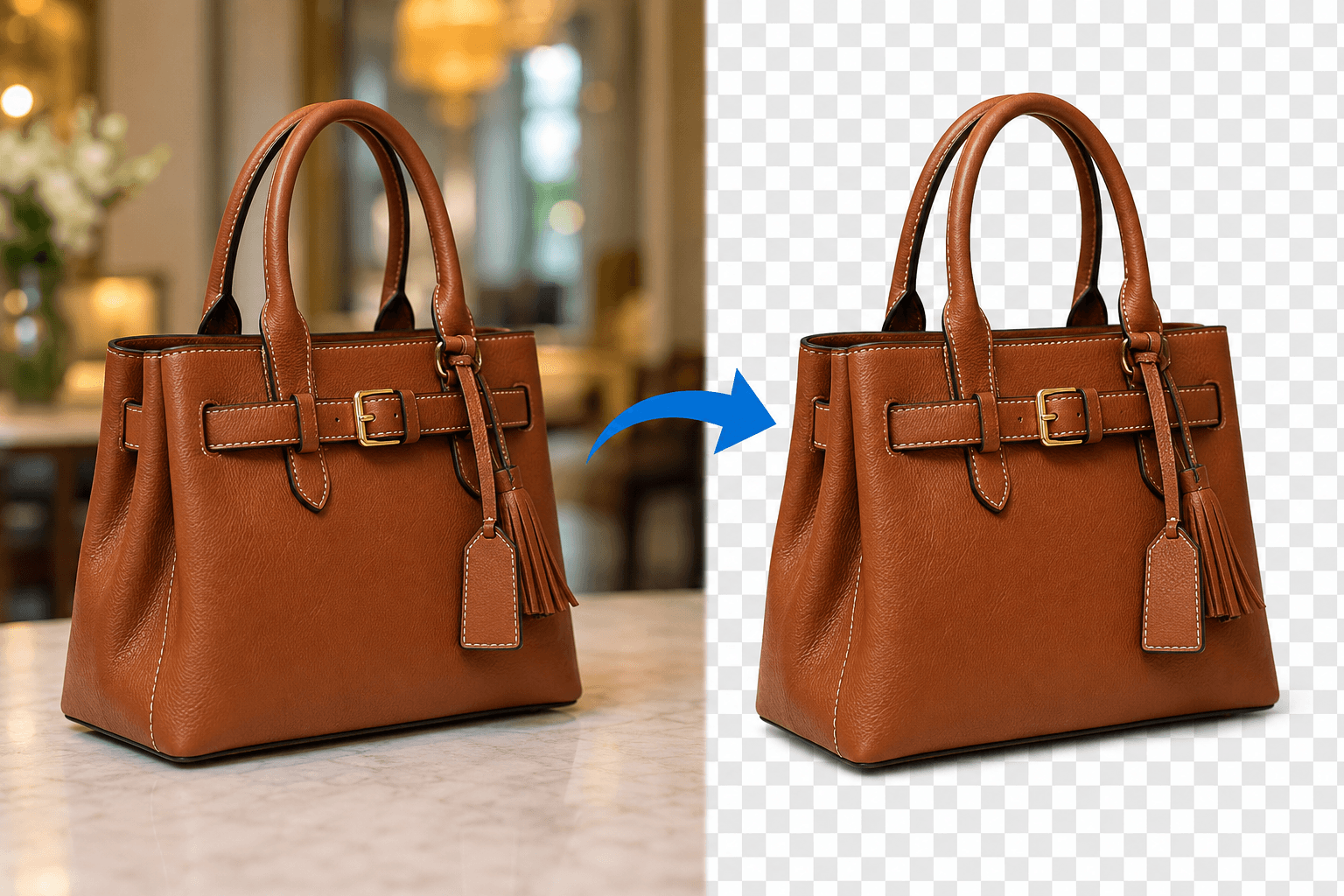
Need to remove background from photos but don't have Photoshop skills or a subscription? You're not alone. Whether you're creating product listings, social media content, or professional presentations, removing backgrounds has become essential. The good news? Modern AI-powered tools make background removal accessible to everyone—no design experience required. In this guide, we'll show you the best tools and methods to achieve clean, professional results without touching Photoshop.
Why Skip Photoshop for Background Removal?
Photoshop is powerful, but it comes with challenges that many users simply don't need:
Cost Barrier: Adobe's subscription starts at $54.99/month—a significant expense for occasional background removal tasks. Many small business owners and content creators need affordable alternatives that deliver professional results without the monthly commitment.
Steep Learning Curve: Mastering Photoshop's pen tool, layer masks, and selection tools takes weeks of practice. Most people just want to remove background from photos quickly without becoming design experts. The traditional methods of manual selection and refinement can take 15-30 minutes per image, time that busy professionals simply don't have.
Overkill for Simple Tasks: When you only need background removal, downloading and learning comprehensive software is unnecessary. Modern AI replacement technology has made the process instantaneous, delivering results that previously required professional editing skills.
Best AI-Powered Background Remover Tools
BGRemover.video – Your Complete Background Solution
BGRemover.video stands out as a comprehensive platform that goes beyond simple photo editing. While many tools focus solely on images, BGRemover.video excels at both photo and video background removal, making it the best replacement for Photoshop's time-consuming manual processes.
Why BGRemover.video Works: This fast background remover uses advanced AI algorithms trained on millions of images to detect subjects accurately—from people and products to pets and complex objects. The platform automatically identifies edges, handles fine details like hair and fur, and delivers a clean background in seconds. You simply upload your image, and the AI does the heavy lifting, providing professional results without any technical knowledge.
Get 20 Credits: When you sign up for BGRemover.video, you get 20 credits to start removing backgrounds immediately. Each credit allows you to process one image or video, giving you plenty of opportunity to test the platform's capabilities and experience professional-quality results before committing to a paid plan.
Versatility Beyond Photos: Unlike traditional object remover tools, BGRemover.video handles multiple content types. Need to remove people from photos for privacy? Creating product shots with transparent backgrounds? The platform adapts to your needs. It even processes GIF files, serving as an effective gif remover for animated content, and offers the ability to transplant background elements by replacing removed areas with custom images or colors.
Professional Features Made Simple: The tool includes batch processing for handling multiple images simultaneously, custom background replacement options, and high-resolution export capabilities. Whether you're preparing product photos for e-commerce, creating marketing materials, or editing personal photos, BGRemover.video delivers studio-quality results accessible through any web browser—no software installation required.
Step-by-Step: Remove Background from Photos in 3 Easy Steps
Step 1: Upload Your Image
Visit BGRemover.video and drag-drop your photo directly into the browser. The platform accepts JPG, PNG, and even GIF formats, with file size support up to 10MB. The upload process is instantaneous, with your image appearing in the editor workspace within seconds.
Step 2: Automatic AI Processing
Watch as the background remover automatically detects your subject and removes the background in real-time. The AI identifies the main subject, processes edges and complex details, and generates a transparent background—all without requiring any manual selection. This automated process typically completes in 2-5 seconds, compared to the 15-30 minutes manual removal would take in traditional software.
Step 3: Download or Customize
Choose your preferred output format (PNG for transparency, JPG with white/colored backgrounds) and download instantly. For advanced users, the platform offers refinement tools to adjust edges, add new backgrounds, or apply finishing touches before export. Your processed image maintains full resolution quality, ensuring professional results suitable for any application.
When to Use Background Removal Tools
E-commerce Product Photography: Online sellers need consistent, professional product images with clean background aesthetics. BGRemover.video helps create the white-background product shots required by Amazon, eBay, and Shopify in seconds, eliminating expensive photoshoot costs.
Social Media Content Creation: Content creators frequently need to remove people from photos or isolate subjects for engaging posts, stories, and reels. Background removal enables creative compositions, branded templates, and eye-catching visuals that stand out in crowded feeds.
Professional Presentations: Business professionals use background removal to create polished presentation graphics, headshots with transparent backgrounds for team pages, and marketing materials that maintain brand consistency across platforms.
Personal Projects: From creating custom invitations and holiday cards to restoring old photographs, background removal helps everyday users achieve professional results for personal projects without hiring designers.
BGRemover.video vs. Other Tools
As an online video editor with photo capabilities, BGRemover.video offers unique advantages over competing solutions:
Remove.bg Comparison: While Remove.bg pioneered AI background removal, BGRemover.video extends functionality to video content, offers more generous credit limits with 20 credits on signup, and includes advanced editing features like background replacement and batch processing in a single platform.
Canva Background Remover: Canva's tool works well but locks you into their ecosystem and requires a Pro subscription for full features. BGRemover.video operates independently, allowing you to download files without platform restrictions or forced template usage.
Photoshop Express: Adobe's mobile app provides basic background removal but lacks the precision and flexibility of desktop-class tools. BGRemover.video delivers desktop-quality results through any web browser, combining accessibility with professional capabilities.
The key differentiator? BGRemover.video specializes in background manipulation as its core function, resulting in more refined algorithms, faster processing, and better edge detection than tools where background removal is just one feature among many.
Conclusion
Learning to remove background from photos without Photoshop opens creative possibilities for everyone. With tools like BGRemover.video, professional-quality background removal is now accessible and instant. Whether you're launching an online store, building your social media presence, or tackling personal projects, AI-powered background removal delivers results that once required expert designers. Start removing backgrounds today and discover how simple professional editing has become—no Photoshop subscription required, no design degree necessary.
Ready to remove backgrounds effortlessly? Visit BGRemover.video now and transform your photos in seconds with our fast background remover technology. Get 20 credits to start—no account creation needed!
Frequently Asked Questions
Does AI background remover work on complex images?
Modern AI replacement technology handles intricate subjects including hair, fur, transparent objects, and overlapping elements. While simple subjects process perfectly in one click, complex images may require minor manual refinement using the built-in editing tools.
What's the best tool for removing backgrounds?
The best tool depends on your specific needs. For pure photo editing, BGRemover.video, Remove.bg, and Adobe Express all perform excellently. However, if you need video capabilities or frequent batch processing, BGRemover.video's comprehensive feature set provides the most value. Plus, you get 20 credits when you sign up to test all the features.
Can I add a new background after removal?
Absolutely! BGRemover.video includes transplant background features that let you add solid colors, gradients, stock images, or your own custom backgrounds. This functionality turns the tool into a complete image composition platform, not just a simple object remover.
Is background removal legal for commercial use?
Yes, when you remove backgrounds from your own photos or images you have rights to use. Always ensure you own the original image or have proper licensing before editing and using photos commercially.