AI Christmas Video Background Editing, Made Easy
Yash Thakker
Author
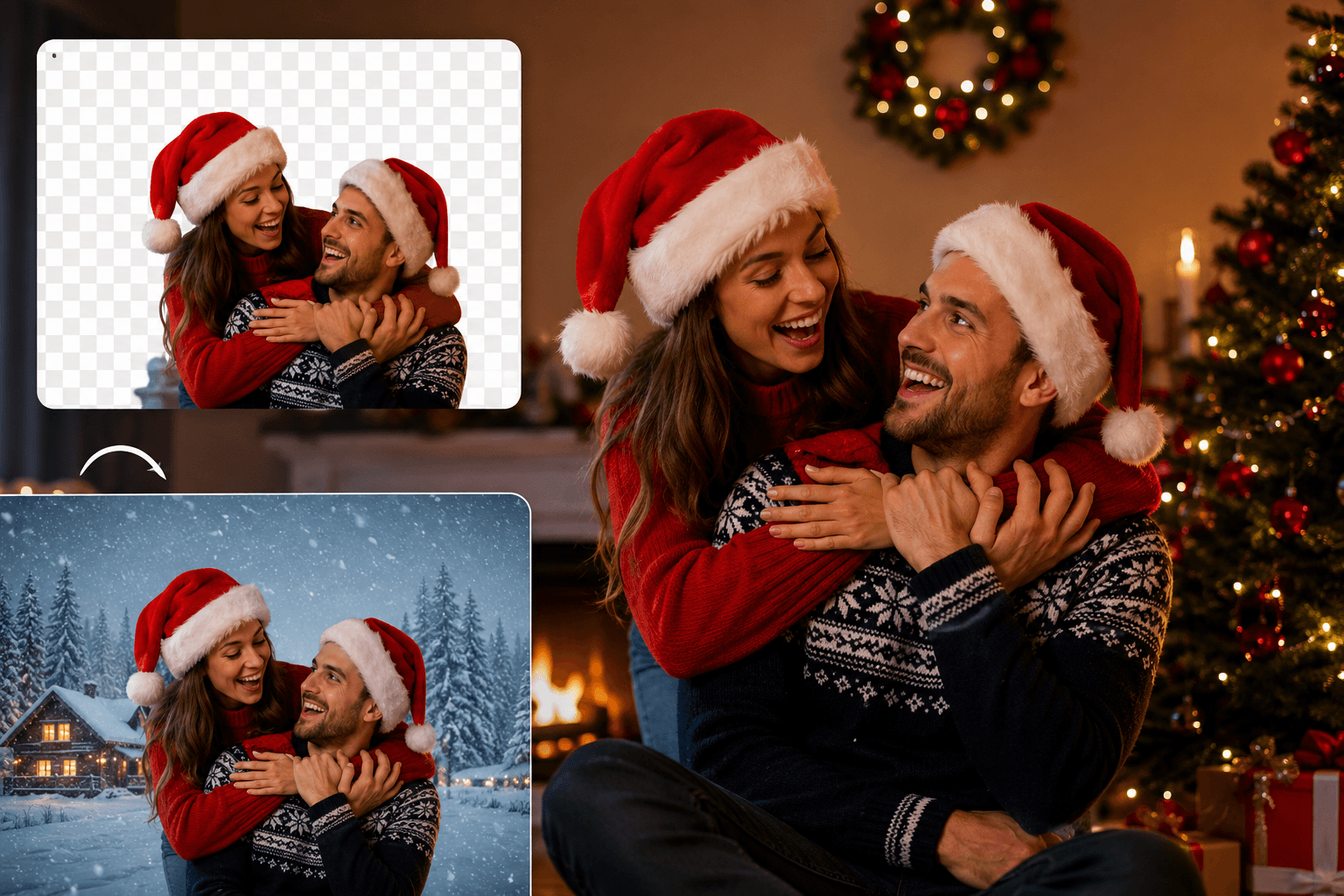
The holiday season is here, and what better way to spread festive cheer than creating stunning Christmas videos that capture magical moments? Whether you're crafting a merry Christmas video for social media or preparing a family montage, the secret to professional-looking content lies in one powerful tool: a video background remover.
Gone are the days when editing required expensive software and technical expertise. Today's AI background remover technology makes it incredibly simple to remove background video elements and create polished holiday content in minutes. Let's explore how you can transform your ordinary footage into extraordinary xmas video masterpieces.
Why Remove Backgrounds from Your Christmas Videos?
Removing unwanted backgrounds from your holiday footage opens up endless creative possibilities. Maybe you filmed a perfect moment, but there's clutter in the frame, or perhaps you want to remove people from background who accidentally walked into your shot. A quality bg remover solves these issues instantly.
With a transparent background, you can place your subjects against festive backdrops—think snowy landscapes, twinkling lights, or cozy fireplaces. This technique elevates amateur footage to professional quality, making your background Christmas video content share-worthy and memorable.
Choosing the Best Tool for Christmas Video Editing
Not all background removal tools are created equal. When you edit Christmas video content, you need a high quality bg remover that preserves detail while cleanly separating subjects from their surroundings. Among the various options available, specialized platforms designed specifically for video processing tend to deliver superior results compared to generic editing software.
Many platforms now offer a free background remover option, perfect for testing capabilities before committing. Look for features like batch processing, transparent image maker functionality, and the ability to add new video backgrounds seamlessly. An efficient background eraser should work quickly without requiring advanced editing skills.
How AI Makes Background Removal Effortless
Modern AI background remover technology uses machine learning to detect edges and distinguish between subjects and backgrounds automatically. This means you don't need to manually trace around every frame—the software does the heavy lifting for you.
When working with background video Christmas projects, AI tools analyze movement patterns and maintain consistency across frames. This results in smooth, natural-looking edits that don't have the jarring cuts or artifacts common in older editing methods. Simply upload your footage, let the AI work its magic, and watch as unwanted elements disappear.
The Best Tool for Seamless Background Removal
While exploring options to remove background from image and video content, dedicated video-focused platforms often outperform general-purpose editors. For those seeking a streamlined solution, bgremover.video stands out as a particularly user-friendly option that combines powerful AI processing with intuitive controls.
What makes this approach effective is the focus on simplicity without sacrificing quality. Unlike complicated software with steep learning curves, specialized tools allow you to upload your Christmas video background footage and receive professional results within minutes. The best tool is always the one that delivers quality results while respecting your time and skill level.
Creating Professional Christmas Content in Minutes
Start by selecting your Christmas video background footage. Upload it to your chosen free video background remover platform and let the tool process your video. Most services complete this step in under a minute, even for longer clips.
Once you have your subject isolated with a transparent background, explore replacement options. Winter wonderlands, animated snowfall, or warm interior scenes can transform your merry Christmas video into something truly special. The ability to remove background video elements gives you complete creative control over the final aesthetic.
Tips for Stunning Holiday Video Results
For best results, film your original footage with good lighting and clear separation between your subject and background. While AI tools are powerful, they work better with high-quality source material. Avoid overly busy backgrounds when possible, as this helps the bg remover distinguish edges more accurately.
Experiment with different replacement backgrounds to find what complements your subject best. A cozy fireplace might suit intimate family moments, while sparkling lights work perfectly for energetic holiday parties. Don't be afraid to test multiple options—most tools allow unlimited previews.
Free vs. Premium Background Removal Tools
Many platforms offer a free background remover tier that's perfect for casual creators or single projects. These typically include basic removal features and a limited selection of replacement backgrounds. For content creators producing regular xmas video content, premium versions offer advanced features like batch processing, HD export, and exclusive background libraries.
Consider your needs before upgrading. If you're creating one special merry Christmas video for family, free tools usually suffice. Regular content creators benefit from premium subscriptions that save time and offer professional-grade results.
Conclusion: Transform Your Holiday Videos Today
This holiday season marks the perfect opportunity to elevate your content creation with professional-quality Christmas video editing. Thanks to advanced video background remover technology, what once required expensive software and expert skills is now accessible to everyone. Whether you're preparing a heartfelt merry Christmas video for loved ones or creating engaging social media content, the ability to remove background video elements opens up limitless creative possibilities.
The key to success lies in choosing the right background remover that balances ease of use with powerful features. From creating transparent background subjects to adding festive new video backgrounds, modern tools make the entire process remarkably straightforward. Don't let imperfect footage or distracting elements hold back your holiday storytelling.
Start experimenting with a free background remover today and discover how simple it is to transform ordinary clips into extraordinary memories. Your perfect xmas video is just a few clicks away—embrace the technology, unleash your creativity, and make this Christmas season unforgettable through beautifully edited videos that truly capture the magic of the holidays!
FAQ: Video Background Removal for Christmas Content
Can I remove backgrounds from videos shot on my phone?
Absolutely! Modern AI background remover tools work with any video format, including smartphone footage. Just ensure adequate lighting for best results.
How long does it take to remove a video background?
Most free video background remover platforms process standard clips in 1-3 minutes, depending on video length and quality.
Will removing backgrounds reduce video quality?
A high quality bg remover preserves your original resolution. Always choose tools that support HD or 4K export options.
Can I add custom backgrounds to my Christmas videos?
Yes! After creating a transparent background, you can upload custom images or choose from libraries of festive new video backgrounds.