Video Background Removal for Reusable Content: 2026 Guide
Yash Thakker
Author
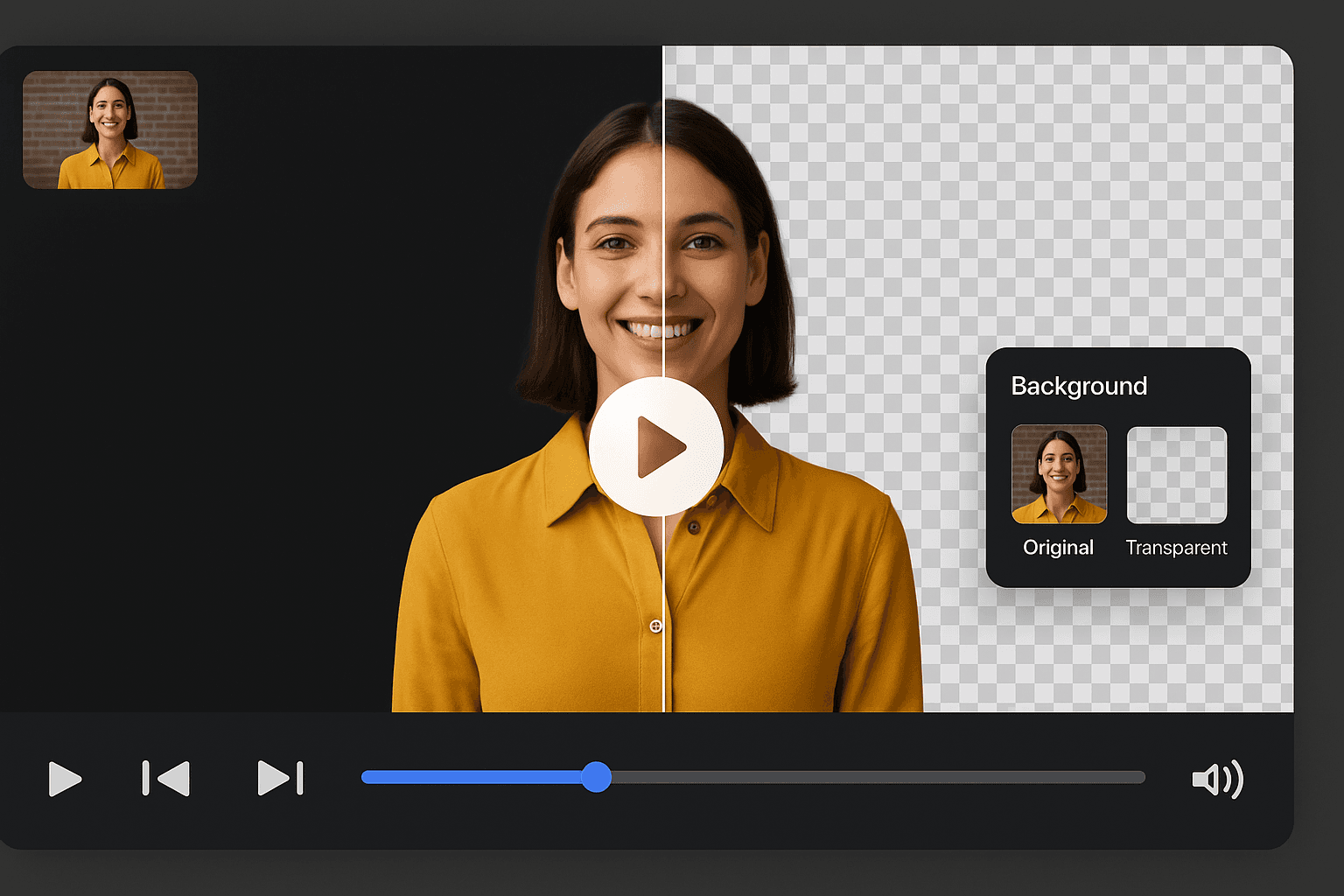
Video background removal can make a recording more reusable by separating the presenter or product from one fixed setting. A subject prepared for further editing can appear beside a diagram, on a clean product stage, or inside a consistent series layout. The practical benefit comes from that flexibility and the quality of the handoff, not from a promise that every recording becomes a finished production automatically.
To make reuse dependable, plan it before the first export. Keep the source, understand the output you need, and decide which elements should remain editable. A flattened social upload is a different asset from a transparent subject and an editable project. Confusing those deliverables often makes later revisions harder than necessary.
This guide focuses on building a reusable content workflow around background removal. It explains where flexibility is real, where the original recording still sets limits, and how a small team can test the process honestly. The aim is a collection of assets that can be understood, revised, and published with confidence.
What changes when the subject is separated from its setting?
Separating the subject gives you more freedom to arrange the scene around it. You can change the surrounding color, create space for supporting information, or adapt the composition without repeating the entire performance, provided the source and output support those changes.
A presenter recorded once might be used beside a product diagram in one edit and beside a short summary in another. A product cutout might support a neutral catalog-style video and a clearly promotional design. The subject remains the same, while the layout and surrounding information change.
That flexibility has limits. The camera angle, visible lighting, pose, and recorded movement remain part of the source. If the presenter points left, changing the background does not make them point convincingly at a graphic on the right. If a product leaves the frame, removing the room cannot restore the missing portion.
Think of the cutout as one reusable component rather than a universal substitute for new footage. Some messages need a new performance, a different demonstration, or a real environment. Our UGC creator guide explains how to define those requirements in a brief before recording.
Which content is worth preparing for reuse?
Prepare content for reuse when the message remains useful across several planned placements and the recording can support those layouts. Start with a known production need rather than creating a large library without a purpose.
Stable explanations, introductions, and product actions can be good candidates. A presenter explaining a lasting process may fit several versions with updated supporting text. A product rotation may be useful in a detail page and a short overview. A clip built around a temporary offer may need more frequent revision and may be less reusable than it first appears.
List the intended versions before filming. Identify the audience, aspect ratio, language, and next step for each. Then decide which information is shared and which should remain separate. A reusable core explanation can coexist with different opening titles or closing directions.
Do not force one recording into unrelated messages. A clip that answers a specific technical question may not become a convincing general advertisement simply because the background changes. Preserve the relationship between what the person says, what the picture shows, and what the surrounding post claims.
For a small team choosing its first repeatable format, the small-business video guide offers concrete starting points based on customer questions rather than generic production volume.
How should you plan a source recording for several layouts?
Plan the source around the most demanding movement and crop among the versions you actually need. Leave useful space, but do not assume that a single wide recording can be adapted to every composition without compromise.
Rehearse the action in the intended vertical and landscape frames. A seated introduction may adapt easily, while a wide tabletop demonstration may need another angle. Keep hands, props, and important product details inside each usable crop. If a layout cannot contain the action clearly, record a separate version.
Leave time before and after the spoken section so the edit has room for transitions and clean starts. Avoid placing temporary dates or location-specific references into a reusable explanation unless they are necessary. Keep the delivery natural; a script designed only to be modular can sound disconnected if every sentence lacks context.
Use lighting and clothing that keep the subject distinguishable from the recording scene. Include the actual props in a test. A plain empty-handed presenter is not a representative test for a final clip containing glassware, packaging, or a reflective device.
The backdrop planning guide covers the recording environment. Good source planning gives the later background stage more useful information and reduces the need to force a difficult composite.
Why must a reusable cutout be reviewed through motion?
A reusable cutout must remain coherent through the whole clip, because changing backgrounds can expose defects hidden by the original preview. Review the subject as movement as well as a collection of still frames.
Watch for details that appear and disappear, edges that change thickness, and gaps that briefly fill with the old scene. A stationary halo may be tolerable in one small placement but obvious on another background. A flickering hand or chain can distract in every version that uses the same master.
Research on video matting treats temporal information as part of the problem. The Robust High-Resolution Video Matting paper is one example of work using information across frames. That does not establish which model a particular product uses; it explains why a video result needs more than a successful first-frame separation.
Review the master on a light background, a dark background, and the most important planned scene. Compare it with the original to confirm that the product or person has not lost meaningful detail. Use the actual display size for the final acceptance decision, while retaining a close view to diagnose defects.
If the result only works in one specific composition, label it as approved for that composition rather than treating it as a general reusable asset. A narrow, accurate approval is more useful than an ambiguous “final” file that other editors assume can go anywhere.
Which elements should remain separate in the project?
Keep elements separate when you expect to revise them independently. Common examples include the subject, the background, captions, titles, diagrams, and destination-specific calls to action.
A subject and background flattened together may be suitable for final delivery, but it limits later layout changes. Captions burned into the only master can be difficult to move for a new crop or replace for another language. A date embedded into a reusable graphic can be easy to overlook during next year’s update.
Define the master and the delivery versions
The master is the source for future versions, while a delivery file is prepared for one specific placement. Depending on the project, the master may include a transparent intermediate and an editable timeline rather than one standalone video file. Name these roles explicitly so collaborators do not mistake a social export for the best available source.
Keep the original recording alongside the processed master. The source provides a reference for edge corrections, factual review, and a future workflow change. Do not assume that an intermediate can always reconstruct everything in the original after processing or compression.
For a practical end-to-end sequence, the raw-footage workflow explains how selection, rough editing, extraction, composition, and delivery fit together. Reuse works best when those stages remain traceable.
How do you choose an export that preserves useful flexibility?
Choose the export according to the next operation, then test it in the receiving application. A reusable transparent asset and a completed background composition have different compatibility requirements.
BGRemover.video’s current video export interface distinguishes a transparent Pro Bundle from MP4 with a custom background, with credit checks. Confirm the options available for the current job and inspect the downloaded files. Do not infer a specific transparent codec, direct GIF export, or unlimited free use from a general background-removal claim.
Import a short transparent test into the editor that will create the new layouts. Place a contrasting layer underneath and check that the expected transparency survives. Verify duration, movement, orientation, and sound as well. A file that opens but behaves differently from the intended asset has not passed the handoff.
MDN’s media container guide explains why the container and its encoded content are distinct. Treat a successful destination test as more useful evidence than a filename extension alone.
If the next task is simply to publish a completed scene, preserve the reusable master separately and deliver the finished version in the required format. This lets the recipient use a straightforward file without sacrificing the project’s future editing path.
How can you compare new layouts without inventing performance claims?
Compare layouts against a specific communication question and record what you actually observe. A visual preference, a processing measurement, and an audience outcome are different forms of evidence.
For an internal design review, ask whether the product detail is easier to see, whether captions remain readable, or whether the presenter’s gesture aligns with the graphic. Those are concrete questions a reviewer can answer from the file. “This feels more premium” may describe a preference, but it is not a measured business result.
For production efficiency, record the full process: source preparation, processing, corrections, composition, export, and review. Reusing a subject may reduce some work while adding handoff or version-management tasks. Measure the workflow you actually operate rather than quoting a universal percentage from an unrelated example.
For audience outcomes, compare relevant placements and topics and acknowledge other factors. A different opening, audience, posting context, or offer may affect the result alongside the background. Do not attribute every change in views or sales to the visual setting.
Our social video planning guide discusses practical learning records, while the content-results guide can help frame the intended outcome. Keep the conclusion proportional to the evidence available.
How should a team manage revisions and approvals?
Give each asset a clear source, purpose, revision, and approval status. The goal is to make the correct file easy to identify and the reasoning behind its use easy to recover.
Record which source take produced the processed master, which editor or workflow used it, and which compositions have been reviewed. A file approved on a white background may need another edge check before being used on a dark campaign design. Approval should describe the actual reviewed use rather than imply every future placement is covered.
When feedback arrives, identify the stage it affects. A factual correction may require new speech or text. A missing product edge may require another extraction. A title collision may need only a layout change. Keeping stages distinct prevents the team from repeating work that was already correct.
Use comments that point to a time or visible issue. “At the clasp demonstration, the lower finger disappears” gives the editor a repair target. “Make it cleaner” does not. After correction, review the affected part and any dependent versions rather than assuming one export automatically updates them all.
A small asset register can be enough. The corporate video guide describes a broader approval workflow, but a small team can apply the same discipline with clear filenames and a concise shared record.
What should you preserve about an asset’s origin?
Preserve the original source and enough context to explain the meaningful edits made to it. A changed background should not erase the team’s understanding of where the subject came from or what the finished scene represents.
Record whether a setting is real, composited, or clearly illustrative when that distinction affects the message. A fictional scene can be a useful creative choice, but it should not silently become evidence that someone visited a location or used a product in a particular environment.
Metadata can help carry information, but it is not the only record a team should rely on. The C2PA FAQ explains provenance-related concepts and limitations. Keep the editorial source and asset history available even when a downstream export changes embedded records.
Our metadata and watermark guide distinguishes visible marks, provenance metadata, and embedded signals. Read the actual destination requirements before removing records that a publishing workflow may expect. A cleanup operation and a publication decision are separate tasks.
This record does not need to be elaborate. A source identifier, asset origin, relevant permissions, transformation note, and approved use can make the next revision much clearer than an unexplained folder of polished-looking files.
How do you keep reusable layouts readable and accessible?
Review text, sound, and visual explanation in every destination version. Reusing the subject does not guarantee that captions or diagrams remain usable after the layout changes.
A vertical crop may move captions onto the product. A new background may reduce text contrast. A shorter edit may remove the spoken explanation of an important visual change. Check these relationships rather than assuming a previously approved master makes every derivative ready.
W3C’s media accessibility guidance provides a framework for captions, transcripts, and descriptions of visual information. Apply it to the finished version and its actual purpose. A presenter-only introduction and a detailed visual demonstration can require different supporting information.
Keep editable caption text and graphics when the project calls for translations or frequent updates. Review each language version for complete meaning and readable timing instead of substituting a shorter summary for the original explanation. The subject can be reusable while the surrounding communication still requires careful editorial work.
How do you start a reusable workflow without overbuilding it?
Start with one source recording and two real planned uses. Produce the first layout, create the second from the retained master, and record what remained reusable and what needed adjustment.
Use that pilot to define a practical standard: suitable source conditions, accepted edge quality, required export, naming, and review responsibility. Keep the process simple enough that the team can repeat it. Add more structure only when recurring problems show a clear need.
If background separation is the missing stage, test a representative clip in BGRemover.video. Review the moving subject, verify the handoff, and keep the original available. Reusable content becomes valuable when it stays accurate and easy to revise across the specific jobs it was designed to serve.
Frequently asked questions
How does background removal make content reusable?
It can separate a presenter or product from one recorded setting so the subject can fit several approved compositions. Reuse still depends on a suitable source, a compatible output, and a layout that preserves the message.
Can one recording work for every aspect ratio?
Not always. A crop cannot recover a hand or product outside the original frame. Plan the required layouts before filming and record another take when the action does not fit the available composition.
Does an automatic cutout eliminate editing review?
No. Review moving edges, product details, sound, captions, and the downloaded output. Automation produces a starting asset, while the full production still needs an acceptance decision.
What should a reusable video asset include?
Keep the original recording, the approved processed master, relevant editable project files, and a note describing the source, output, revision, and tested handoff. Deliver only the files agreed for the project.
How can a team evaluate whether the workflow is worthwhile?
Run a representative pilot and record preparation, processing, corrections, review, and reuse effort. Compare actual outcomes without inventing universal time savings or attributing every audience change to the background.