Turn Raw Footage Into Pro Videos with AI BG Removal
Yash Thakker
Author
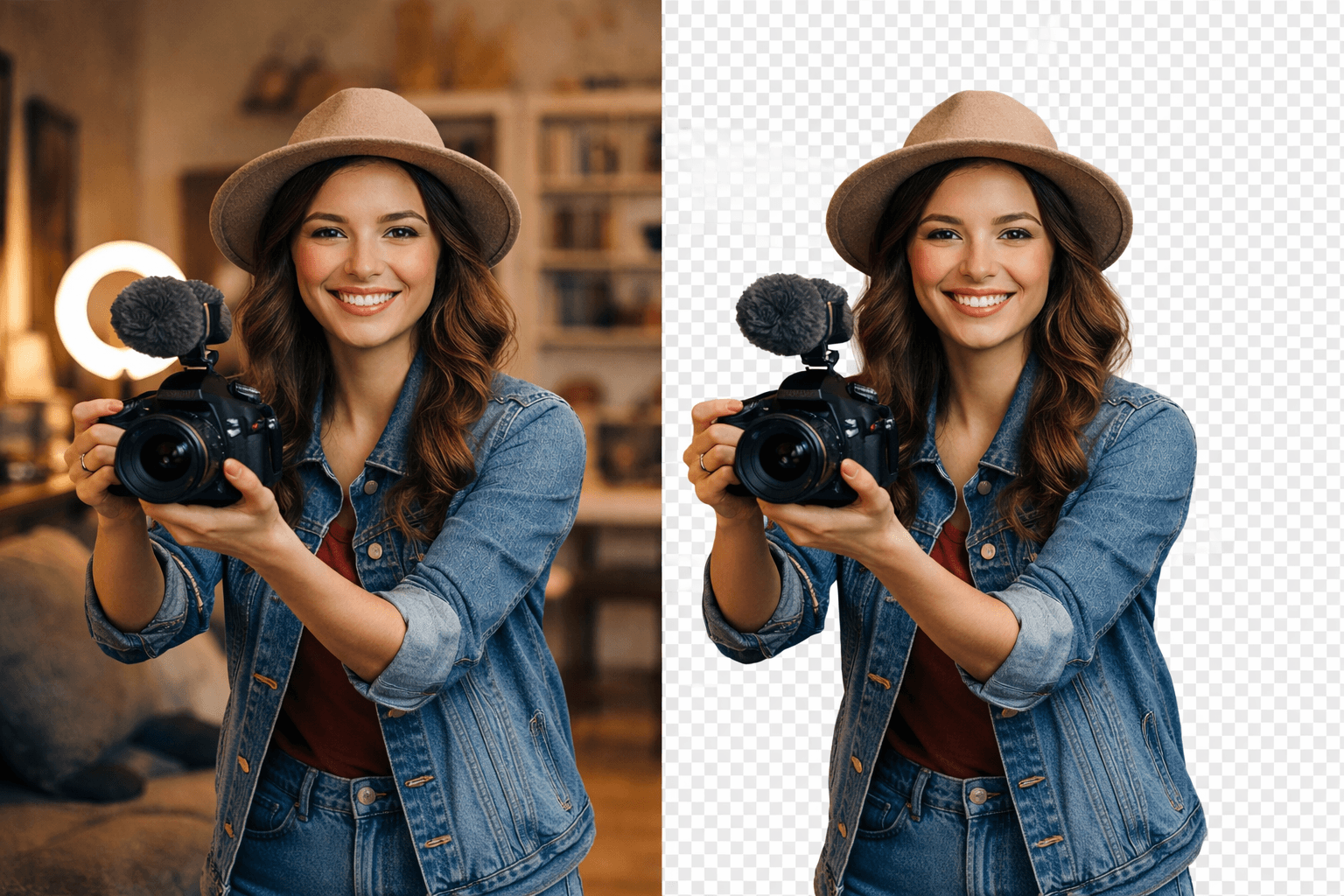
Every content creator faces the same challenge: how to turn raw footage into professional-looking videos without spending hours on complex editing. The solution lies in using a powerful video background remover that streamlines your workflow and delivers studio-quality results. Whether you're creating content for social media, marketing campaigns, or professional presentations, BGRemover.video offers an intelligent way to remove video background elements and transform ordinary clips into polished, eye-catching videos that stand out.
What is BGRemover.video?
BGRemover.video is an AI-powered video background remover designed to help creators eliminate unwanted backgrounds from their footage instantly. Unlike traditional editing software that requires technical expertise and hours of manual work, this cloud-based video editor uses advanced machine learning algorithms to detect subjects accurately and remove backgrounds with precision. It's the perfect tool for anyone looking to create transparent video backgrounds or replace them with custom scenes without investing in expensive equipment or learning complicated chroma key techniques.
Why Remove Video Backgrounds from Raw Footage?
Professional Appearance Without Studio Costs
Removing backgrounds from your raw footage instantly elevates your content's production value. You don't need expensive green screens or professional studios to achieve that polished, broadcast-quality look. This automated background removal technology gives you the freedom to shoot anywhere and fix it in post-production.
Versatility Across Multiple Platforms
Content creators need videos optimized for different platforms – Instagram Reels, YouTube, TikTok, and LinkedIn all have unique requirements. By using a professional video editing tool to remove backgrounds, you can easily adapt the same footage for multiple channels, saving time and maintaining consistent branding across all your social media video editing efforts.
Focus Audience Attention
Background clutter distracts viewers from your message. When you remove video background elements, you direct focus exactly where it matters most – on your subject, product, or key message. This is crucial for product demonstrations, educational content, and marketing videos where clarity equals conversion.
How BGRemover.video Works
BGRemover.video simplifies the entire raw footage editing process into three straightforward steps:
1. Upload Your Video
Simply drag and drop your raw footage into the platform. The tool supports all major video formats, making it compatible with content from smartphones, DSLRs, webcams, or screen recordings. No file conversion or preparation needed.
2. AI Processing
The platform's sophisticated AI analyzes each frame of your video, accurately identifying the subject and separating it from the background. This intelligent recognition works even with complex subjects like hair, transparent objects, or moving elements that traditionally challenge other tools.
3. Download or Customize
Within minutes, your video is ready with a transparent background. You can download it immediately for use in other projects, or use BGRemover.video's built-in editor to add new backgrounds, adjust colors, or make final touches before exporting your professional video.
Key Features That Transform Your Video Editing Workflow
AI-Powered Precision
The advanced algorithms handle even the most challenging scenarios – from intricate hair details to semi-transparent elements. This AI video background removal tool eliminates the tedious manual masking that traditional video post-production requires.
Batch Processing
Process multiple clips simultaneously to streamline your video editing workflow. Perfect for creators producing series content or businesses handling large volumes of product videos.
No Software Installation Required
As a cloud-based video editor, BGRemover.video works directly in your browser. Access your projects from any device, collaborate with team members remotely, and avoid the storage burden of traditional editing software.
Quality Preservation
Your videos maintain their original resolution and quality throughout the process. Whether you're working with 1080p social media content or 4K professional footage, the output matches your input specifications.
Custom Background Options
Beyond simple removal, add solid colors, gradients, images, or even other video footage as replacement backgrounds. This flexibility makes it an excellent green screen alternative without the lighting challenges and physical setup requirements.
Practical Use Cases for Video Background Removal
Content Creators and Influencers
Turn raw footage into professional videos for YouTube, Instagram, or TikTok by removing distracting home backgrounds and replacing them with branded templates. Create consistent visual identities across all your content without reshooting in different locations.
E-commerce and Product Videos
Showcase products on clean, professional backgrounds that highlight features without distraction. This content creator tool helps online retailers produce catalog-quality videos quickly, improving conversion rates and reducing return requests through better product visualization.
Corporate Training and Presentations
Remove cluttered office backgrounds from training videos and webinars to maintain professional appearance. Your team can record from anywhere while delivering content that looks studio-produced, making remote work feel more polished and professional.
Real Estate and Virtual Tours
Clean up property videos by removing unwanted elements or replacing backgrounds to show properties in different lighting conditions or seasons. This technique helps buyers visualize potential without expensive reshoots.
Tips for Best Results with BGRemover.video
Record with Removal in Mind
While the AI handles most scenarios, shooting with good lighting and clear subject-background separation produces optimal results. Avoid extremely busy backgrounds or subjects that perfectly match background colors for the smoothest processing.
Use High-Quality Source Footage
Start with the highest resolution possible. Better input quality means better output, especially when you improve video quality with background removal for professional projects or large-display formats.
Experiment with Background Replacements
Don't settle for just transparent backgrounds. Try different background options to see what enhances your message most effectively. Sometimes a subtle gradient works better than solid colors, or a relevant scene adds context without distraction.
Preview Before Final Export
Always review the processed video frame by frame before downloading. While the AI is highly accurate, quick checks ensure perfect results and allow minor adjustments if needed.
Conclusion
Transforming raw footage into professional videos no longer requires expensive equipment, complex software, or hours of tedious editing. BGRemover.video democratizes professional video background remover technology, making it accessible to everyone from solo content creators to large marketing teams. By automating the most time-consuming aspect of video post-production, you can focus on what matters most – creating compelling content that resonates with your audience. Whether you're producing daily social content or quarterly marketing campaigns, this video background remover delivers the professional results you need with the speed and simplicity modern creators demand.
Frequently Asked Questions
How to remove background from video online without losing quality?
BGRemover.video uses AI algorithms that preserve your original video resolution while removing backgrounds. Upload your footage in its native quality, and the platform maintains that quality throughout processing and export.
Can I use BGRemover.video as a green screen alternative?
Absolutely. The AI-powered detection eliminates the need for physical green screens, special lighting, or specific recording conditions. Record against any background, and the tool separates your subject cleanly.
Is BGRemover.video suitable for professional video editing projects?
Yes, the tool handles professional-grade footage and maintains broadcast quality. Many agencies and production companies use it to streamline their workflow and reduce turnaround times on client projects.
What video formats does the video background remover support?
The platform accepts all common formats including MP4, MOV, AVI, and WebM, ensuring compatibility with footage from any camera or device without requiring conversion.
How long does it take to process a video?
Processing time depends on video length and resolution, but most clips are ready within 2-5 minutes. Batch processing allows you to queue multiple videos for maximum efficiency.