Online AI Video Background Remover — No Install Needed
Yash Thakker
Author
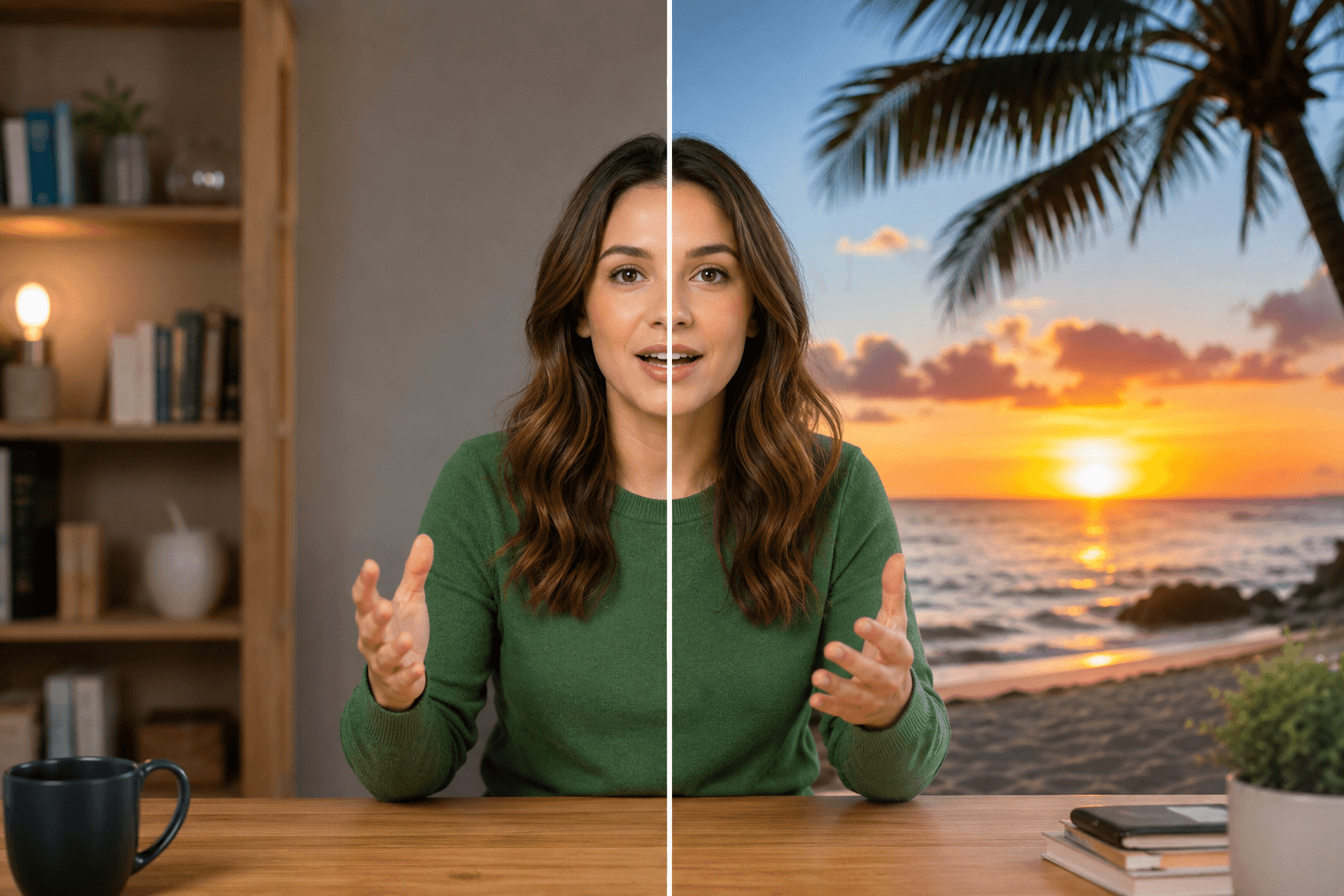
Looking to remove video backgrounds without complicated editing software? An AI video background remover makes it simple to transform your videos in seconds, whether you're creating content for social media, marketing campaigns, or professional presentations. With advanced artificial intelligence, you can now replace video backgrounds effortlessly—no technical skills or expensive equipment required.
What is an AI Video Background Remover?
An AI video background remover is an intelligent tool that automatically detects and removes backgrounds from your videos using machine learning algorithms. Unlike traditional video editing that requires green screens or manual frame-by-frame editing, AI-powered tools like bgremover.video analyze your video content and separate subjects from backgrounds instantly. This technology recognizes people, objects, and movements, creating clean cutouts without the need for special filming setups or professional editing experience.
Why Use bgremover.video for Background Removal?
bgremover.video stands out as a powerful solution for content creators, marketers, and businesses who need quick, professional results. The platform combines cutting-edge AI technology with user-friendly design, allowing anyone to remove backgrounds from videos online without downloading software or learning complex tools.
- Instant Processing Speed – Upload your video and watch as the AI processes it in seconds, saving you hours compared to manual editing methods.
- No Green Screen Required – Traditional background removal techniques demand special equipment and controlled filming conditions, but bgremover.video works with any video footage, whether filmed indoors, outdoors, or in challenging lighting situations.
- Professional Quality Results – The AI precisely detects edges, hair details, and movement patterns to create smooth, professional-looking results that rival expensive editing software.
- Multiple Format Support – Work with various video formats including MP4, MOV, AVI, and more, ensuring compatibility with your existing workflow and devices.
How to Remove Background from Video Online in 3 Steps
Step 1: Upload Your Video – Simply drag and drop your video file into bgremover.video's interface, or click to browse from your device.
Step 2: AI Processing – The intelligent algorithm automatically analyzes each frame, identifying your subject and removing the background with precision.
Step 3: Download or Replace – Either download your video with a transparent background for use in editing software, or choose from preset backgrounds and custom uploads to create your final video immediately.
Top Use Cases for Video Background Replacement
- Content Creation for Social Media – Stand out on platforms like Instagram, TikTok, and YouTube by placing yourself in eye-catching environments without traveling or building sets.
- Product Demonstrations – Showcase products against clean, professional backgrounds that highlight features without distractions from cluttered filming locations.
- Corporate Training Videos – Create consistent, branded video content by removing distracting backgrounds and replacing them with company slides, logos, or themed environments.
- Real Estate Virtual Tours – Film property walkthroughs and replace backgrounds to add property information, pricing details, or branding overlays seamlessly.
AI vs Traditional Background Removal Methods
Traditional green screen video editing requires expensive equipment, dedicated space, and significant post-production time. You need proper lighting to avoid shadows, specific colored backdrops, and expertise in chroma key techniques. Manual rotoscoping—drawing around subjects frame by frame—can take hours or even days for short videos.
Automated background removal through AI eliminates these barriers entirely. The technology works with existing footage, processes videos in minutes rather than hours, and produces consistent results without technical expertise. This accessibility democratizes professional-quality video production for small businesses, solo creators, and teams without dedicated video editors.
Frequently Asked Questions
Can I remove backgrounds from videos without a green screen?
Yes, AI-powered tools like bgremover.video remove backgrounds from any video without requiring green screens or special filming conditions.
How long does it take to process a video?
Processing time depends on video length and quality, but most videos are processed within seconds to a few minutes using our AI video background remover.
What video formats are supported?
bgremover.video supports common formats including MP4, MOV, AVI, and WebM, ensuring compatibility with most cameras and recording devices.
Can I replace the background with my own image or video?
Absolutely—after background removal, you can upload custom backgrounds, choose from our library, or keep the transparent background for further editing.
Is the tool suitable for professional video production?
Yes, the AI produces high-quality results suitable for professional marketing videos, social media content, presentations, and commercial projects.
Conclusion
The era of complicated video editing and expensive green screen setups is over. With an AI video background remover like bgremover.video, anyone can create professional-quality videos in seconds, regardless of their technical background or budget. Whether you're producing content for social media, business presentations, marketing campaigns, or creative projects, the ability to remove and replace video backgrounds instantly opens up unlimited creative possibilities.
bgremover.video eliminates the traditional barriers to professional video production—no special equipment, no manual editing, and no learning curve. Simply upload your video, let the AI work its magic, and download your transformed content ready to impress your audience. The combination of speed, quality, and ease of use makes it the go-to solution for modern content creators who demand professional results without the professional price tag or time investment.