10 best Video Blur Background Apps: Free & Paid
Yash Thakker
Author
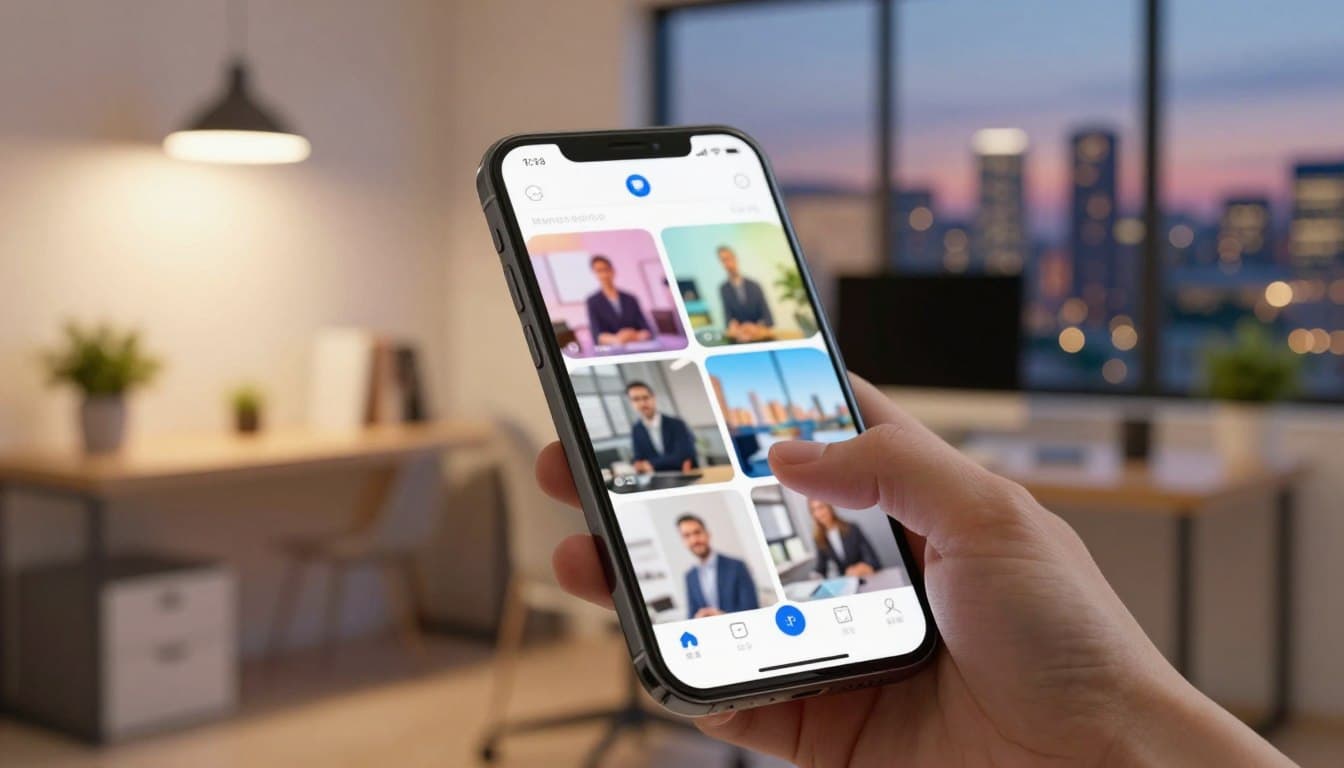
The demand for clean, distraction-free video has never been higher. Whether you are a content creator trying to keep viewers focused on your subject, a professional submitting verification footage, or someone who just wants to hide a messy room before hitting record, the right makes all the difference.
AI has completely changed what is possible with today. You no longer need a green screen, expensive camera gear, or a professional editor to add smooth background blur in video. Modern tools detect your subject automatically, apply the blur in seconds, and export in HD quality without touching a complex timeline.
This guide covers the 10 best available right now, with real detail on what each one does well, where it falls short, and exactly who it is built for.
What to Look for in Blur Video Background Apps
Before jumping into the list, it helps to know what actually separates a good from a great one. The biggest factor is whether the app uses AI to detect the background automatically or requires you to draw masks manually. AI-powered tools like BgBlur.com's background blur feature handle the heavy lifting instantly, while manual tools give more control but take significantly more time.
Beyond that, you want to think about whether you need to blur specific areas in a video (like a face, license plate, or document) versus blurring the whole background. Some apps handle one better than the other. Platform matters too. A desktop-only tool is useless if you edit on your phone, and a mobile-only app will frustrate you when working on longer productions.
Pricing is the final piece. Several excellent are genuinely free with no watermark, while others require a subscription to unlock the features that actually matter. We have covered all of that for each app below.
10 Best Blur Video Background Apps
1. BgBlur.com — Best Overall Blur Video Background App
Pricing: Free plan available | Pro plan for higher limits and batch processing Platforms: Web (any browser), iOS, Android
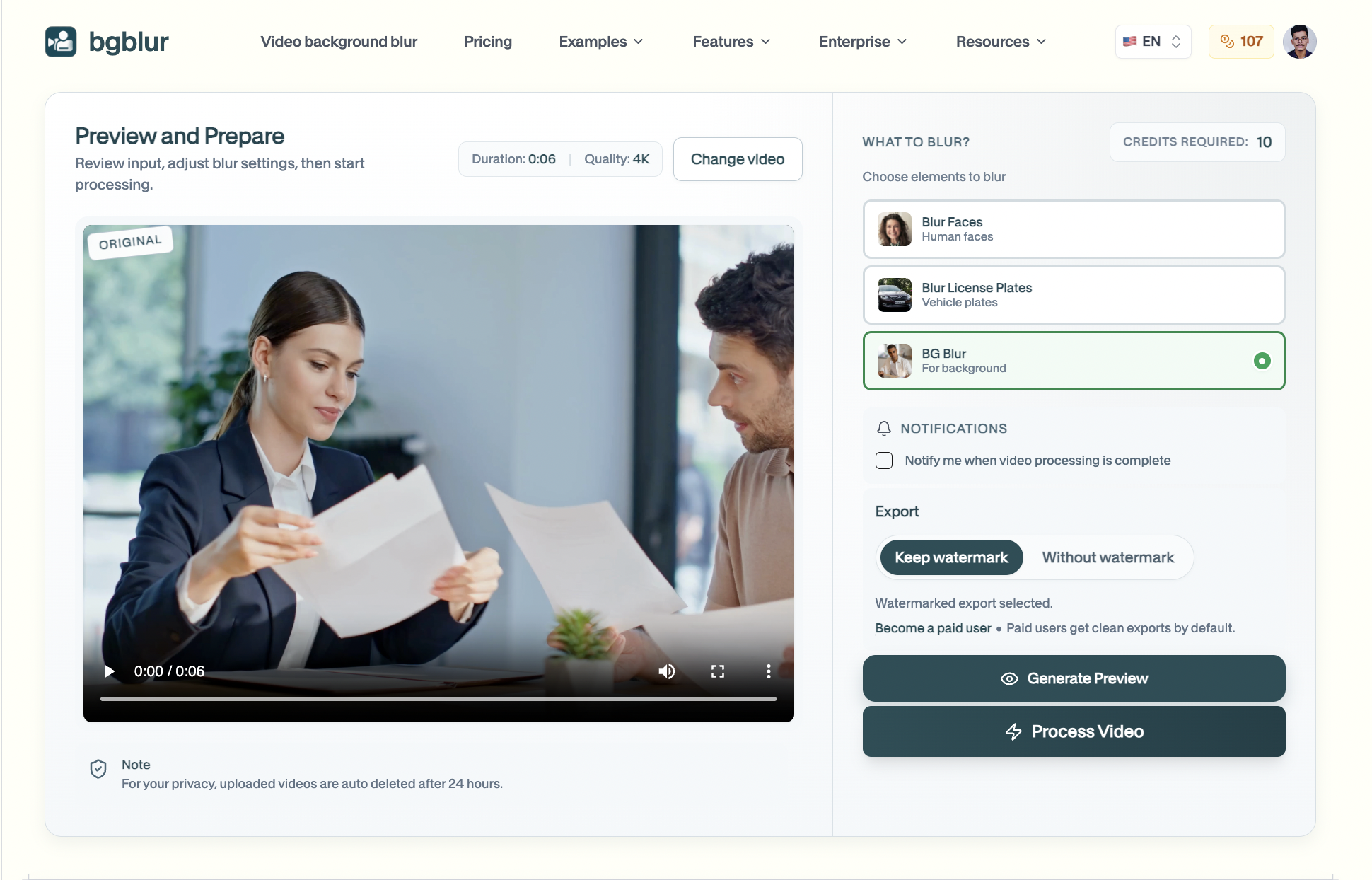
BgBlur.com is the most purpose-built available online today. It was designed specifically for privacy-focused use cases like content creation, verification submissions, and journalism, which means every feature is oriented around getting a clean, private, professional result as fast as possible. The platform has processed over 500 million videos and serves more than 30,000 active users globally.
What makes it stand out from every other tool in this list of is the combination of AI automation and manual precision in a single browser-based workflow. You upload your video, the AI detects and blurs the background automatically, and if you need to refine anything, a manual brush lets you paint blur over any specific area of the frame. There is no software to install and no account required on the free plan.
Key Features
BgBlur's blur background feature uses AI to separate subjects from backgrounds without a green screen. The blur face tool tracks faces frame by frame through the entire clip. The blur anything tool lets you draw a box or use a text prompt to blur any custom region, making it the most flexible option for blurring specific areas. For teams and professionals handling large volumes, batch blur processing queues multiple videos in one run. The platform also supports license plate blur for dashcam and street footage, and voice anonymization for complete privacy protection.
All processing meets GDPR and CCPA standards, which matters for anyone submitting footage to official platforms. Exports come out in HD with no watermark on the free plan, supporting MP4, MOV, M4V, and WebM.
Pros
- Fastest AI video background blur online with no installation or sign-up needed
- Free plan exports without a watermark, which almost no other offers
- Blur specific areas, faces, license plates, and objects all in one place
- Motion tracking keeps blur consistent even when subjects move
- Works on any device through the browser
Cons
- Video length is capped on the free plan
- Not a full timeline editor for complex multi-track productions
BgBlur.com is the right choice for content creators, journalists, vloggers, and anyone who needs to apply background blur in video quickly and reliably. Start blurring for free here.
2. CapCut — Best Free Mobile Blur Video Background App
Pricing: Free | CapCut Pro available Platforms: iOS, Android, Windows, Mac, Web
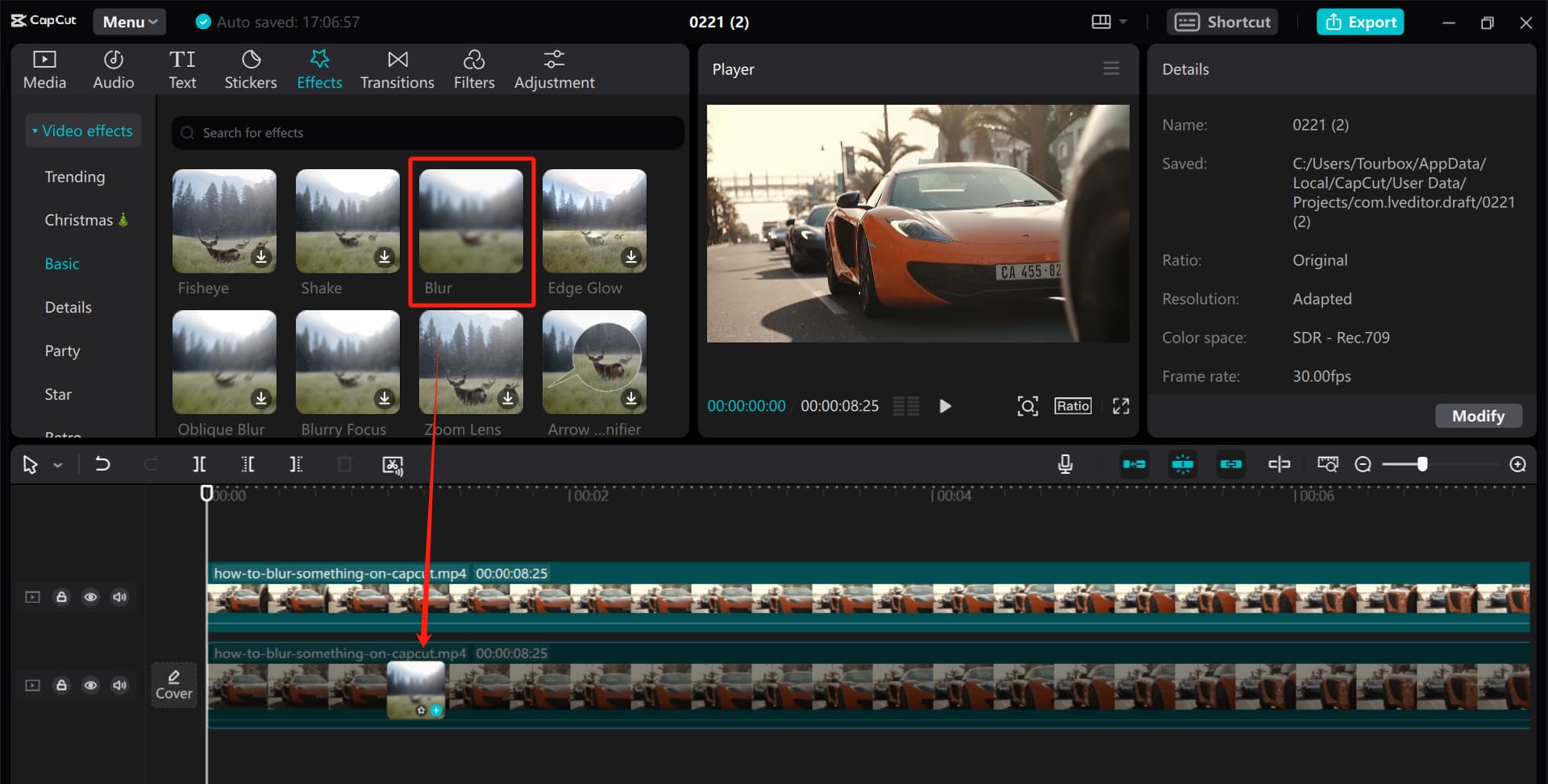
CapCut has become the go-to free editor among for social media creators. Its AI subject cutout feature isolates your subject automatically, and a blur intensity slider lets you control how strong the video background blur looks in your final export. The interface is clean enough for beginners but powerful enough to handle layered edits.
For creators who post Reels, TikToks, and YouTube Shorts, CapCut covers most blur bg needs without spending anything. It also includes a mask overlay tool for blurring specific rectangular or freehand regions of a clip, which makes it more flexible than it might appear at first glance.
Key Features
AI background cutout with adjustable blur intensity, mask tool for blur areas in video, real-time preview, large template and music library, and multi-track timeline editing across mobile, desktop, and web.
Pros
- Completely free with no watermark on standard exports
- Available on every major platform including browser
- Good AI cutout accuracy for most everyday scenes
- Extensive editing features beyond just background blur video
Cons
- Owned by ByteDance, which raises legitimate data privacy concerns for sensitive footage
- Interface is heavily focused on trends and templates, which can feel cluttered for simple jobs
- Advanced blur controls are less precise compared to dedicated
- Not recommended for KYC or official identity verification submissions
3. Adobe Premiere Pro — Best Professional Blur Video Background App
Pricing: From $54.99/month (Creative Cloud subscription) Platforms: Windows, Mac
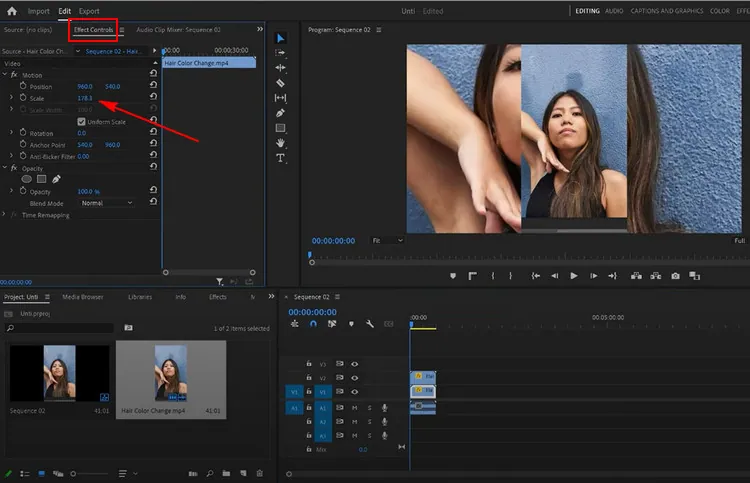
Adobe Premiere Pro is the professional standard when precision is non-negotiable. Its combination of AI-powered background detection, Lumetri color and effects pipeline, and frame-by-frame masking tools gives complete control over background blur in video at a level no mobile or web tool can match. For filmmakers, agencies, and editors producing broadcast or commercial content, this is the most powerful available.
The AI-powered background removal feature works well for standard footage, and the Gaussian blur effect can be tuned with a custom radius for exactly the depth-of-field look you want. For complex scenes, rotoscoping and tracked masks keep the blur locked to moving subjects across the entire clip.
Key Features
AI background removal, Gaussian blur with custom radius control, frame-by-frame masking with motion tracking, full professional timeline and multi-track editing, integration with After Effects for advanced compositing, and support for every major video format.
Pros
- Best-in-class precision for blur areas in video with tracked moving subjects
- Full professional production workflow in one application
- Handles every format and resolution including 4K and RAW
Cons
- Expensive monthly subscription with no permanent free tier
- Steep learning curve that takes significant time to master
- Requires a powerful computer with a dedicated GPU for smooth playback
4. DaVinci Resolve — Best Free Desktop Blur Video Background App
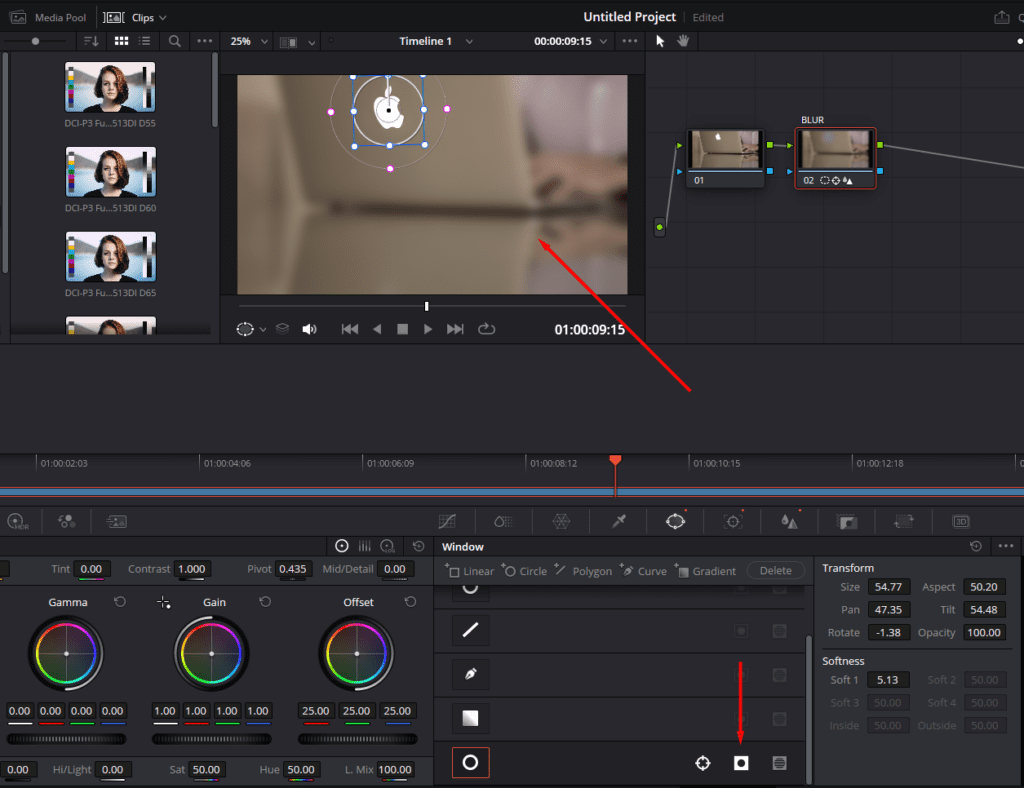
Pricing: Free | DaVinci Resolve Studio $295 one-time Platforms: Windows, Mac, Linux
DaVinci Resolve is the strongest argument for why you do not need to pay for a professional-grade on desktop. The free version includes the AI Magic Mask feature, which automatically detects and tracks subjects through complex footage. You invert the selection, apply a blur node to the background layer, and the result is cinematic-quality video background blur at no cost.
For editors comfortable with a node-based workflow, DaVinci Resolve offers more control over blur areas in video than any app in this list except Premiere Pro, and it costs nothing to get started.
Key Features
AI Magic Mask for automatic subject isolation, Gaussian, lens, and zoom blur effects via the node system, motion tracking for consistent background blur video across frames, full timeline with multi-track support, and Fusion compositing for advanced masking.
Pros
- Free version covers virtually all professional desktop needs
- AI Magic Mask is among the best available in any free tool
- Hollywood-grade color grading and effects alongside blur tools
Cons
- Complex node-based interface requires meaningful time investment to learn
- Heavy system requirements; noticeably slow on older or lower-spec machines
- No web or mobile version, making it unsuitable for on-the-go background blur in video work
5. Camtasia — Best Blur Video Background App for Specific Area Blur
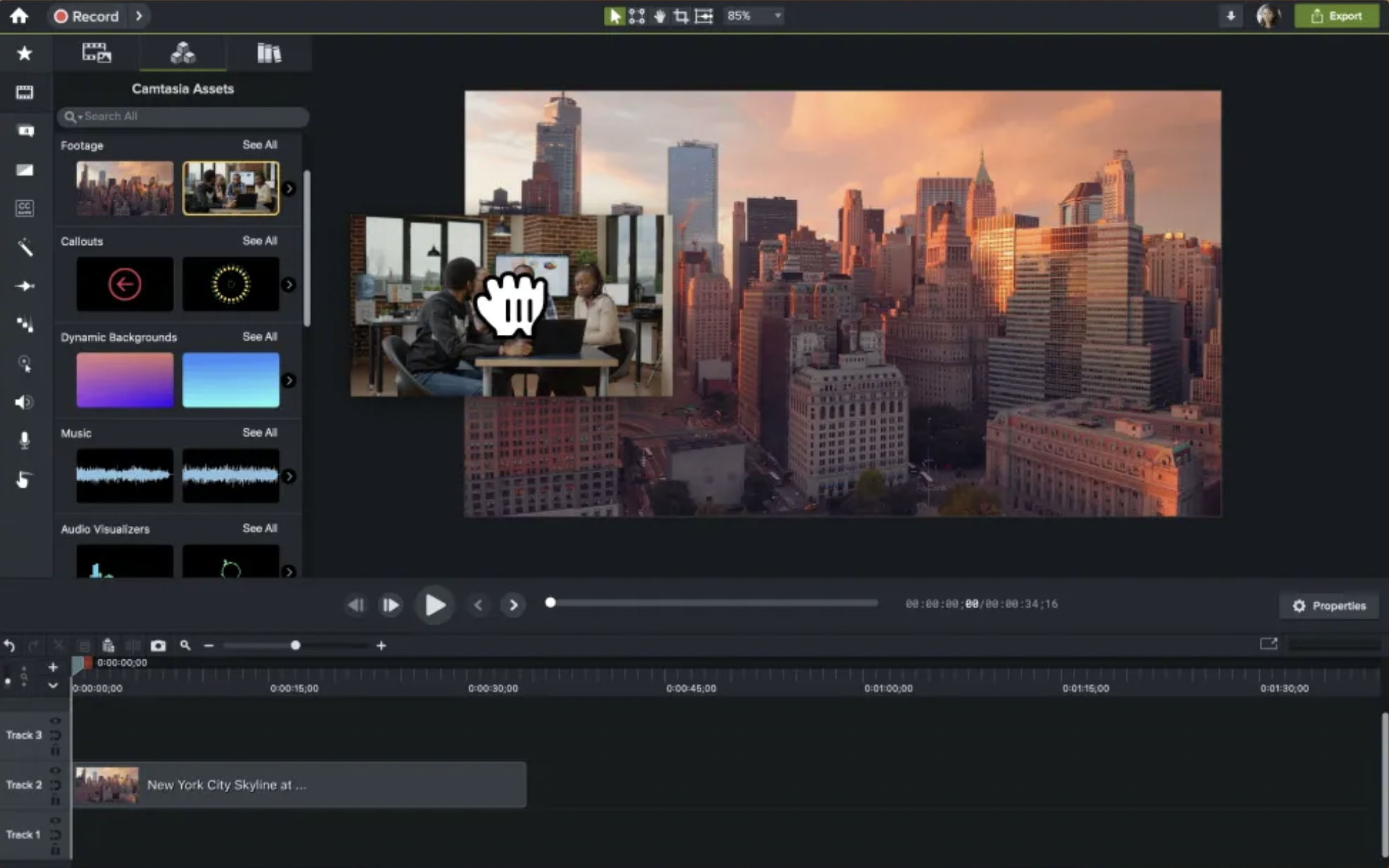
Pricing: $299.99 one-time or $169/year Platforms: Windows, Mac
Camtasia is built for screen recorders and tutorial makers, but its blur region tool earns it a place among the best for anyone who needs to hide specific areas. You draw a box over any region of the frame, and Camtasia tracks it through the clip automatically. No masking, no keyframing, no technical complexity. This makes it the simplest dedicated tool for hiding passwords, personal data, addresses, or sensitive on-screen information in tutorial or walkthrough footage.
Key Features
Draw-to-blur region tool with automatic clip tracking, drag-and-drop timeline editing, built-in screen recording with immediate blur application, callout and annotation tools for instructional content.
Pros
- Fastest and simplest workflow for blur areas in video as rectangular regions
- Excellent for screen recordings and educational content
- One-time purchase option available rather than a recurring subscription
Cons
- High upfront cost compared to free
- Not designed for full background blur video or cinematic depth-of-field effects
- No AI subject detection or motion-adaptive background removal
6. VN Video Editor — Best Mobile Blur Video Background App for Precision
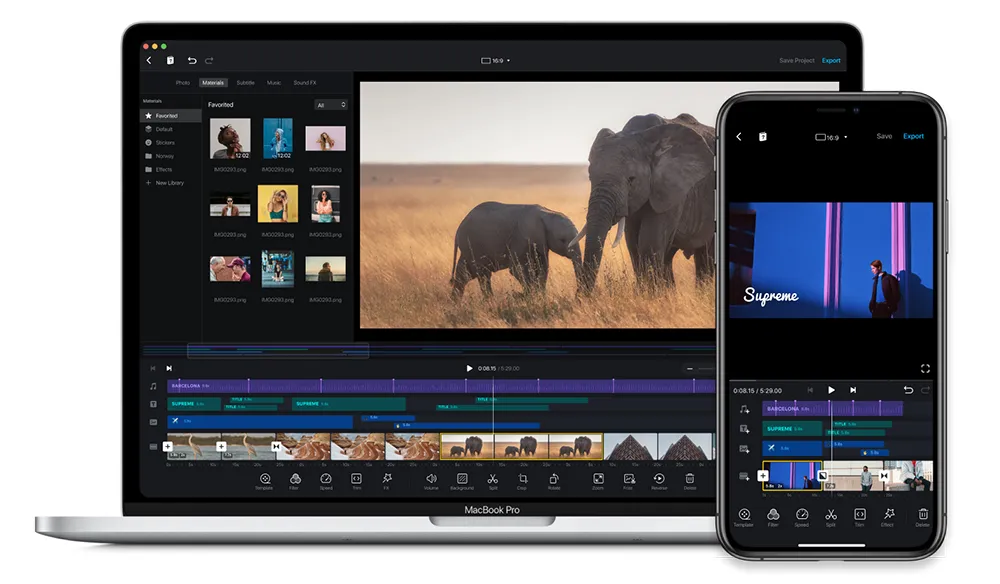
Pricing: Free | VN Pro available Platforms: iOS, Android
VN Video Editor is a professional-leaning mobile editor that gives creators more control over video background blur than most mobile allow. Its AI background removal produces clean edges, and the manual masking tools let you refine selections with precision that is unusual for a smartphone app. Creators who find CapCut too simple but do not want to switch to a desktop will find VN hits the right balance for background blur in video work.
Key Features
AI background removal with manual mask refinement, fully adjustable blur bg intensity, multi-layer editing with overlay support, high-resolution export options, and fast rendering on modern devices.
Pros
- Clean AI background detection with good edge accuracy
- Manual masking for precise video background blur control on mobile
- High-quality exports that maintain full detail at original resolution
Cons
- Slight learning curve for new mobile video editors
- Requires a modern device; performance drops on older hardware
- Smaller community and template library compared to other
7. PowerDirector — Best Mobile Blur Video Background App for AI Masking
Pricing: Free (with watermark) | PowerDirector 365 from $4.08/month Platforms: iOS, Android
PowerDirector brings desktop-level masking precision to mobile through its AI-driven toolset, making it one of the more powerful available on a smartphone. Subject detection is accurate even in complex backgrounds, and the AI object tracking keeps masks locked to moving subjects across the entire clip. For mobile creators who need professional control over background blur in video without switching to desktop, PowerDirector is the strongest option.
Key Features
AI-powered subject detection and masking, automatic object tracking that follows movement throughout the clip, granular video background blur intensity controls with natural subject-to-background transition, and fast rendering even on high-resolution footage.
Pros
- Highly accurate subject detection with clean edges
- AI tracking keeps the blur bg consistent as subjects move
- Fast rendering speeds for a mobile
Cons
- Full feature set requires a paid subscription
- Interface depth can feel overwhelming for first-time users
- Demands significant processing power from older mobile devices
8. Canva Video Editor — Best Blur Video Background App for Social Media Designers
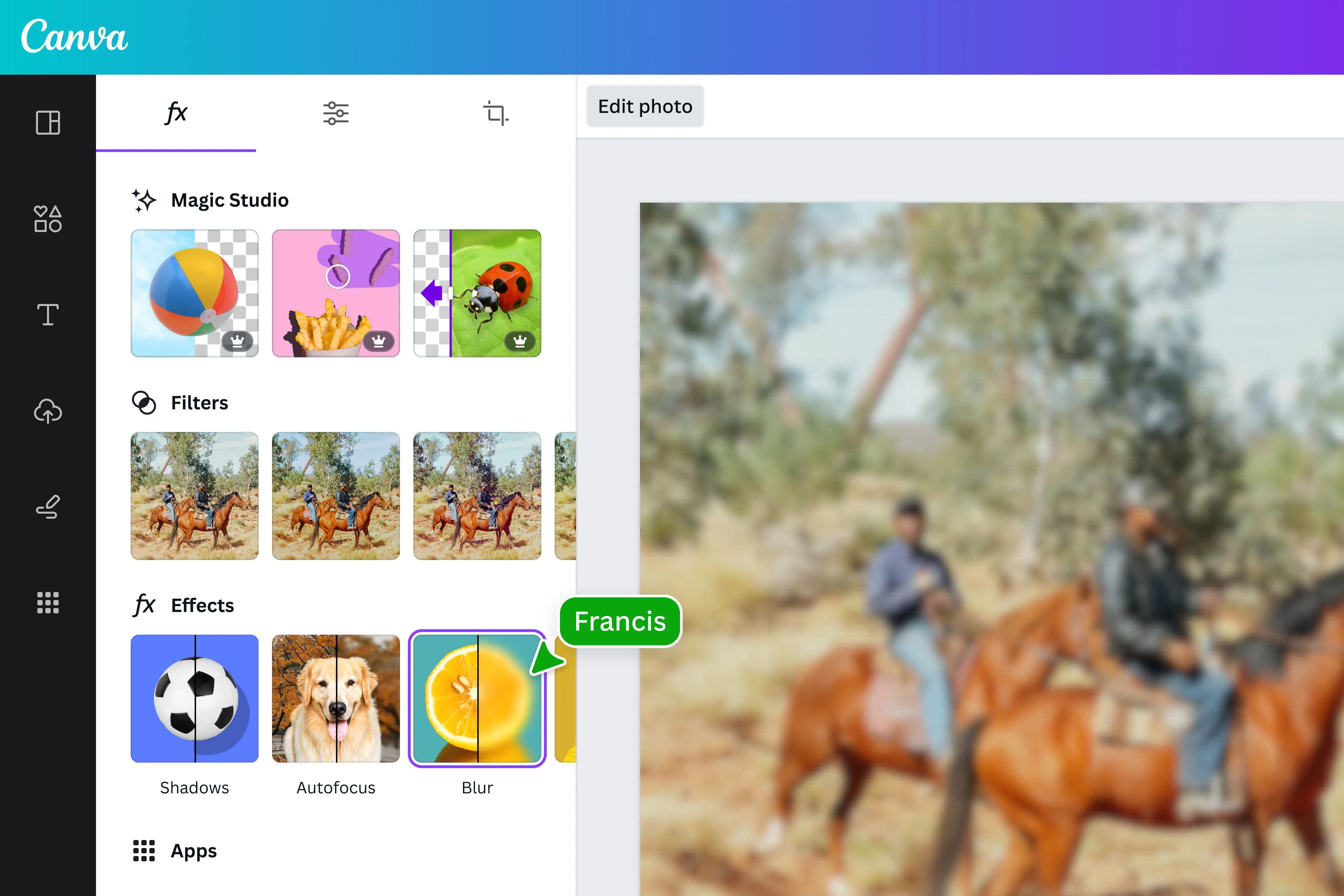
Pricing: Free (limited) | Canva Pro from $14.99/month Platforms: Web, iOS, Android
Canva is primarily a design platform, but its video editor has matured enough to handle background blur video for social media purposes. On the Pro plan, the AI background remover isolates your subject, and you can layer a blurred version of the background behind it to create a depth-of-field effect. It is more of a workaround than a native feature, but it works well for creators already inside the Canva ecosystem who need a quick blur bg without switching tools.
Key Features
AI background remover on Pro plan, drag-and-drop video editing, large library of templates and design assets, brand kit integration for consistent visual identity, and social media format presets for every major platform.
Pros
- All-in-one design and video platform that reduces context-switching
- Very easy to use with no prior video editing experience required
- Excellent for branded social content where video background blur is a finishing touch
Cons
- Background blur in video requires a paid Pro subscription
- Limited precision for complex or fast-moving scenes
- Not suitable for official verification, KYC, or privacy-sensitive submissions
9. InShot — Best Beginner Blur Video Background App for Social Creators
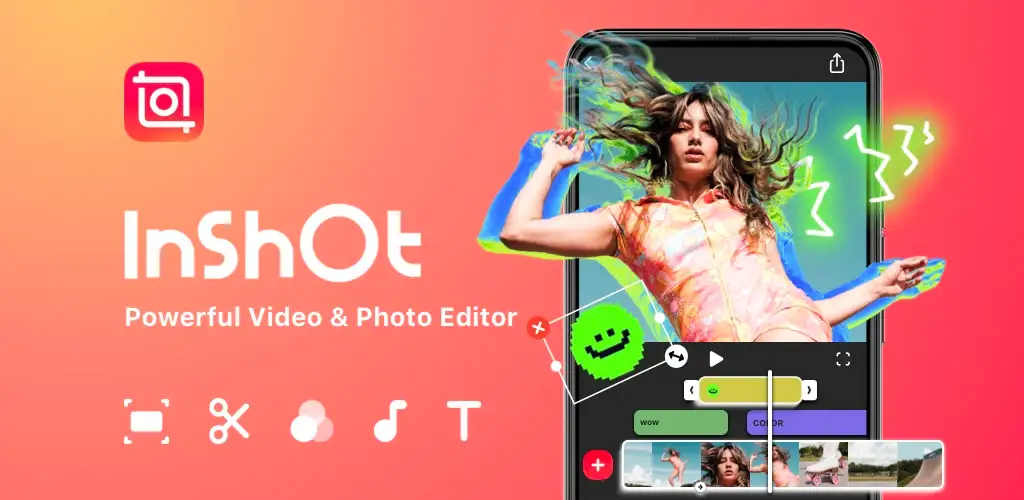
Pricing: Free with ads | InShot Pro from $3.99/month Platforms: iOS, Android
InShot is the most beginner-accessible option among all on this list. Its blur bg feature works primarily as a canvas fill tool, applying a blurred version of the video as a letterbox background when you need to change aspect ratios. This is especially useful for posting vertical footage in a horizontal format, a daily task for Reels and TikTok creators. It does not offer AI subject detection, but for its specific use case it is genuinely the fastest background blur video canvas tool available on mobile.
Key Features
Blur canvas background for social media format conversion, speed control and trim tools, music and voiceover support, text and sticker overlays, and export presets for Instagram, TikTok, and YouTube.
Pros
- Extremely simple and fast for beginners needing quick blur bg on mobile
- Blur canvas is perfect for social format conversions
- Free to use (with ads)
Cons
- No AI subject segmentation for true video background blur
- Blur is limited to canvas fill; not suitable for selective area blurring
- Watermark on the free plan
10. iMovie — Best Free Blur Video Background App for Apple Users
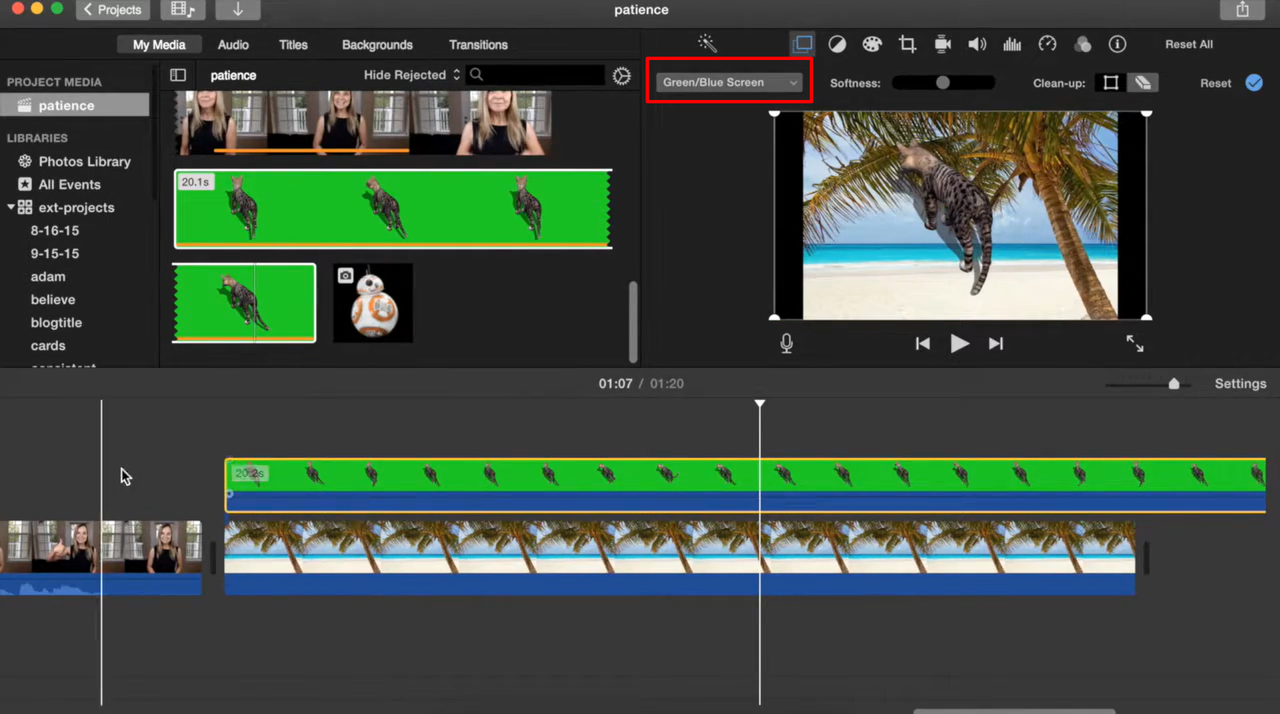
Pricing: Free Platforms: iOS, Mac
iMovie rounds out the list as the free option built into every Apple device. It does not have a one-click button, but you can achieve background blur in video manually by using picture-in-picture overlays and applying a blur effect layer through the effects panel. For Apple users who do not want to pay for a dedicated and have time to work through the manual process, iMovie is a practical free solution.
Key Features
Clean timeline editing for Mac and iPhone, picture-in-picture and overlay effects, basic color correction, seamless AirDrop and iCloud sync between iPhone and Mac, and direct export to YouTube and social platforms.
Pros
- Completely free for all Apple device owners
- Clean, beginner-friendly interface
- Solid Apple ecosystem integration for video background blur workflows
Cons
- No native AI background blur video feature
- Manual masking process is time-consuming and imprecise
- Apple devices only, with no Windows or web version
Quick Comparison: Blur Video Background Apps at a Glance
| App | Free Plan | AI Blur | Blur Specific Areas | Mobile | Web | Watermark-Free (Free) |
|---|---|---|---|---|---|---|
| BgBlur.com | Yes | Yes | Yes | Yes | Yes | Yes |
| CapCut | Yes | Yes | Partial | Yes | Yes | Yes |
| Adobe Premiere Pro | No | Yes | Yes | No | No | Paid only |
| DaVinci Resolve | Yes | Yes | Yes | No | No | Yes |
| Camtasia | No | No | Yes | No | No | Paid only |
| VN Video Editor | Yes | Yes | Yes | Yes | No | Yes |
| PowerDirector | Watermark | Yes | Yes | Yes | No | Paid only |
| Canva | Limited | Pro only | Limited | Yes | Yes | Paid only |
| InShot | Ads | No | Canvas only | Yes | No | Paid only |
| iMovie | Yes | No | Manual | iOS/Mac | No | Yes |
How to Choose the Right Blur Video Background App for Your Needs
With so many available, the right choice depends entirely on what you are trying to do and where you are doing it.
If you need fast AI background blur in video without installing anything, BgBlur.com is the answer. It handles the full range of blur tasks including background blur, face blur, license plate blur, and custom area blur, all from any browser on any device. The free plan is genuinely useful with no watermark, making it the most complete for most users.
If you are a mobile creator posting social content and want a free all-in-one editor, CapCut covers most blur bg needs well. Just be aware of the data privacy considerations for sensitive footage. If you need more precision on mobile, VN Video Editor or PowerDirector are stronger choices among for smartphones.
If you are a desktop professional who needs frame-by-frame precision for complex productions, DaVinci Resolve is the strongest free on desktop, and Adobe Premiere Pro is the best paid option when you need full professional control.
If your specific need is hiding areas in screen recordings or tutorial videos, Camtasia's draw-to-blur tool is unmatched for simplicity among all for that use case.
How to Add Background Blur in Video Using BgBlur.com
Getting started with background blur in video takes under a minute on BgBlur.com. Here is the complete process:
Step 1: Open BgBlur.com and upload your video. Go to bgblur.com/en/upload and drag your video file onto the upload area. The platform accepts MP4, MOV, M4V, and WebM formats.
Step 2: Select the blur type you need. Choose blur background for full AI background blur video, blur face for privacy-protecting faces, blur license plate for vehicle footage, or blur anything to draw a custom region over any object in the frame.
Step 3: Let the AI process the clip. The AI automatically detects your subject and applies the video background blur. For most clips under a minute, processing takes under 30 seconds.
Step 4: Preview and adjust. Use the live preview to confirm the blur bg looks right. Adjust intensity using the slider if needed. If any area needs manual refinement, use the brush tool to paint blur over specific regions.
Step 5: Export and use your video. Download your processed clip in HD quality. The free plan exports without a watermark and the file is ready to upload, share, or submit immediately.
Frequently Asked Questions About Blur Video Background Apps
What is the best free blur video background app with no watermark?
BgBlur.com is the best free that exports without a watermark. DaVinci Resolve and iMovie are also watermark-free on the free plan, but they require desktop software and do not use AI for automatic background blur video detection. For AI-powered blur with no watermark and no software download, BgBlur.com is the clear choice among all free .
Can I blur only a specific area in a video instead of the whole background?
Yes. BgBlur.com's blur anything tool lets you draw a box or use a text prompt to blur areas in video precisely, not just the background. Camtasia has a simple rectangular draw-to-blur feature. DaVinci Resolve and Adobe Premiere Pro both support freehand masking with motion tracking for moving subjects.
Which blur video background app works best on mobile?
CapCut is the most capable free mobile for social content. VN Video Editor and PowerDirector both offer better precision for creators who need more control. For complete video background blur on mobile without installing anything, BgBlur.com works in any mobile browser.
Does using a blur video background app reduce video quality?
A good only softens the background pixels while preserving full sharpness on the subject. BgBlur.com exports in HD and does not reduce overall video resolution. Always check the export settings in whichever you use to confirm you are exporting at the original resolution.
Is background blur in video the same as bokeh?
Bokeh is the optical blur that expensive camera lenses create naturally through shallow depth of field. Background blur in video using a is a post-production technique that replicates this look digitally using AI segmentation and Gaussian blur algorithms. The result is visually similar, but the blur is applied in editing rather than captured in-camera.
Which app is best for blurring faces and license plates in the same video?
BgBlur.com handles both in the same session, making it the most complete for privacy-focused workflows. You can use the face blur tool and the license plate blur tool on the same clip, and the AI tracks both automatically throughout the entire video.
Related Posts
These guides from BgBlur.com go deeper on specific use cases:
- How to Blur a Face in a Video — Frame-by-frame face tracking for privacy protection in any footage
- How to Blur a License Plate in a Video — Auto-detection for dashcam, street, and fleet footage
- Blur Background in Video Without a Green Screen — AI-powered background blur video for creators
- Blur Anything in a Video — Draw a box or use a prompt to blur logos, text, and custom regions
- Face Anonymization for Teams — High-throughput redaction for media, healthcare, and public sector
- Batch Video Blur Processing — Queue multiple videos and process them in one run with any workflow
BgBlur.com is an AI-powered video privacy platform and one of the most complete available online. It supports background blur, face blur, license plate blur, voice anonymization, and custom area blur, all from any browser on any device with no software installation required.