BGRemover Bulk Video Background Remover Online — Process Multiple Videos at Scale for Transparent Backgrounds, Background Replacement, and Fast Browser-Based Export
Yash Thakker
Author
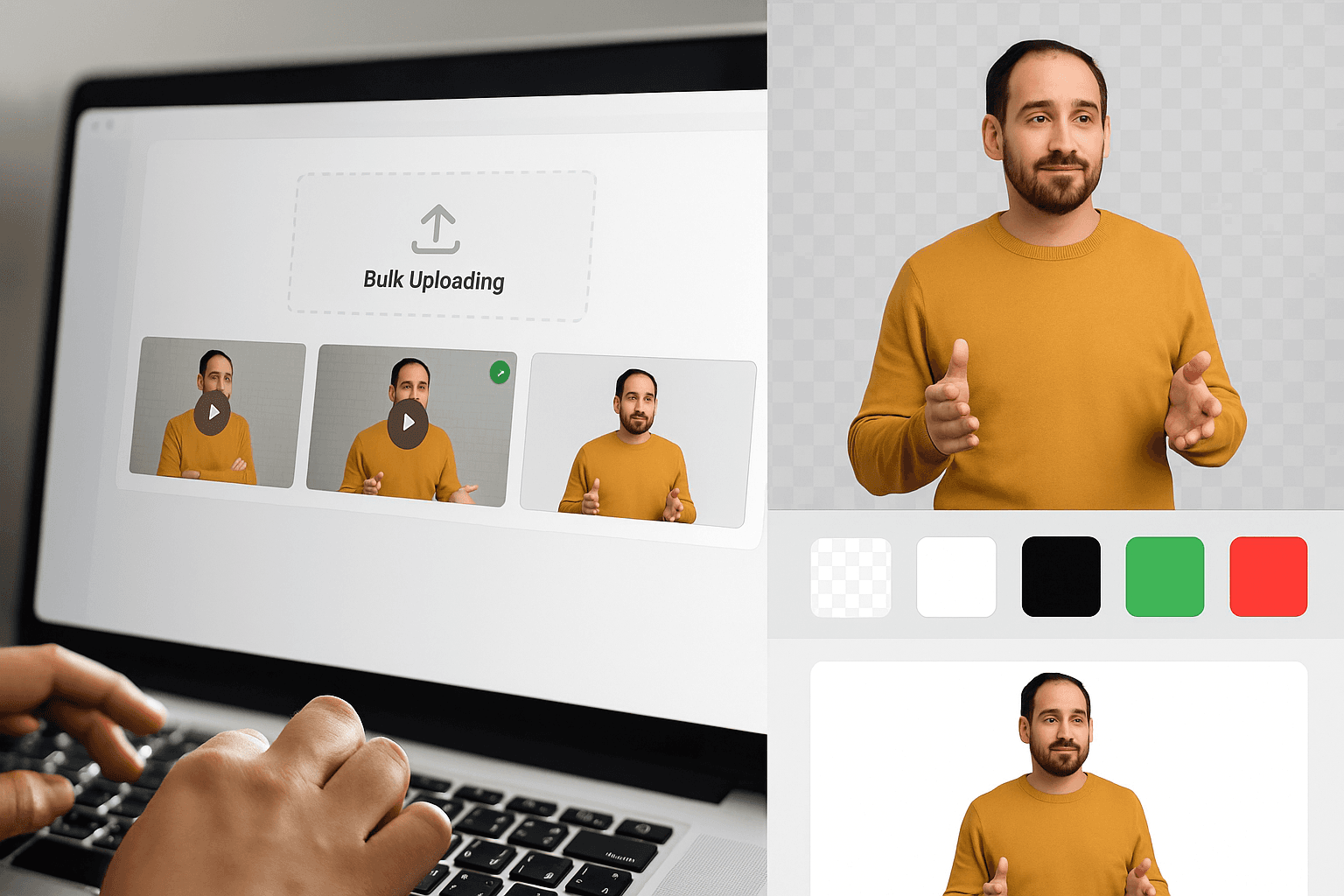
Discover how to efficiently remove backgrounds from multiple videos simultaneously with powerful bulk processing tools. If you're a content creator, marketer, or video editor looking to bulk remove background online, this comprehensive guide will transform your workflow and save countless hours of manual editing.
Try BgRemover.video - The Most Powerful Bulk Video Background Remover
In today's fast-paced digital landscape, processing videos one by one is no longer practical. Whether you need a free video background remover for occasional projects or a professional solution to remove full video background online free across hundreds of files, bulk processing capabilities have become essential. This guide explores everything you need to know about batch processing videos, removing backgrounds at scale, and choosing the right tools for your needs.
What Is Bulk Video Background Removal?
Bulk video background removal is the process of removing backgrounds from multiple videos simultaneously using automated AI technology. Unlike traditional methods that require manual editing of each video individually, bulk processing allows you to upload dozens or even hundreds of videos at once and apply background removal to all of them in parallel.
This revolutionary approach transforms workflows for professionals who need to make video background transparent across large video libraries. Instead of spending days processing files one by one, you can complete entire projects in hours, maintaining consistency and quality across all your content.
The technology behind bulk removal combines advanced artificial intelligence, cloud computing infrastructure, and sophisticated video processing algorithms. Modern AI can accurately detect subjects in your footage, separate them from backgrounds with precision, and handle complex scenarios including hair details, motion blur, and challenging lighting conditions—all while processing multiple files simultaneously.
Why You Need a Bulk Upload Video Background Remover
The demand for video content has exploded across all industries. Social media platforms, e-commerce websites, educational institutions, and marketing agencies all require vast quantities of video material with clean, professional backgrounds. Processing these videos individually creates bottlenecks that slow production, increase costs, and limit creative output.
Time Efficiency at Scale
Consider a typical scenario: an e-commerce company with 500 product videos shot in various locations needs uniform white backgrounds. Processing each 30-second video individually might take 5-10 minutes including upload, processing, review, and download. That's 2,500-5,000 minutes (42-83 hours) of work. With batch processing video capabilities, the same project completes in a fraction of the time, allowing the AI to process multiple videos concurrently.
Consistency Across Projects
When you bulk remove background online, you ensure consistency across your entire video library. The same AI algorithms and settings apply to every video, eliminating variations that occur when processing files separately over extended periods. This uniformity is crucial for professional branding, cohesive marketing campaigns, and polished final products.
Cost Reduction
Time savings translate directly to cost savings. Whether you're paying team members hourly or measuring opportunity cost, bulk processing dramatically reduces labor expenses. Projects that once required dedicated video editors for weeks now complete in days, freeing resources for higher-value creative work.
Scalability for Growing Businesses
As your video production needs grow, bulk processing scales effortlessly. Whether you're processing 10 videos or 1,000, the workflow remains essentially the same. This scalability ensures your production capabilities grow with your business without proportional increases in time or resources.
Understanding Video Background Removal Technology
Modern free video background remover tools leverage sophisticated artificial intelligence trained on millions of video frames. These AI models learn to distinguish between subjects and backgrounds by analyzing visual patterns, edges, colors, movements, and contextual clues within each frame.
How AI Processes Video Frames
Video consists of individual frames—typically 24, 30, or 60 frames per second. Background removal AI analyzes each frame individually, identifying the subject and separating it from the background. Advanced algorithms also track subjects across frames, ensuring consistency and smooth transitions even when subjects move or lighting changes.
The AI considers multiple factors simultaneously:
- Edge detection: Identifying boundaries between subjects and backgrounds
- Color analysis: Differentiating subject tones from background colors
- Motion tracking: Following subjects through frame sequences
- Depth perception: Understanding spatial relationships in scenes
- Contextual understanding: Recognizing common subjects like people, products, and animals
Handling Different Background Types
Whether you're working with green screen backgrounds, natural outdoor settings, studio environments, or complex indoor scenes, modern AI adapts to various scenarios. The technology excels particularly with:
- Solid color backgrounds like white background, black background, green background or red background
- Studio setups with controlled lighting
- Natural backgrounds with clear subject-background distinction
- Dynamic backgrounds with movement or patterns
BgRemover.video: The Leading Bulk Video Background Remover
When searching for a powerful tool to remove background from video at scale, BgRemover.video stands out as the premier choice for professionals and businesses. This comprehensive platform combines cutting-edge AI technology with true bulk processing capabilities, delivering professional results without professional complexity.
Why Former Unscreen Users Are Switching to BgRemover.video
Recent news has shaken the video editing community: Unscreen is shutting down on December 1, 2025. This popular service, owned by Canva Austria GmbH, stopped accepting new subscriptions in September 2025 and will cease all operations permanently at the deadline.
If you've been using Unscreen for your video background removal needs, you're likely searching for a reliable alternative that matches or exceeds its capabilities. For detailed information about the shutdown, you can read more about the Unscreen shutdown reasons and find alternatives here.
Why BgRemover.video Surpasses Unscreen
Superior Bulk Processing
While Unscreen offered good individual video processing, it lacked robust bulk upload capabilities. BgRemover.video was specifically designed with bulk processing as a core feature, not an afterthought. This fundamental architectural difference means you can process significantly more videos simultaneously with better resource management.
More Flexible Background Options
Unscreen primarily focused on transparency. BgRemover.video provides transparency plus multiple solid color options, custom backgrounds, and green screen replacement—all within the same workflow. This flexibility eliminates the need for additional post-processing software for many projects.
Better Pricing Structure
Unlike subscription models that charge monthly regardless of usage, BgRemover.video offers flexible pricing that scales with your actual needs. Process videos only when you need them without paying for idle capacity during slow periods.
Active Development and Support
The Unscreen shutdown highlights a critical consideration: platform longevity and commitment. BgRemover.video is actively developed, regularly updated, and committed to long-term service. You won't face sudden shutdowns that disrupt your workflow and force emergency migrations.
Superior AI Accuracy
Many former Unscreen users report that BgRemover.video actually delivers better results, particularly with challenging footage involving complex edges, varying lighting, and rapid motion. The AI's extensive training on diverse scenarios produces cleaner edges and fewer artifacts.
How to Bulk Remove Backgrounds from Videos: Simple 3-Step Process
Ready to transform your video workflow? Here's how incredibly simple bulk background removal has become with modern AI technology:
Step 1: Upload All Your Videos at Once
The beauty of bulk processing is its simplicity. Just drag and drop all your videosdirectly into the upload area on BgRemover.video. No need to upload one by one—select dozens or even hundreds of files and drop them all at once.
Supported formats include:
- MP4 - Most common video format
- MOV - Apple and professional video format
- AVI - Windows video format
- MKV - High-quality video format
- WebM - Web-optimized format
- Plus many more video formats
You can even mix different formats in the same batch. The platform automatically handles all technical conversions, so you don't need to worry about compatibility issues.
Pro tip: For the best results, ensure your original videos have good lighting and clear subject-background distinction. But even if your footage isn't perfect, the AI will still deliver impressive results.
Step 2: Choose Your Background Style
Once your videos are uploaded, simply select what you want your background to be. BgRemover.video offers multiple options to fit any project need:
Make it Transparent Perfect if you want maximum flexibility. A transparent backgroundlets you overlay your videos on any backdrop later, create picture-in-picture effects, or composite multiple videos together.
Choose a Color Background Select from popular preset colors or create your custom color:
- White background - Clean, professional look for products and presentations
- Black background - Dramatic, artistic effect for creative content
- Green background - Industry standard for further editing and chroma keying
- Red background - Bold, eye-catching for unique creative projects
- Custom colors - Match your exact brand colors or project requirements
The same background setting applies to all videos in your batch, ensuring consistency across your entire project. If you need different backgrounds for different groups, simply process them as separate batches.
Step 3: Download and Use Your Videos
That's it! Once processing completes (typically just a few minutes per video), you can:
Download Everything
- Get all your processed videos in a single click
- Download individual videos as needed
- Preview results before downloading
Use Immediately
- Import directly into your video editing software
- Upload to social media platforms (Instagram, TikTok, YouTube)
- Add to your website or e-commerce store
- Send to clients or team members
- Create marketing materials and advertisements
Your videos are ready to use professionally with no watermarks, no quality loss, and no restrictions. The entire process from upload to download typically takes just minutes, even for large batches of videos.
Don't let manual video processing bottleneck your content production. Start leveraging bulk video background removal today and experience the transformative efficiency of processing multiple videos simultaneously. Upload your first batch, watch as AI handles the heavy lifting, and discover how quickly you can remove full video background online free across your entire video library.
The future of video production is here—scalable, efficient, and accessible to everyone. Visit BgRemover.video now and revolutionize your video workflow with professional bulk background removal that saves time, reduces costs, and delivers exceptional results every single time.
Ready to process multiple videos in minutes instead of hours? Try BgRemover.video's bulk video background remover today and join thousands of creators, businesses, and agencies who have transformed their video production with the power of batch processing video at scale.
Conclusion: Transform Your Video Workflow Today
The ability to bulk remove background online has fundamentally changed video production workflows across industries. What once required expensive software, powerful computers, days of manual labor, and specialized expertise now takes minutes with accessible, free video background remover tools that anyone can master.
Whether you're processing a dozen videos for a social media campaign or hundreds of product videos for an e-commerce catalog, bulk background removal delivers unprecedented efficiency without compromising quality. The technology continues advancing, AI accuracy improves constantly, and platform capabilities expand, making this the ideal time to integrate bulk processing into your workflow.
For professionals transitioning from Unscreen or exploring background removal for the first time, BgRemover.video offers the optimal combination of power, simplicity, reliability, and value. The robust bulk upload capabilities, flexible background options, high-resolution support, and commitment to long-term service make it the clear choice for serious video creators and businesses.
Frequently Asked Questions
Q1: How many videos can I process simultaneously with bulk upload?
A: BgRemover.video supports genuine bulk processing, allowing you to upload and process multiple videos concurrently. The specific number depends on individual file sizes, your account tier, and server capacity. Most users can comfortably process 10-50 videos simultaneously, with larger batches divided automatically into manageable groups processed in sequence.
Q2: Does bulk processing reduce output quality compared to individual processing?
A: No. Bulk processing applies identical AI algorithms and quality settings to each video as individual processing would. The only difference is efficiency—multiple videos process in parallel rather than sequentially. Each video receives full computational resources during its processing, ensuring consistent quality across your entire batch.
Q3: What video formats are supported for bulk background removal?
A: BgRemover.video supports virtually all common video formats including MP4, MOV, AVI, WebM, MKV, FLV, and more. You can upload videos in mixed formats within the same batch, and the platform handles format conversion automatically. Export options include popular formats optimized for various platforms and use cases.
Q4: How long does it take to process bulk videos?
A: Processing time varies based on video length, resolution, complexity, and batch size. A typical 1-minute HD video processes in 3-5 minutes. However, bulk processing handles multiple videos concurrently, so 10 videos don't take 10 times longer than one video. Large batches may queue additional videos as earlier ones complete, but overall efficiency far exceeds sequential processing.
Q5: Can I use bulk-processed videos commercially?
A: Yes. Videos processed through BgRemover.video are fully yours to use commercially without restrictions. There are no watermarks, usage limitations, or licensing requirements. Always ensure you have rights to the original source footage, but the processed outputs are freely usable for any purpose including commercial projects, advertising, resale, and distribution.
Q6: What happens if some videos in my bulk batch fail to process correctly?
A: The platform processes each video independently, so one failed video doesn't affect others in your batch. If issues occur, the system identifies problematic videos, provides error information, and allows you to reprocess them with adjusted settings or after addressing source file issues. Successfully processed videos remain available while you resolve problems.
Q7: How does BgRemover.video compare to Unscreen for bulk processing?
A: BgRemover.video was specifically designed with robust bulk processing capabilities, whereas Unscreen focused more on individual video processing. BgRemover.video offers superior bulk upload features, parallel processing architecture, more background options, flexible pricing, and long-term platform stability. With Unscreen shutting down, BgRemover.video provides a more powerful and reliable alternative for users who need to remove background from video at scale.
Q8: Do I need special software or technical knowledge to use bulk video background removal?
A: No. BgRemover.video's interface requires no technical expertise, video editing experience, or special software. Simply upload your videos through any modern web browser, select your preferred background option, and download your processed results. The platform handles all technical complexity behind the scenes, making professional-quality background removal accessible to everyone regardless of technical skill.